

Innovation First, Inc.
Innovation First, Inc. 1UCMA-137 1U Cable Management Arm 19" 28.5"-33" computer accessory
- Product Type:Cable…
- Panel Width:19" Rac…
$72.99
0.00086418BTC
In stockWe take cryptocurrency — so the coins you hold can buy real hardware.Pay in crypto, spend it on real hardware. Free insured shipping worldwide over $399. Plain, unbranded boxes, sent from Germany.Free insured shipping over $399. Your rate is locked for 30 minutes once checkout opens.Rate locked 30 minutes. Every item sealed, serial-checked and covered by a 24-month warranty.Sealed, 24-month warranty.


DELL
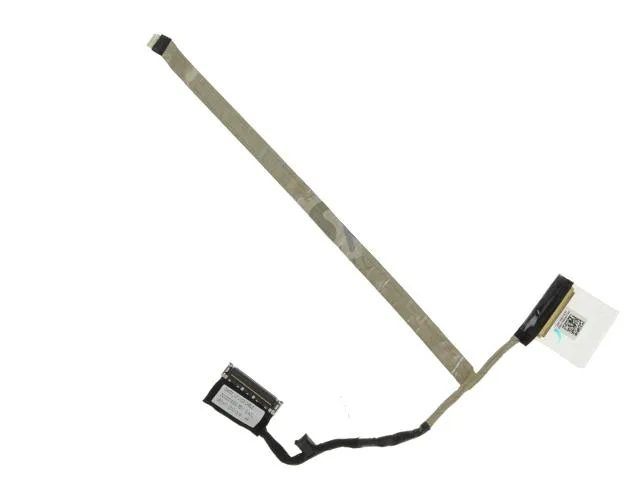
Connects the 12.5-inch LCD panel to the Latitude E6230 motherboard using Dell part JK20N
This genuine Dell OEM ribbon cable is designed specifically for the Latitude E6230 laptop with a 12.5 inch LED display. It replaces a damaged or faulty video cable to restore the internal screen connection. The part number JK20N ensures exact compatibility with the listed model. Repair technicians and owners can use this part to fix display signal issues.
This ribbon cable is a passive component that draws no power and produces no heat or noise during operation. It requires no thermal management, fan control or external power supply. Installation simply routes the flexible cable through the hinge area to connect the display panel to the motherboard. Normal use adds zero acoustic or thermal load to the system.
| Brand | Dell |
|---|---|
| Type | laptop-computer-replacement-parts |
Route the flat cable through the hinge channel, seat the connector fully into the motherboard socket, then secure the display bezel screws before closing the lid.
The cable is a passive part with no service schedule; replace it only if the 12.5" display shows flickering, lines or no image after ruling out panel and GPU faults.
New to this? Which coin should you pay with — what to check, what it costs to pay, and what is never asked for.
Also in this aisle
Same shelf, same checkout — eight coins and a 30-minute rate lock.
What you pay in, and what you read prices in.
Sent from your wallet at checkout
Display only — the catalogue is priced in USD
No currency matches that.
Pick the language the site speaks to you in.
No language matches that.
New here?
Already have one?
There is no automatic reset: this shop sends no mail, so there is no one-time link to ask for. Leave the address on the account and it gets picked up by hand.
Request noted
Nothing is on its way to your inbox — this shop sends no mail at all. Someone picks these up by hand.
Remembered it?


