
Creative Labs
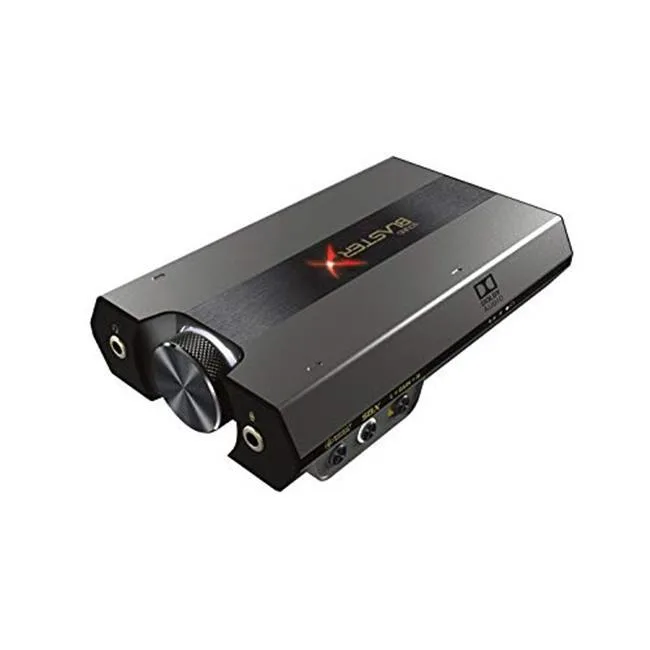
Creative Labs Sound BlasterX G6 USB Sound Card 32-bit 384 KHz 7.1
External USB sound card delivers 32-bit 384 KHz audio with 7.1 virtual surround for gaming and movies
- 32-bit 384 kHz resolution reveals every detail
- 1 virtual surround places enemies and effects all around
- Scout Mode sharpens footsteps and reload sounds for competitive edge
- Dolby Digital decoding brings cinema soundtracks to headphones
- USB connection works instantly with PC and consoles
What It Is
The Creative Labs Sound BlasterX G6 is an external USB sound card that delivers 32-bit 384 KHz digital audio with 7.1 virtual surround. It adds Dolby Digital decoding and Scout Mode for clearer in-game cues, targeting gamers and streamers who want better audio than onboard solutions provide.
Who It Suits
It suits PC and console players who need a compact DAC with virtual 7.1, bass boost and voice enhancements for headsets or speakers. Buyers who require hardware-encoded surround formats beyond Dolby Digital, multiple analogue inputs or internal PCIe installation should look at something else.
Deciding Specification
The 32-bit 384 KHz USB interface is the single specification that decides compatibility; your system must support USB audio at that sample rate to use the card at its rated performance.
Highlights
- 32-bit 384 kHz resolution reveals every detail
- 1 virtual surround places enemies and effects all around
- Scout Mode sharpens footsteps and reload sounds for competitive edge
- Dolby Digital decoding brings cinema soundtracks to headphones
- USB connection works instantly with PC and consoles
Specifications
No published specifications for this item yet.
Questions about this item
What USB interface does the Sound BlasterX G6 use and what sample rate does it cap at?
The G6 connects via USB and supports up to 32-bit 384 KHz digital audio playback.
What physical connection and power does the G6 need to operate?
It plugs into a USB port on the computer and draws power from that same connection.
How is the Sound BlasterX G6 installed and what step do users often miss?
Connect the USB cable, then install the Creative Sound Blaster Command software to enable 7.1 surround, Scout Mode and Dolby Digital decoding.
New to this? Which coin should you pay with — what to check, what it costs to pay, and what is never asked for.
Also in this aisle
People compared these
Same shelf, same checkout — eight coins and a 30-minute rate lock.



Black Box Corporation
Black Box Corporation CAT6 EZ-RJ45 Modular Plugs 100-Pack
$95.99
0.0011494BTC
In stock
