

Tilta Technology Co.,Ltd
Tilta Technology Co.,Ltd Mounting Bar for Boulder Camera Cart, Black
$114.99
0.00136462BTC
In stockWe take cryptocurrency — so the coins you hold can buy real hardware.Pay in crypto, spend it on real hardware. Free insured shipping worldwide over $399. Plain, unbranded boxes, sent from Germany.Free insured shipping over $399. Your rate is locked for 30 minutes once checkout opens.Rate locked 30 minutes. Every item sealed, serial-checked and covered by a 24-month warranty.Sealed, 24-month warranty.
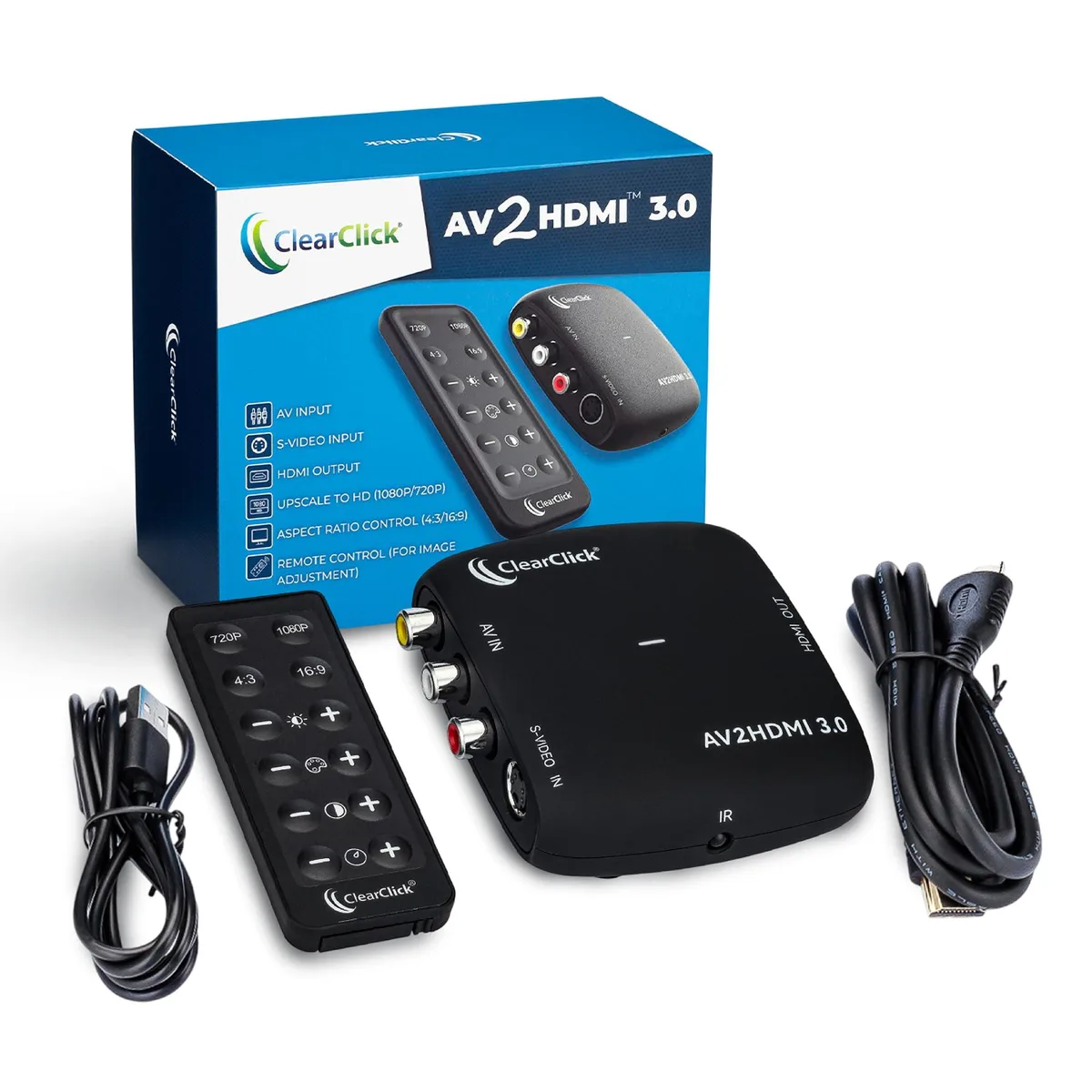


Converts RCA or S-Video analogue sources to 1080P or 720P HDMI with remote image adjustment
The ClearClick AV2HDMI 3.0 converts composite or S-Video sources to HDMI at 1080P or 720P. It connects VCRs, camcorders, DVD players and retro gaming systems to modern displays without a computer or drivers. The adapter handles both PAL and NTSC signals automatically.
The unit draws 5V DC through an included USB-C cable and has no internal fan. Its compact 3.3 by 3.3 by 1.3 inch enclosure dissipates heat silently during normal playback. No external power brick is required beyond a standard USB port or charger.
A handheld remote adjusts brightness, contrast, saturation, hue, resolution and aspect ratio between 4:3 and 16:9. The box supplies an HDMI cable and the USB-C power lead; an S-Video cable is not included. The converter does not downscale HDMI back to analog outputs.
| Brand | ClearClick |
|---|---|
| Model | AV To HDMI 3.0 |
| Part Number | AV2HDMI3 |
| Color | Black |
| HDMI | HDMI |
| Power Supply | 5 volts_of_direct_current |
| Specification | ClearClick |
| Dimensions | 3.3 in x 3.3 in x 1.3 in |
Plug the USB-C cable into the 5V power port on the converter and the HDMI cable into the HDMI output port; the step often missed is powering the unit before expecting a picture.
No internal maintenance is required; only the external USB-C power cable or the HDMI cable may need replacement if they become damaged.
The maximum output resolution is 1080P, so any source above that cannot be displayed at its native detail.
Also in this aisle
Same shelf, same checkout — eight coins and a 30-minute rate lock.
What you pay in, and what you read prices in.
Sent from your wallet at checkout
Display only — the catalogue is priced in USD
No currency matches that.
Pick the language the site speaks to you in.
No language matches that.
New here?
Already have one?
There is no automatic reset: this shop sends no mail, so there is no one-time link to ask for. Leave the address on the account and it gets picked up by hand.
Request noted
Nothing is on its way to your inbox — this shop sends no mail at all. Someone picks these up by hand.
Remembered it?


