

BUCIER
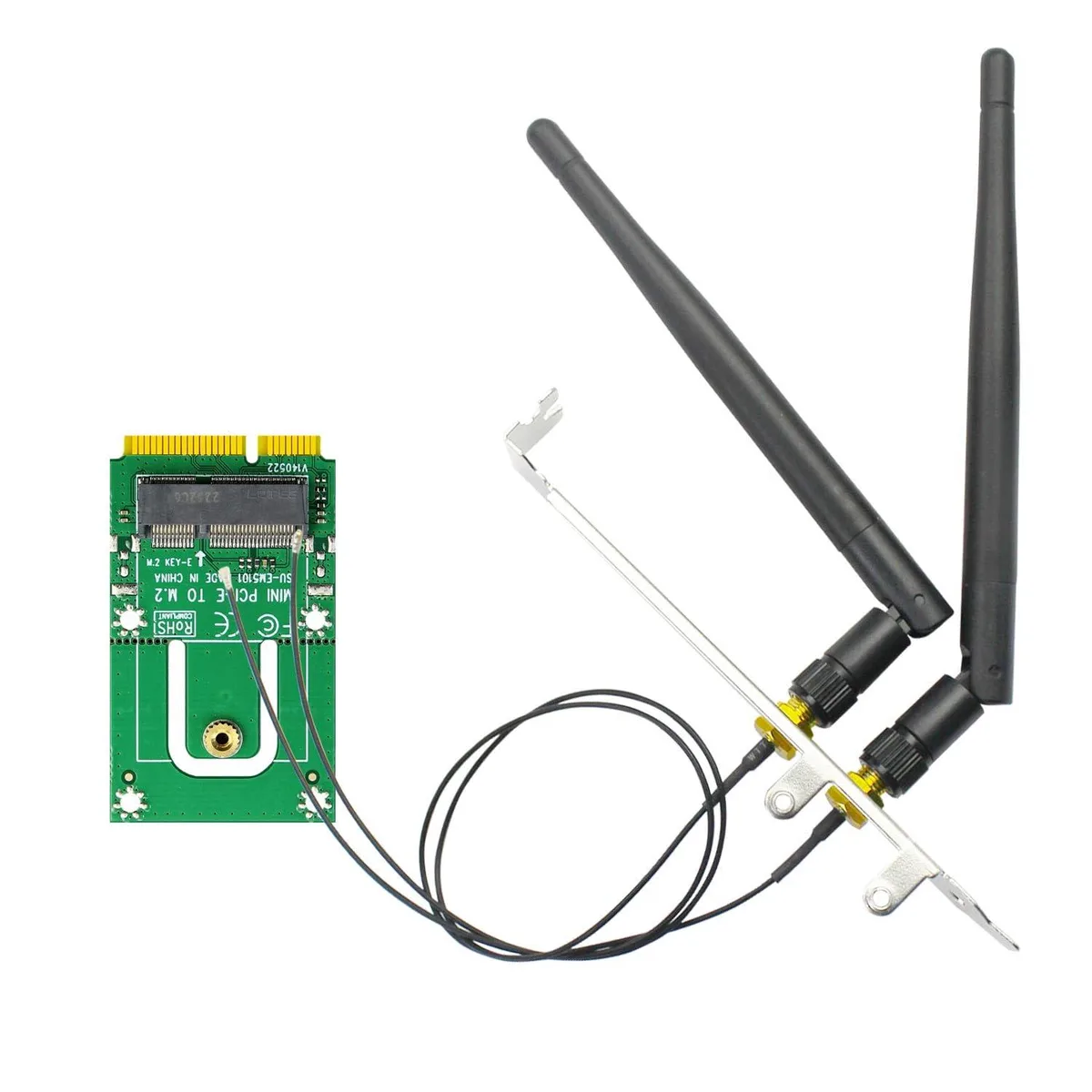
BUCIER WA03 M.2 Key E to Mini PCIe WiFi Adapter with 3.5-dBi SMA Antenna Kits
Converts M.2 Key E WiFi modules to Mini PCIe with included 3.5 dBi antennas
- Converts M.2 Key E modules to Mini PCIe with included 3.5 dBi antennas
- Triple-band 2.4 GHz 5 GHz 6 GHz coverage from 3.5 dBi RP-SMA antennas
- 15 cm U.FL to RP-SMA pigtail cables for flexible antenna placement
- 12 cm regular and 8 cm low-profile brackets fit different chassis heights
- Driver-free signal conversion works on DOS Windows Linux Mac OS
M.2 Key E to Mini PCIe WiFi Adapter
This adapter converts an M.2 Key E or A+E module to a Mini PCIe slot, enabling the use of WiFi 4, 5, 6, 6E and 7 cards as well as Coral TPU accelerators in systems with a Mini PCIe interface. It supports Bluetooth 4.0 through 5.4 depending on the installed module and works with Intel AX210NGW, AX200NGW, 9260NGW and Broadcom, Realtek or Atheros 2230 Key E modules. It is not compatible with CNVio or CNVio2 modules such as AX211NGW or AX201NGW, nor with native Mini PCIe WiFi cards.
Signal conversion without active cooling
The board is a passive signal converter that requires no driver of its own, drawing minimal power from the Mini PCIe slot and generating negligible heat or noise during operation. Two 15 cm U.FL to RP-SMA pigtail cables connect the module to the included 3.5 dBi triple-band antennas covering 2.4 GHz, 5 GHz and 6 GHz frequencies. A 12 cm regular bracket and an 8 cm low-profile bracket are supplied for different chassis heights.
CNVio and CNVio2 modules are not supported
The adapter only accepts NGFF M.2 2230 Key E or A+E modules; Intel CNVio and CNVio2 cards such as AX211NGW, AX201NGW, AC 9560NGW, AC 9462NGW and AC 9461NGW will not function. Buyers needing to install those modules must choose a different adapter or a motherboard with native CNVio support.
Highlights
- Converts M.2 Key E modules to Mini PCIe with included 3.5 dBi antennas
- Triple-band 2.4 GHz 5 GHz 6 GHz coverage from 3.5 dBi RP-SMA antennas
- 15 cm U.FL to RP-SMA pigtail cables for flexible antenna placement
- 12 cm regular and 8 cm low-profile brackets fit different chassis heights
- Driver-free signal conversion works on DOS Windows Linux Mac OS
Specifications
| Brand | GLOTRENDS |
|---|---|
| Model | WA03 |
| Part Number | WA03 |
Questions about this item
How do I install the WA03 adapter and which bracket should I use?
Insert your M.2 2230 Key E or A+E WiFi module into the adapter, secure it with the screw, then mount the 12 cm regular-profile bracket or the 8 cm low-profile bracket to match your chassis slot height.
What maintenance will the antenna cables and connectors need over time?
The two 15 cm U.FL to RP-SMA pigtail cables and the 3.5 dBi RP-SMA antennas have no moving parts; simply check that the connectors stay tight and the cables are not kinked during routine system cleaning.
What is the first limitation I will hit when running sustained high-throughput traffic?
The adapter is a passive signal converter, so sustained throughput is limited by the M.2 WiFi module you install and the 3.5 dBi antenna gain, not by the WA03 board itself.
Also in this aisle
People compared these
Same shelf, same checkout — eight coins and a 30-minute rate lock.