


BUCIER
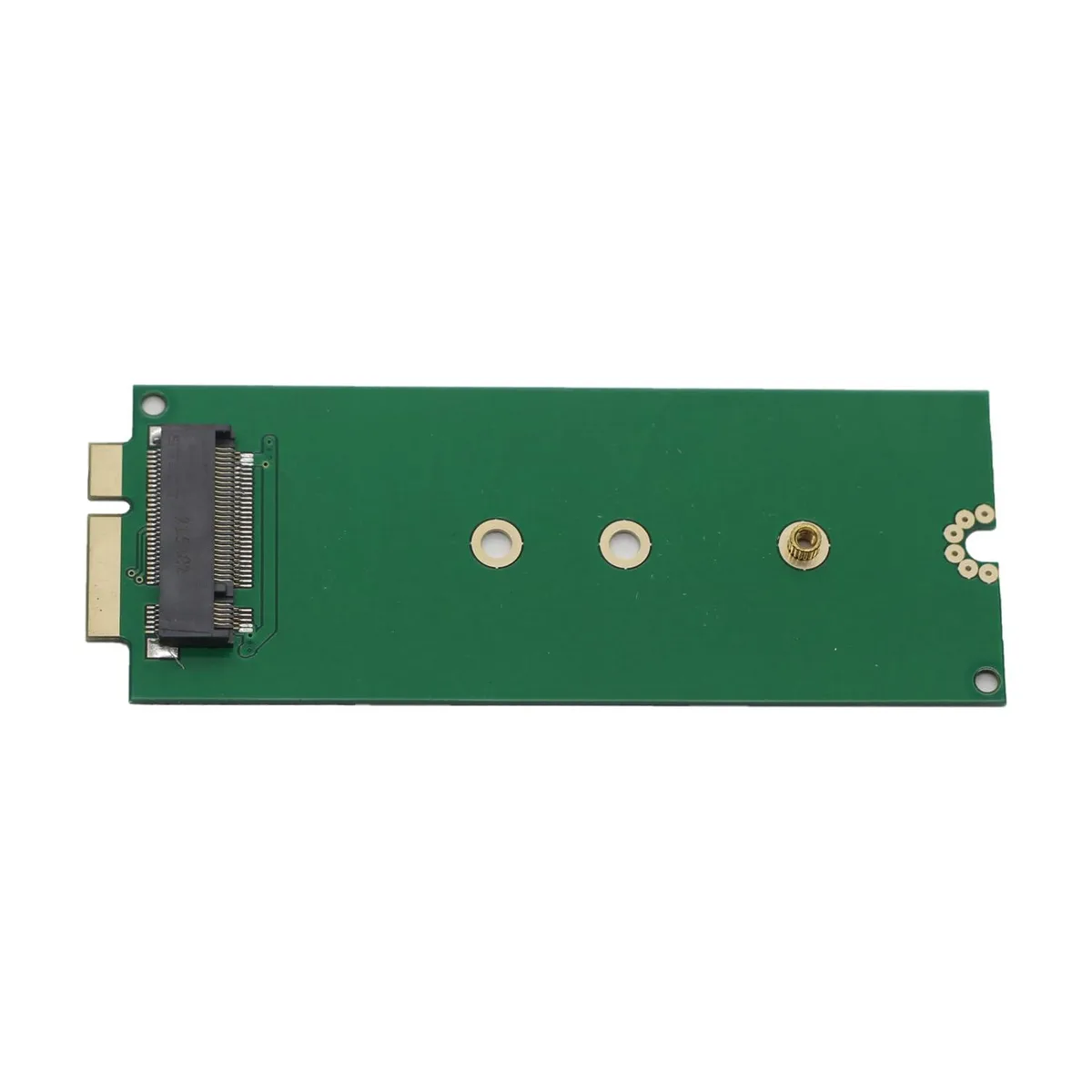
BUCIER M.2 M Key SSD to A1398 A1425 Adapter for MacBook Pro Retina 2012
Adapts M.2 M Key SSDs to 2012 MacBook Pro Retina models A1398 and A1425 with plug-and-play installation
- Connector Number1
- Fits 2012 MacBook Pro Retina models A1398, MC975, MC976
- Plug-and-play installation requires no extra drivers or power
- Supports M.2 M-Key SSDs in 2230, 2242 and 2260 lengths
- Matches original SSD footprint at 89 x 32.5 mm
- Includes adapter card and USB 3.0 drive enclosure
Fits 2012 MacBook Pro A1398 A1425 models
This adapter lets owners of 2012 MacBook Pro Retina models A1398, MC975 and MC976 install a standard M.2 M key solid-state drive in place of the original Apple module. It matches the original 89 by 32.5 millimetre footprint and connects through the existing SATA interface. No extra power or drivers are required.
Suits owners of A1398 MC975 MC976 seeking SATA
Builders who want a simple SATA upgrade for the listed 2012 MacBook Pro or iMac models will find this a direct fit. Buyers needing a different physical connector or a protocol other than SATA should look elsewhere. The board accepts M.2 modules in 2230, 2242 and 2260 lengths only.
Accepts M.2 2230 2242 2260 M key drives
The single M key slot on the adapter supports three common M.2 lengths: 2230, 2242 and 2260. Drives in other lengths or with a different key will not mount or connect. Choose a drive from these three sizes to ensure mechanical and electrical compatibility.
Highlights
- Fits 2012 MacBook Pro Retina models A1398, MC975, MC976
- Plug-and-play installation requires no extra drivers or power
- Supports M.2 M-Key SSDs in 2230, 2242 and 2260 lengths
- Matches original SSD footprint at 89 x 32.5 mm
- Includes adapter card and USB 3.0 drive enclosure
Specifications
| Brand | Mustpoint |
|---|---|
| Model | 2152 |
| Connector Number | 1 |
Questions about this item
Does my MacBook Pro Retina 2012 need a specific model number like A1398 or A1425 for this adapter to fit?
The adapter fits MacBook Pro Retina 2012 models A1398, MC975 and MC976. It matches the original SSD dimensions of 89x32.5mm and uses the same connector.
Will an M.2 SATA drive in this adapter work at the same speed as the original Apple SSD in my 2012 MacBook Pro?
The adapter is plug-and-play with no drivers and needs no extra power. It passes the native SATA link of the 2012 MacBook Pro, so a SATA M.2 drive runs at the same bus speed as the original SSD.
After installing the adapter and an M.2 drive, how can I confirm the Mac recognises it correctly?
Open System Information and check the SATA section. The drive should appear with its model name, capacity and a link speed matching the MacBook Pro SATA interface.
New to this? Which coin should you pay with — what to check, what it costs to pay, and what is never asked for.
Also in this aisle
People compared these
Same shelf, same checkout — eight coins and a 30-minute rate lock.



Black Box Corporation
Black Box Corporation CAT6 EZ-RJ45 Modular Plugs 100-Pack
$95.99
0.00115349BTC
In stock
