


Black Box Corporation
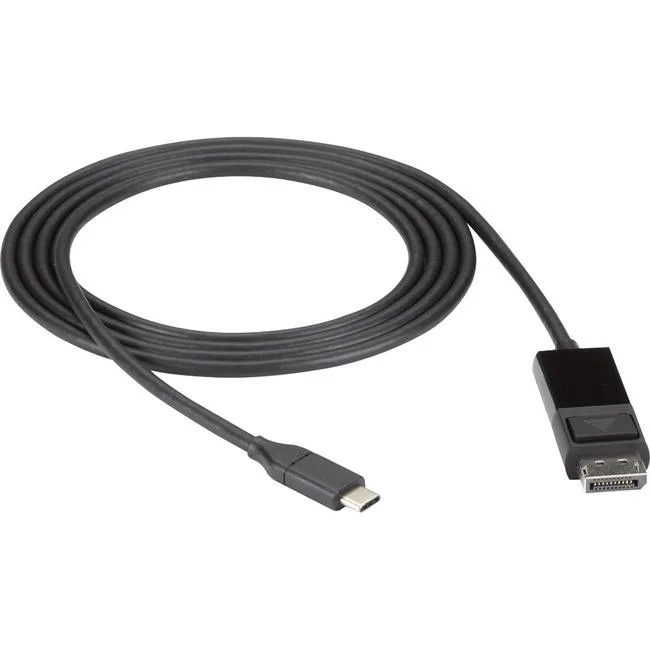
Black Box Corporation VAUSBC31DP12006 USB-C to DisplayPort adapter cable
Connects a USB-C or Thunderbolt 3 device to a DisplayPort monitor at 4K60 with HDR and HDCP 2.2 support
- Connect laptop to 4K DisplayPort monitor via USB-C
- 4K60 HDR video with HDCP 2.2 support
- Driver-free DisplayPort 1.2 Alternate Mode operation
- Latching DisplayPort connector secures the link
- 6 ft cable reaches desk or conference display
Connect 4K UHD displays via USB-C
This USB-C to DisplayPort adapter cable links laptops, tablets or smartphones to 4K UHD monitors, projectors or displays using DisplayPort 1.2 Alternate Mode. It transmits audio and video without requiring software or driver installation, making it suitable for office, home or mobile use with any compatible source device.
Passive cable draws minimal host power
The all-in-one passive design operates directly from the host USB-C or Thunderbolt 3 port with no external power supply needed. It adds negligible load to the source device while delivering stable 4K60 (4:4:4) HDR and HDCP 2.2 content, producing no fan noise or measurable heat during normal operation.
Latching connector secures portable setups
A latching DisplayPort plug prevents accidental disconnection when moving between desks, customer sites or trade shows. The six-foot length provides flexible routing without strain on ports, freeing users from carrying separate adapters and short cables while keeping the signal path simple and reliable.
Highlights
- Connect laptop to 4K DisplayPort monitor via USB-C
- 4K60 HDR video with HDCP 2.2 support
- Driver-free DisplayPort 1.2 Alternate Mode operation
- Latching DisplayPort connector secures the link
- 6 ft cable reaches desk or conference display
Specifications
No published specifications for this item yet.
Questions about this item
How do I install the Black Box VAUSBC31DP12006 USB-C to DisplayPort adapter cable, and what step is often missed?
Connect the USB-C end to a port that supports DisplayPort 1.2 Alternate Mode or Thunderbolt 3, then latch the DisplayPort connector firmly into the display; the step people miss is verifying the source port actually carries video, as not all USB-C ports do.
What maintenance or replacement will the VAUSBC31DP12006 adapter cable need later?
No scheduled maintenance is required; inspect the latching DisplayPort connector and cable jacket periodically for wear, and replace the cable if the latch fails to hold or if 4K60 HDR video drops out.
What limit appears first on the VAUSBC31DP12006 adapter cable during sustained 4K60 HDR use?
The DisplayPort 1.2 Alternate Mode bandwidth ceiling limits resolution to 4K at 60 Hz with 4:4:4 colour and HDCP 2.2; higher refresh rates or deeper colour depths are not supported.
New to this? Which coin should you pay with — what to check, what it costs to pay, and what is never asked for.
Also in this aisle
People compared these
Same shelf, same checkout — eight coins and a 30-minute rate lock.



Black Box Corporation
Black Box Corporation CAT6 EZ-RJ45 Modular Plugs 100-Pack
$95.99
0.00113914BTC
In stock
