
BFKK
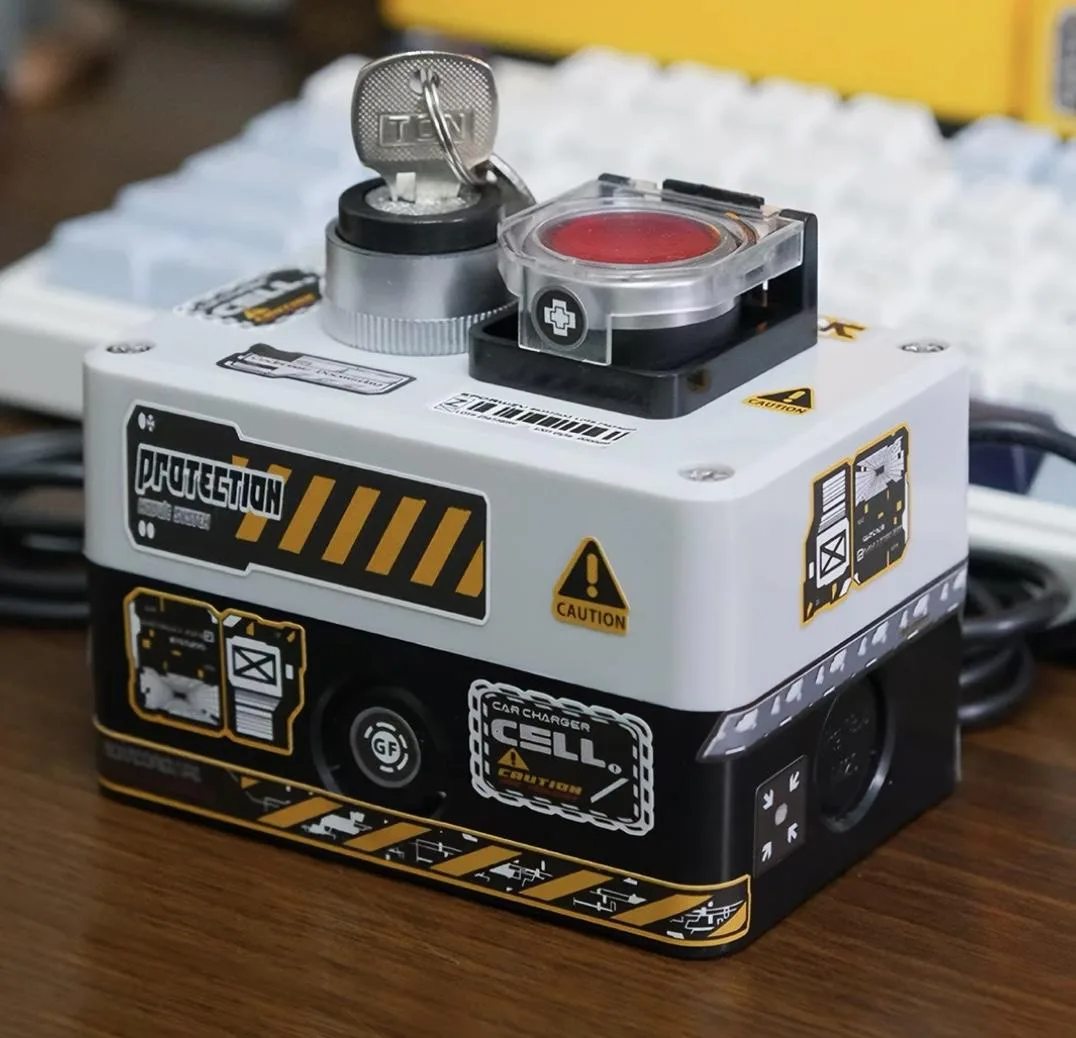
BFKK Wired Desktop Power Button Atomic Nuclear Bomb Rocket Launch Big Red Button White
$27.99
0.00032552BTC
In stockWe take cryptocurrency — so the coins you hold can buy real hardware.Pay in crypto, spend it on real hardware. Free insured shipping worldwide over $399. Plain, unbranded boxes, sent from Germany.Free insured shipping over $399. Your rate is locked for 30 minutes once checkout opens.Rate locked 30 minutes. Every item sealed, serial-checked and covered by a 24-month warranty.Sealed, 24-month warranty.


BFKK
A wireless desktop power button with a 15 m 2.4G range, key-lock safety and DIY sticker customisation
Color Yellow
This wireless desktop power button adds a physical start switch to a PC build without routing a cable to the front panel. It uses a 2.4G high-frequency chip for a 15 metre reception range and is designed for desktop motherboards only; laptop compatibility is not supported.
The receiver board fits into a spare PCI-E slot with the included PW_SW cable connected to the motherboard JFP1 power pins, or it can plug into a USB header if the motherboard is set to keep USB power active during shutdown. No driver installation is required for either method.
It upgrades a standard case power button by removing the need to thread wires through the chassis, which helps in open-bench testing, custom enclosures or when the original switch fails. It is not suited for users who need a laptop power solution or a software-controlled wake function.
No published specifications for this item yet.
Other versions of this model
Same family, different memory, cooler or clock — compare before you commit.
The battery is rated to last between half a year and a full year under normal use.
The 2.4G high-frequency chip provides a reliable reception range of up to 15 metres for consistent operation.
You need a free PCI-E slot and the JFP1 front-panel header with the power-switch pins exposed.
Also in this aisle
Same shelf, same checkout — eight coins and a 30-minute rate lock.
What you pay in, and what you read prices in.
Sent from your wallet at checkout
Display only — the catalogue is priced in USD
No currency matches that.
Pick the language the site speaks to you in.
No language matches that.
New here?
Already have one?
There is no automatic reset: this shop sends no mail, so there is no one-time link to ask for. Leave the address on the account and it gets picked up by hand.
Request noted
Nothing is on its way to your inbox — this shop sends no mail at all. Someone picks these up by hand.
Remembered it?


