
BFKK
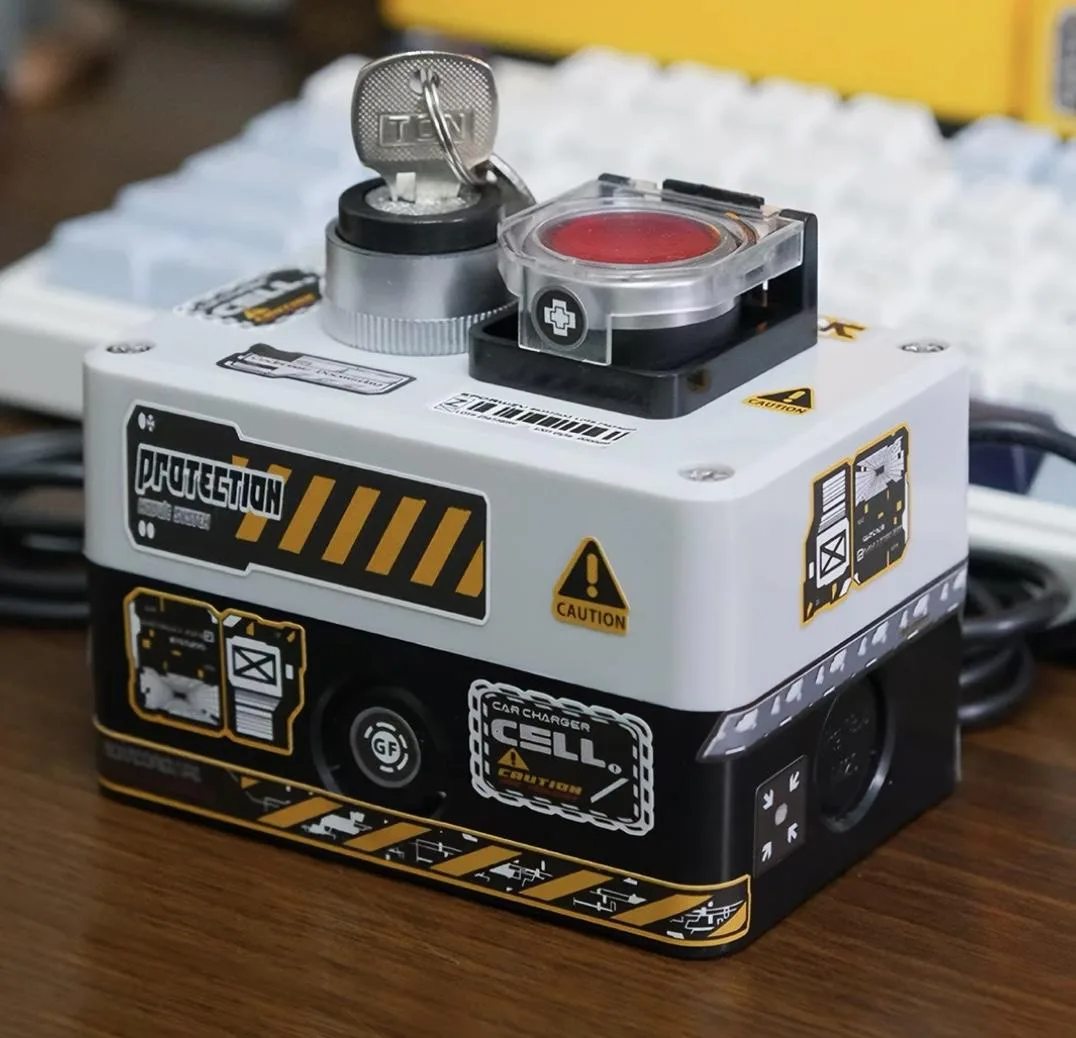
BFKK Wired Desktop Power Button Atomic Nuclear Bomb Rocket Launch Big Red Button White
$27.99
0.00032686BTC
In stockWe take cryptocurrency — so the coins you hold can buy real hardware.Pay in crypto, spend it on real hardware. Free insured shipping worldwide over $399. Plain, unbranded boxes, sent from Germany.Free insured shipping over $399. Your rate is locked for 30 minutes once checkout opens.Rate locked 30 minutes. Every item sealed, serial-checked and covered by a 24-month warranty.Sealed, 24-month warranty.

BFKK
A wired desktop power switch with a two-step key-and-button start ritual, 2 m cable and a DIY sticker for customisation
Color Yellow
This wired desktop power button connects to a PC motherboard through a 2 metre cable and provides a tactile key-and-reset sequence for starting the system. It is designed for desktop builders who want a prominent external switch with a ritual feel. The accessory is not compatible with laptops and requires installation inside a standard chassis.
The unit is a passive mechanical switch with no active cooling, no fan and no power consumption of its own. It adds no audible noise and generates no measurable heat during normal operation. Power draw remains limited to the motherboard’s existing front-panel header current.
This switch replaces a standard front-panel power button when the builder prefers a large, key-operated actuator mounted in a custom location. The jump is worth it for enthusiasts who want a deliberate two-step start sequence and a distinctive yellow housing that stands out on the desk.
No published specifications for this item yet.
Other versions of this model
Same family, different memory, cooler or clock — compare before you commit.
Shut down the PC and disconnect mains power, fit the three terminals into a rear chassis hole, match the original motherboard POWER SW, POWER LED+ and POWER LED- pins exactly — reversing the LED polarity is the common mistake — then test before securing with cable ties and the supplied double-sided pads.
The 2-metre cable and mechanical switches are sealed; no routine servicing is required beyond checking that the cable ties remain tight and the adhesive pads stay bonded.
The momentary reset switch is rated for standard PC power-cycle duty; excessive rapid actuations will wear the mechanical contacts before any other part of the assembly.
Also in this aisle
Same shelf, same checkout — eight coins and a 30-minute rate lock.
What you pay in, and what you read prices in.
Sent from your wallet at checkout
Display only — the catalogue is priced in USD
No currency matches that.
Pick the language the site speaks to you in.
No language matches that.
New here?
Already have one?
There is no automatic reset: this shop sends no mail, so there is no one-time link to ask for. Leave the address on the account and it gets picked up by hand.
Request noted
Nothing is on its way to your inbox — this shop sends no mail at all. Someone picks these up by hand.
Remembered it?


