


BFKK
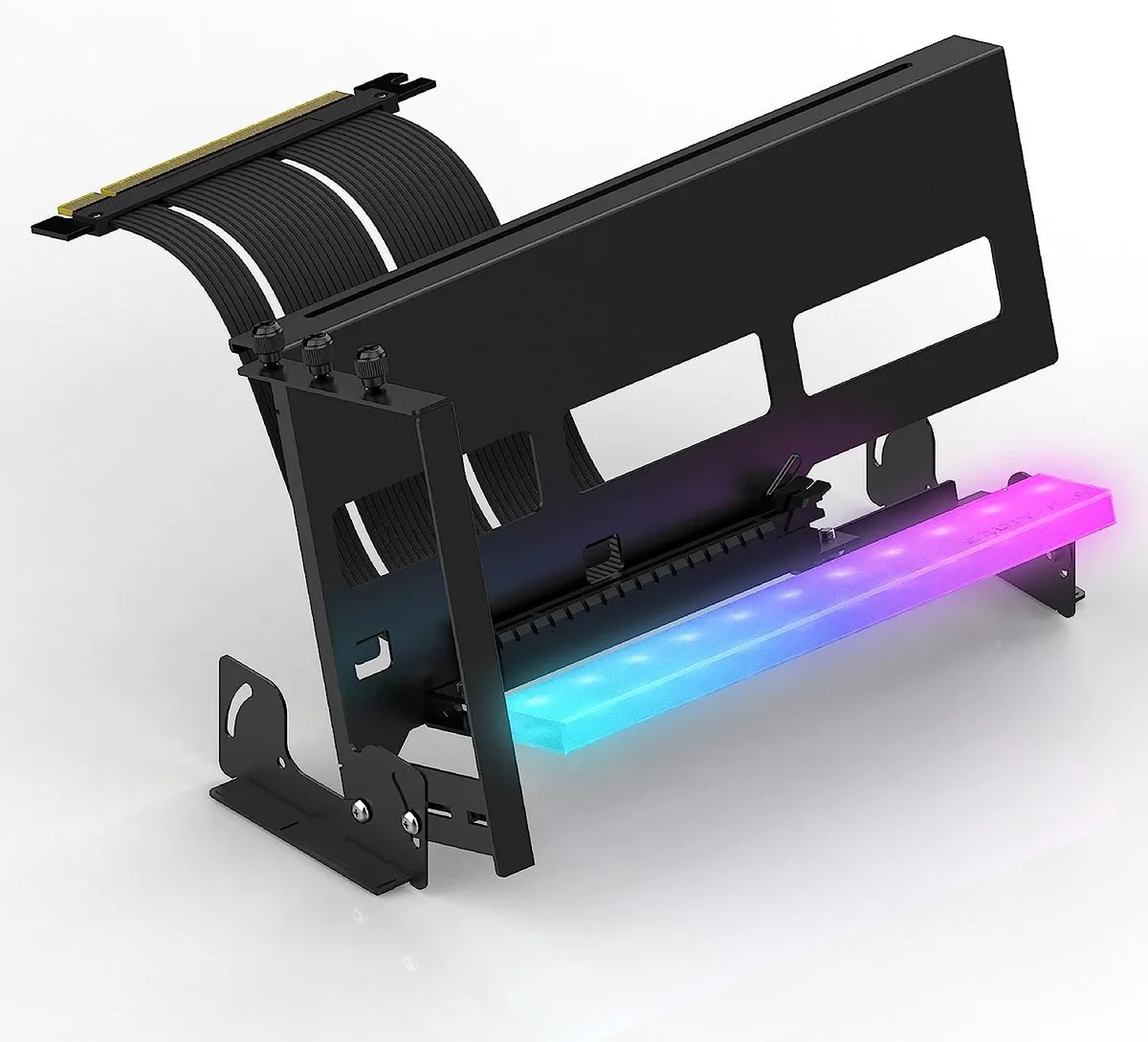
BFKK PCIe 4.0 GPU Mount Bracket ARGB Riser Cable Black
Vertically mounts graphics cards with a PCIe 4.0 riser cable and 11 addressable RGB LEDs that sync to 5 V motherboard headers
- Vertical or angled GPU mounting improves airflow around the card
- 11 addressable RGB LEDs sync with motherboard 5 V ARGB headers
- Strong magnet base holds bracket firmly on PSU shroud
- PCIe 4.0 riser cable supports RTX 4090 4080 4070 and RX 70 series
- Adjustable angle from 0 to 45 degrees fits most 1 2 3 slot cards
Vertical GPU Mounting Kit
The BFKK PCIe 4.0 GPU Mount Bracket lets builders install a graphics card vertically or at an angle inside a compatible chassis. It supports most one, two, and three-slot cards including RTX 4090, 4080, and 4070 models. A magnetic base secures the bracket to a PSU shroud or any metal surface.
Thermal and Power Behaviour
The open vertical orientation moves the card away from the motherboard, improving airflow around the cooler without adding active cooling of its own. The included Gen 4 riser cable maintains full PCIe 4.0 signalling and draws no auxiliary power. No fan noise or extra heat is introduced by the bracket itself.
ARGB Lighting and Adjustment
Eleven addressable RGB LEDs on the bracket connect to a motherboard 5 V 3-pin header and sync with AURA, Mystic Light, or Fusion software. The hinge adjusts from 0 to 45 degrees for visual preference or clearance. Builders needing a horizontal mount, a 12 V RGB header, or a case shallower than 14.5 cm should look elsewhere.
Highlights
- Vertical or angled GPU mounting improves airflow around the card
- 11 addressable RGB LEDs sync with motherboard 5 V ARGB headers
- Strong magnet base holds bracket firmly on PSU shroud
- PCIe 4.0 riser cable supports RTX 4090 4080 4070 and RX 70 series
- Adjustable angle from 0 to 45 degrees fits most 1 2 3 slot cards
Specifications
No published specifications for this item yet.
Questions about this item
How do I install the bracket and what is the step people often miss?
Mount the bracket vertically or at 0-45 degrees on the PSU shroud using the magnet base, then connect the 11-pin ARGB header to a 5V motherboard connector — the step often missed is confirming the case depth is at least 14.5 cm before installation.
What maintenance or replacement will this bracket need later?
The PCIe 4.0 riser cable is the only wear item; inspect it if you reseat the GPU or change cards, and replace it if the connectors show damage or signal errors appear.
What limit appears first under sustained heavy GPU loads?
The 45-degree maximum tilt angle restricts how far the card can be angled for airflow, so thermal gains plateau once the bracket hits that stop.
New to this? Which coin should you pay with — what to check, what it costs to pay, and what is never asked for.
Also in this aisle
People compared these
Same shelf, same checkout — eight coins and a 30-minute rate lock.


Transway's Marketplace
Transway's Marketplace CU0122 1.8 m USB 3.0 A Male to B Male printer cable
$15.99
0.00018464BTC
In stock
Transway's Marketplace
Transway's Marketplace CU0093 1.8 m USB 2.0 A Male to B Male Printer Cable, Crystal Blue
$8.99
0.00010381BTC
In stock
Transway's Marketplace
Transway's Marketplace 10 ft USB to Parallel Printer Adapter
$21.99
0.00025392BTC
In stock