


Avico
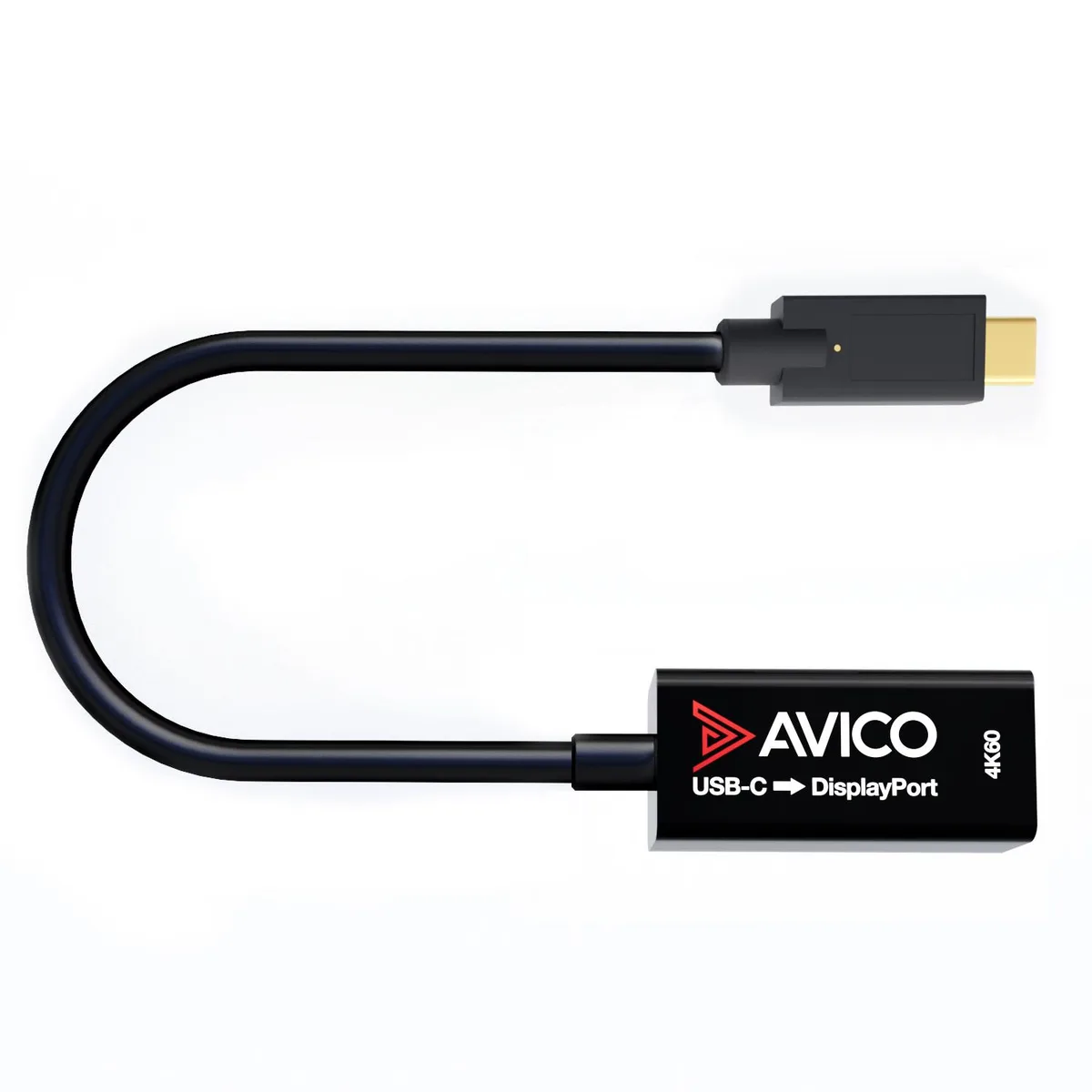
Avico USB-C to DisplayPort 1.2 Adapter 4K 60Hz 1440p 144Hz HDR Thunderbolt 3
Active USB-C to DisplayPort 1.2 adapter drives 4K at 60 Hz, 1440p at 144 Hz, and 1080p at 240 Hz with HDR and HDCP 2.2
Style Adapter
- Cable
- Adapter with Charging
- Adapter
- 4K at 60 Hz for crisp video detail
- 1440p at 144 Hz for smooth gaming motion
- HDR and HDCP 2.2 for protected streaming content
- Works with ultrawide and super ultra-wide displays
- Thunderbolt 3 compatible with plug-and-play simplicity
USB-C to DisplayPort 1.2 Adapter
This active adapter converts a USB-C port with DisplayPort Alt Mode or Thunderbolt 3 into a DisplayPort 1.2 output. It targets laptop, desktop and MacBook users who need to add an external monitor or projector without installing drivers. The plug-and-play design works with 16:9, 21:9 ultrawide and 32:9 super ultra-wide displays.
Thermals noise and power draw
The adapter draws power directly from the host USB-C port and runs without a fan, so it adds no audible noise to a workstation. Typical power consumption stays low because the Taiwanese chipset handles signal conversion efficiently. No external power supply is required for any supported resolution or refresh rate.
Build quality and connectors
A premium Taiwanese chipset provides reliable signal integrity across all listed modes, including HDR, HDCP 2.2 and high-bitrate audio. The DisplayPort 1.2 connector locks securely to the cable, while the USB-C plug fits Thunderbolt 3 ports and standard Alt Mode ports alike. FreeSync and G-Sync compatibility ensures variable refresh rates work without extra configuration.
Highlights
- 4K at 60 Hz for crisp video detail
- 1440p at 144 Hz for smooth gaming motion
- HDR and HDCP 2.2 for protected streaming content
- Works with ultrawide and super ultra-wide displays
- Thunderbolt 3 compatible with plug-and-play simplicity
Specifications
No published specifications for this item yet.
Other versions of this model
5 more in the same range
Same family, different memory, cooler or clock — compare before you commit.


Questions about this item
How do I connect the Avico USB-C to DisplayPort 1.2 adapter and what step is often missed?
Plug the USB-C end into a port that supports DisplayPort Alt Mode or Thunderbolt 3; the adapter will not work on a USB-C port that only carries data or power.
What part of this adapter is most likely to need replacement after extended use?
The USB-C connector and the cable near the strain reliefs endure the most physical stress; the internal Taiwanese chipset has no moving parts and typically outlasts the cable.
Which resolution and refresh-rate combination hits the DisplayPort 1.2 bandwidth ceiling first during sustained output?
5120 × 2160 at 60 Hz uses the full DP 1.2 link; running it continuously leaves no headroom for higher refresh rates or deeper colour.
New to this? Which coin should you pay with — what to check, what it costs to pay, and what is never asked for.
Also in this aisle
People compared these
Same shelf, same checkout — eight coins and a 30-minute rate lock.


Black Box Corporation
Black Box Corporation CAT6 EZ-RJ45 Modular Plugs 100-Pack
$95.99
0.0011497BTC
In stock
