Lenovo
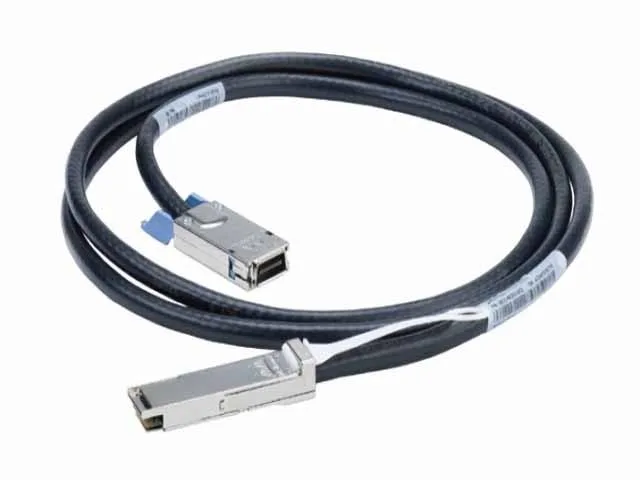
Lenovo 46W0583 QSFP network ethernet cable 6.56 ft
- QSFP
- QSFP
$148.99$186.99−20%
0.00173037BTC
In stockWe take cryptocurrency — so the coins you hold can buy real hardware.Pay in crypto, spend it on real hardware. Free insured shipping worldwide over $399. Plain, unbranded boxes, sent from Germany.Free insured shipping over $399. Your rate is locked for 30 minutes once checkout opens.Rate locked 30 minutes. Every item sealed, serial-checked and covered by a 24-month warranty.Sealed, 24-month warranty.


ATEN TECHNOLOGIES
A KVM-over-IP switch providing direct BIOS-level remote access to a single PC or server with 4K DCI video quality
The ATEN CN9950 is a single-port KVM over IP switch that provides remote BIOS-level access to a dedicated PC or server over a network. It delivers video up to 4K DCI resolution using an FPGA graphics processor and supports virtual media for file transfers and system updates without extra software. The unit secures the connection with a direct, hack-proof link for remote management.
This switch suits administrators who need secure, direct BIOS-level control of a single server from any location, especially across multiple office sites. It is not for users who require multi-port switching or simultaneous access to several target machines from one appliance.
The CN9950 handles one target system at 4K DCI resolution over IP, making the single-port design and maximum video resolution the defining specification for deployment planning.
No published specifications for this item yet.
Connect the CN9950 to the target PC or server using the included DisplayPort and USB cables, then link it to your network via Ethernet; configure the IP settings through the web interface to enable BIOS-level remote access.
The CN9950 has no user-serviceable parts; maintenance is limited to firmware updates applied through the web interface to maintain security and compatibility with connected systems.
The CN9950 supports up to 4K DCI resolution through its FPGA graphics processor, which is the maximum visual output sustained during extended remote sessions.
New to this? Which coin should you pay with — what to check, what it costs to pay, and what is never asked for.
Also in this aisle
Same shelf, same checkout — eight coins and a 30-minute rate lock.
What you pay in, and what you read prices in.
Sent from your wallet at checkout
Display only — the catalogue is priced in USD
No currency matches that.
Pick the language the site speaks to you in.
No language matches that.
New here?
Already have one?
There is no automatic reset: this shop sends no mail, so there is no one-time link to ask for. Leave the address on the account and it gets picked up by hand.
Request noted
Nothing is on its way to your inbox — this shop sends no mail at all. Someone picks these up by hand.
Remembered it?