


Aomoproing
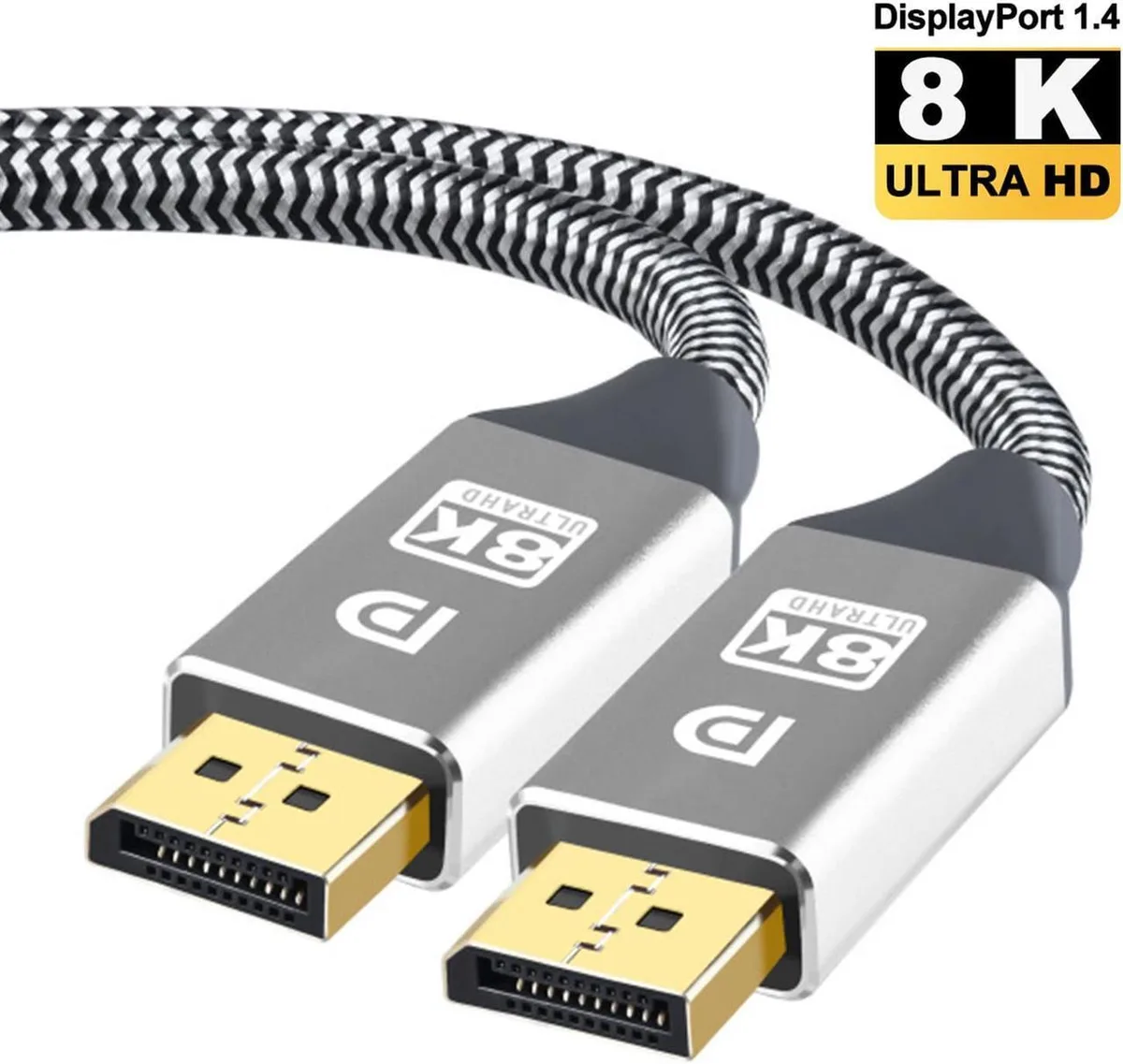
Aomoproing DisplayPort cable 1.4 10 ft 32.4 Gbps 8K 60 Hz HBR3
Connects a DisplayPort 1.4 source to an 8K 60 Hz display at 32.4 Gbps over 10 ft with HBR3, DSC 1.2a, HDCP 2.2 and 32 audio channels
- Supports 8K at 60 Hz for ultra-sharp detail
- 4 Gbps HBR3 bandwidth handles high-refresh gaming
- Works with 4K 144 Hz and 1080p 240 Hz displays
- Backward compatible with DisplayPort 1.1, 1.2 and 1.3
- Carries 32 audio channels and Dolby 7.1 surround sound
What this cable delivers
This Aomoproing DisplayPort 1.4 cable carries 32.4 Gbps HBR3 bandwidth over 10 ft, supporting 8K at 60 Hz and high-refresh rates such as 4K at 144 Hz, 2K at 240 Hz and 1080p at 240 Hz. It is built for gamers and creators who need a single link for both resolution and speed.
Upgrading from older DisplayPort cables
Replaces DisplayPort 1.1, 1.2 or 1.3 cables that cannot sustain 32.4 Gbps, so the jump is worthwhile when your monitor and GPU both support HBR3 and you want 8K 60 Hz or 4K 144 Hz without compression artefacts. If your hardware tops out at 4K 60 Hz the extra headroom goes unused.
Installation and common issues
Plug each end into a DisplayPort 1.4 port on the graphics card and monitor; no driver or software is required. The most frequent problem is seating the latch incorrectly, which causes signal drop-outs at high refresh rates — push until you hear a click and verify the link rate in your GPU control panel.
Highlights
- Supports 8K at 60 Hz for ultra-sharp detail
- 4 Gbps HBR3 bandwidth handles high-refresh gaming
- Works with 4K 144 Hz and 1080p 240 Hz displays
- Backward compatible with DisplayPort 1.1, 1.2 and 1.3
- Carries 32 audio channels and Dolby 7.1 surround sound
Specifications
No published specifications for this item yet.
Other versions of this model
5 more in the same range
Same family, different memory, cooler or clock — compare before you commit.


Aomoproing
Aomoproing DisplayPort cable 1.4 8K 3.3 ft 32.4 Gbps HBR3 Black
$13.99
0.00016777BTC
In stock

Aomoproing
Aomoproing DisplayPort cable 6.6 ft 8K 60 Hz DP 1.4 HBR3 32.4 Gbps 4K 144 Hz 2K 165 Hz 1080p 240 Hz Black
$13.99
0.00016777BTC
In stockQuestions about this item
What DisplayPort connector size does the 10 ft cable use for the graphics card port?
The cable uses a standard full-size DisplayPort 1.4 connector that fits the DisplayPort output on graphics cards and monitors.
How do I install the cable so the latch engages correctly?
Align the connector with the port, push straight in until the metal latch clicks, and pull gently to confirm it is locked before routing the 10 ft length.
When should I replace this DisplayPort 1.4 cable?
Replace the cable if the latch breaks, the connector pins bend, or the link drops from 8K 60 Hz to a lower mode such as 4K 144 Hz during use.
New to this? Which coin should you pay with — what to check, what it costs to pay, and what is never asked for.
Also in this aisle
People compared these
Same shelf, same checkout — eight coins and a 30-minute rate lock.


Black Box Corporation
Black Box Corporation CAT6 EZ-RJ45 Modular Plugs 100-Pack
$95.99
0.00115115BTC
In stock
