

Innovation First, Inc.
Innovation First, Inc. 1UCMA-137 1U Cable Management Arm 19" 28.5"-33" computer accessory
- Product Type:Cable…
- Panel Width:19" Rac…
$72.99
0.00084367BTC
In stockWe take cryptocurrency — so the coins you hold can buy real hardware.Pay in crypto, spend it on real hardware. Free insured shipping worldwide over $399. Plain, unbranded boxes, sent from Germany.Free insured shipping over $399. Your rate is locked for 30 minutes once checkout opens.Rate locked 30 minutes. Every item sealed, serial-checked and covered by a 24-month warranty.Sealed, 24-month warranty.
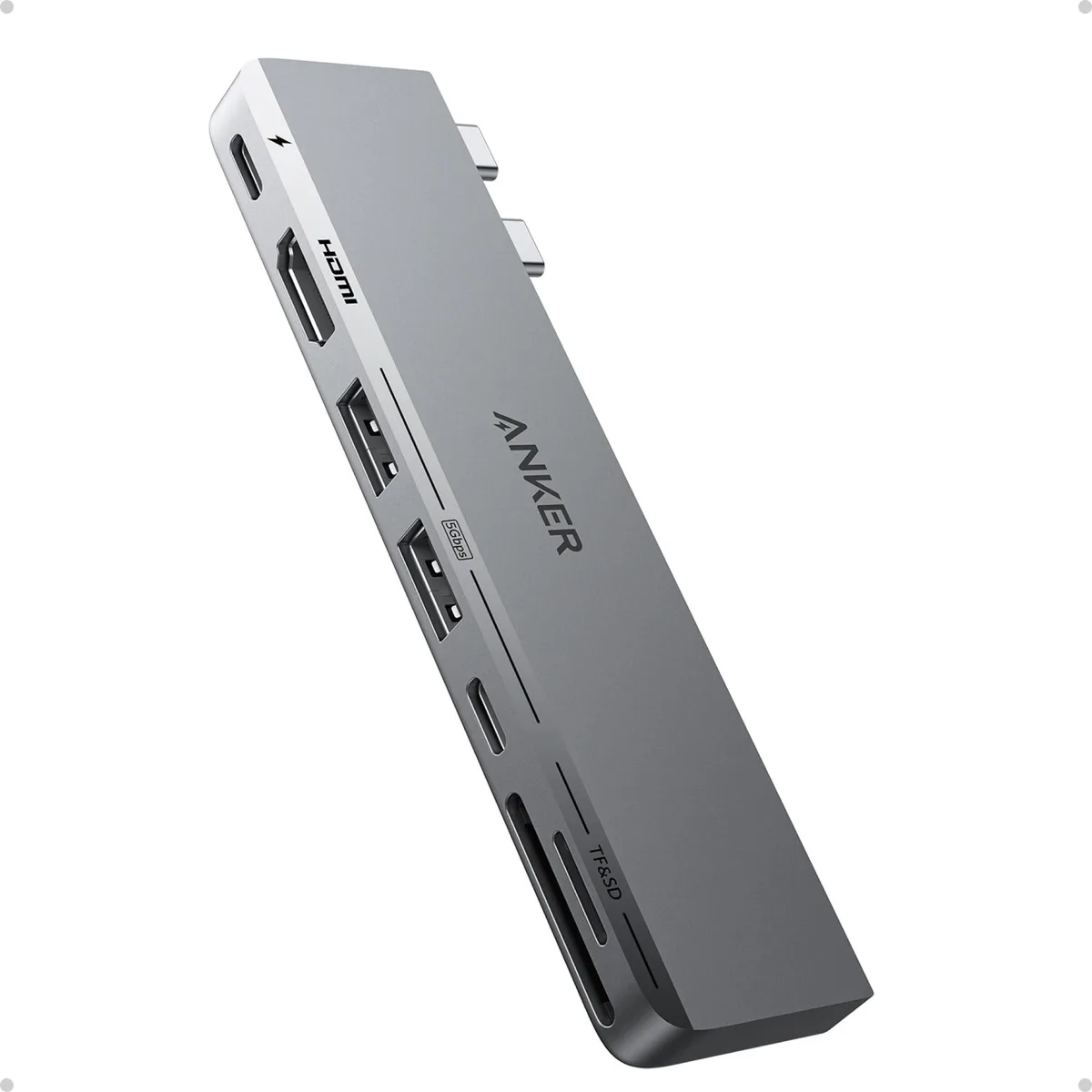


A 7-in-2 hub adds 4K 60 Hz HDMI, 5K multi-function USB-C, 100 W charging, 40 Gb/s data, SD and microSD slots plus two USB-A ports to MacBook Air or Pro models
The Anker 547 USB-C hub expands two Thunderbolt ports on a MacBook into seven connections including HDMI, SD and microSD slots, USB-A ports, and a multi-function USB-C port. It is built for owners of recent MacBook Air and Pro models who need legacy ports and external displays without blocking the MagSafe charger.
Instead of carrying separate converters for video, cards, and USB-A devices, this hub consolidates them in one enclosure. The upgrade is worthwhile when you regularly connect an external monitor, transfer files from SD cards, and need pass-through charging up to 100 W all at once.
The three USB 2.0 ports and single USB 3.0 port share bandwidth, so sustained transfers across multiple drives will be slower than the 40 Gb/s ceiling of the multi-function port. M1 and M2 MacBooks cannot drive two external displays simultaneously regardless of hub capability, and the hub does not work with MacBook Neo or with any protective case fitted.
| Brand | Anker |
|---|---|
| Series | A8354 Anker |
| Model | A8354 |
| Part Number | A83540A1 |
| Color | Black |
| Type | USB |
| Standards | USB 3.0 |
| Max Devices Supported | 127 |
| Ports | 1 x USB 3.0, 3 x USB 2.0 |
| Video Ports | 1 x HDMI |
| Supported Cards | SD Card |
| LEDs | Power/Activity |
| Dimensions | 14.33in W x 12.83in H x 9.06in D |
| Weight | 0.12 pounds |
The hub is designed to keep the MagSafe port unobstructed on the latest MacBook Air and MacBook Pro models, so no additional clearance is required.
Insert both USB-C plugs fully into the two adjacent Thunderbolt ports on your MacBook; the HDMI port will then deliver 4K@60Hz video.
The SD and microSD slots have no moving latch mechanism, so there is no user-replaceable part and no scheduled replacement interval.
New to this? Which coin should you pay with — what to check, what it costs to pay, and what is never asked for.
Also in this aisle
Same shelf, same checkout — eight coins and a 30-minute rate lock.
What you pay in, and what you read prices in.
Sent from your wallet at checkout
Display only — the catalogue is priced in USD
No currency matches that.
Pick the language the site speaks to you in.
No language matches that.
New here?
Already have one?
There is no automatic reset: this shop sends no mail, so there is no one-time link to ask for. Leave the address on the account and it gets picked up by hand.
Request noted
Nothing is on its way to your inbox — this shop sends no mail at all. Someone picks these up by hand.
Remembered it?


