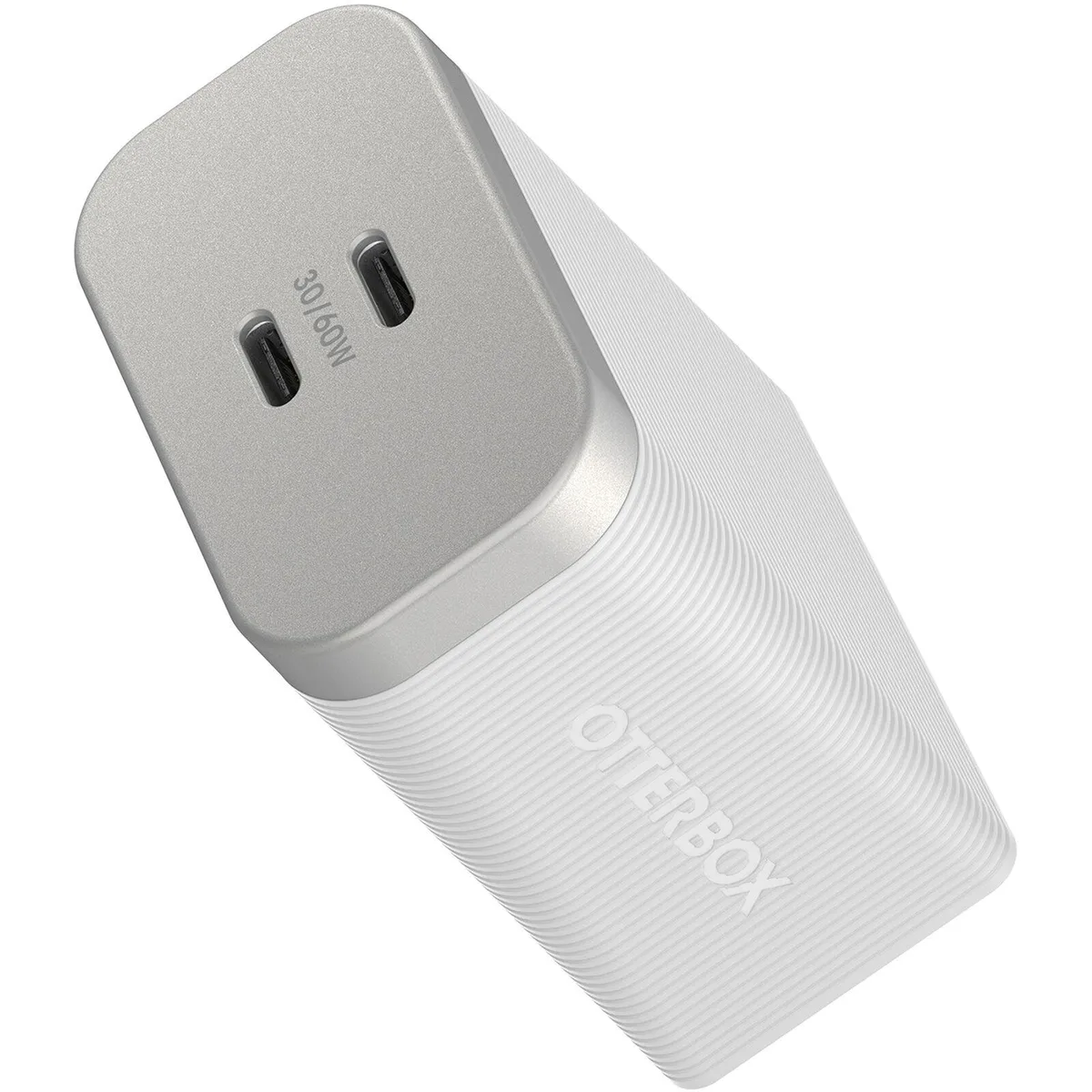
OtterBox
OtterBox Premium Pro 60W Dual USB-C Charger White
- Cases & Accessories
$11.99
0.00014044BTC
In stockWe take cryptocurrency — so the coins you hold can buy real hardware.Pay in crypto, spend it on real hardware. Free insured shipping worldwide over $399. Plain, unbranded boxes, sent from Germany.Free insured shipping over $399. Your rate is locked for 30 minutes once checkout opens.Rate locked 30 minutes. Every item sealed, serial-checked and covered by a 24-month warranty.Sealed, 24-month warranty.
aibileec
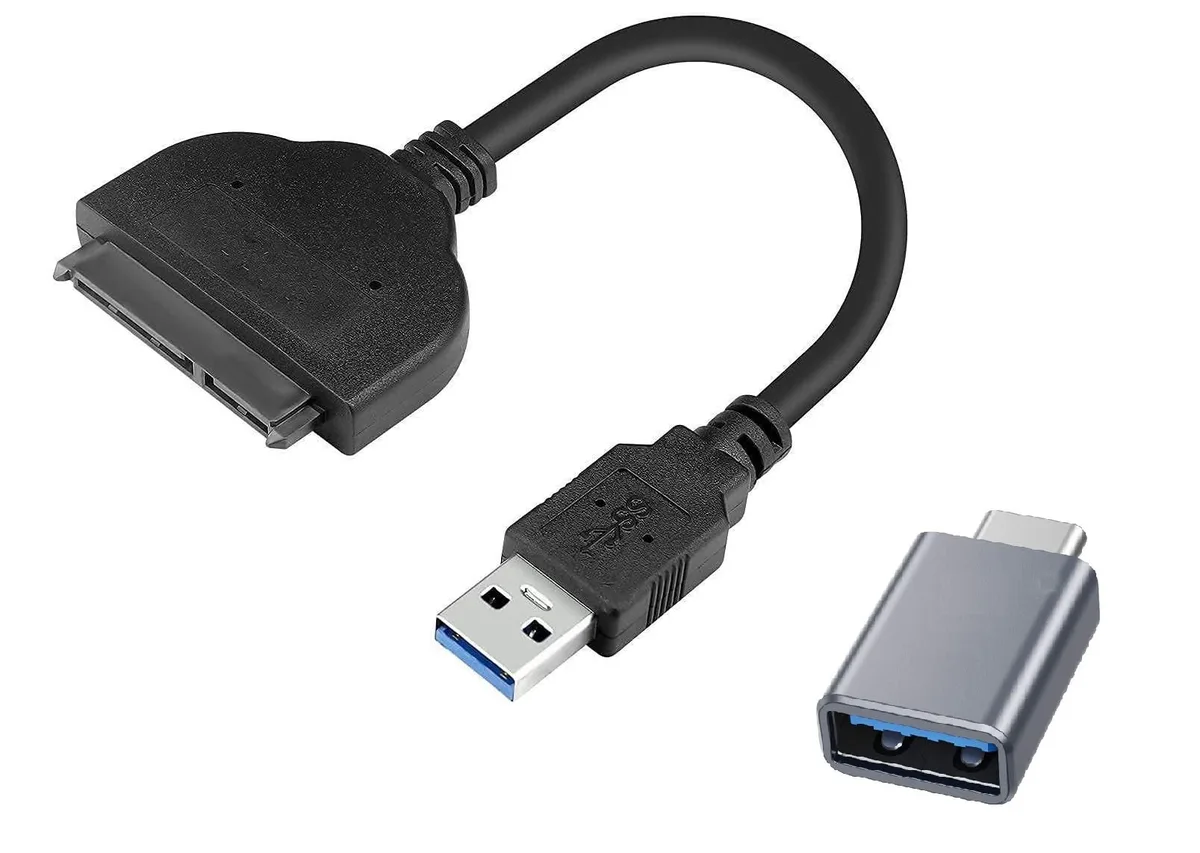
Connects a 2.5-inch SATA drive to a USB-A or USB-C port for storage expansion, driver-free and hot-swap ready
This USB-A to SATA adapter connects a 2.5 inch SATA SSD or HDD to a computer with a USB-A port. It supports SATA III, II and I drives up to 5TB capacity. The device is driver-free and works with Windows, Mac OS, Linux and Chrome OS. Hot-swap functionality allows drives to be changed without rebooting.
It suits users who want to access data from a 2.5 inch SATA drive on a USB-A equipped laptop or desktop. It is not for 3.5 inch drives that require external power. It is not for M.2 or PCIe drives. Buyers needing to connect larger desktop drives should look at a different adapter type.
The adapter accepts 2.5 inch SATA III, II and I hard drives and solid-state drives up to 5TB. This single specification decides whether the adapter matches the drive you own. Check the drive height and interface before purchase.
| Changer Type | USB to SATA |
|---|
Connect the SATA end to the 2.5" drive, plug the USB-A or USB-C connector into the computer, and power the drive if it does not spin up from the port alone — the step most often missed is providing separate power for drives that exceed the port's current limit.
The adapter itself has no moving parts or firmware to update; only the cables or connectors may wear out from repeated insertion cycles, so replace the unit if the USB or SATA ports become loose or intermittent.
Sustained throughput is capped by the USB-A or USB-C port speed on the host computer, so large sequential transfers will hit that interface bottleneck before the SATA III drive reaches its own ceiling.
New to this? Which coin should you pay with — what to check, what it costs to pay, and what is never asked for.
Also in this aisle
Same shelf, same checkout — eight coins and a 30-minute rate lock.
What you pay in, and what you read prices in.
Sent from your wallet at checkout
Display only — the catalogue is priced in USD
No currency matches that.
Pick the language the site speaks to you in.
No language matches that.
New here?
Already have one?
There is no automatic reset: this shop sends no mail, so there is no one-time link to ask for. Leave the address on the account and it gets picked up by hand.
Request noted
Nothing is on its way to your inbox — this shop sends no mail at all. Someone picks these up by hand.
Remembered it?