

Sunfounder
Sunfounder Raspberry Pi Ultimate Kit with PiCrawler AI Robot 337 components 131 projects
$174.99
0.00202296BTC
In stockWe take cryptocurrency — so the coins you hold can buy real hardware.Pay in crypto, spend it on real hardware. Free insured shipping worldwide over $399. Plain, unbranded boxes, sent from Germany.Free insured shipping over $399. Your rate is locked for 30 minutes once checkout opens.Rate locked 30 minutes. Every item sealed, serial-checked and covered by a 24-month warranty.Sealed, 24-month warranty.


ADATA
A 64 GB USB 3.2 Type-C flash drive with a capless sliding connector and up to 100 MB/s read speed
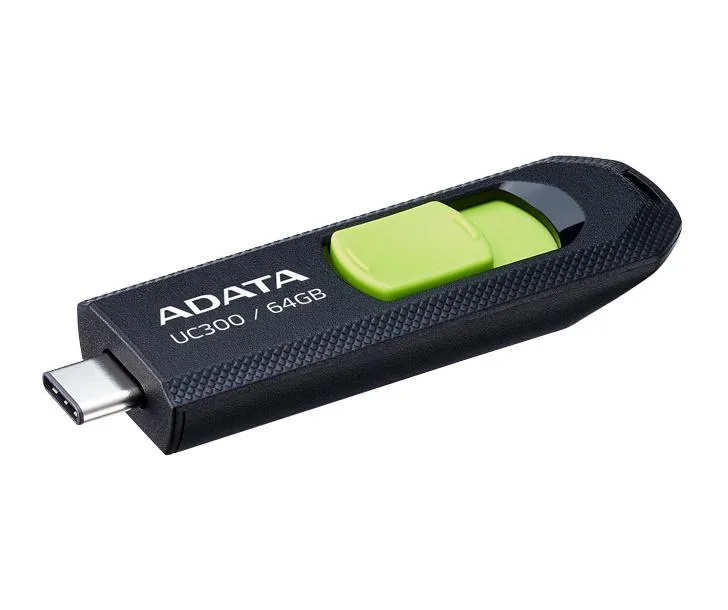
The ADATA UC300 is a 64GB USB flash drive with a USB Type-C interface designed for current notebooks, desktops, smartphones and tablets. Its capless sliding connector removes the risk of losing a cap and allows plug orientation on either side. The drive delivers read speeds up to 100MB/sec over USB 3.2 Gen1 for efficient file transfers.
This drive suits users who move 4K video, photos or documents between USB-C devices without carrying adapters. It is backward compatible with USB 2.0 ports for wider device support. Buyers who need more than 64GB of portable storage or require multiple capacity options in one purchase should look at higher-capacity alternatives.
The single specification that decides suitability is the 64GB capacity, which determines how much 4K video, photo archives or project data can be stored at once. Transfer performance reaches up to 100MB/sec read speed via USB 3.2 Gen1. The black casing with green accent and sliding mechanism complete the physical design.
| Capacity | 64GB |
|---|
The drive uses USB 3.2 Gen 1 and delivers read speeds up to 100MB/sec.
It features a capless sliding USB Type-C connector that retracts into the black and green casing.
Insert the USB Type-C plug either orientation into a compatible port; the reversible design prevents upside-down insertion errors.
New to this? Buying memory and SSDs with crypto — what to check, what it costs to pay, and what is never asked for.
Also in this aisle
Same shelf, same checkout — eight coins and a 30-minute rate lock.
What you pay in, and what you read prices in.
Sent from your wallet at checkout
Display only — the catalogue is priced in USD
No currency matches that.
Pick the language the site speaks to you in.
No language matches that.
New here?
Already have one?
There is no automatic reset: this shop sends no mail, so there is no one-time link to ask for. Leave the address on the account and it gets picked up by hand.
Request noted
Nothing is on its way to your inbox — this shop sends no mail at all. Someone picks these up by hand.
Remembered it?



