

Zyvpee
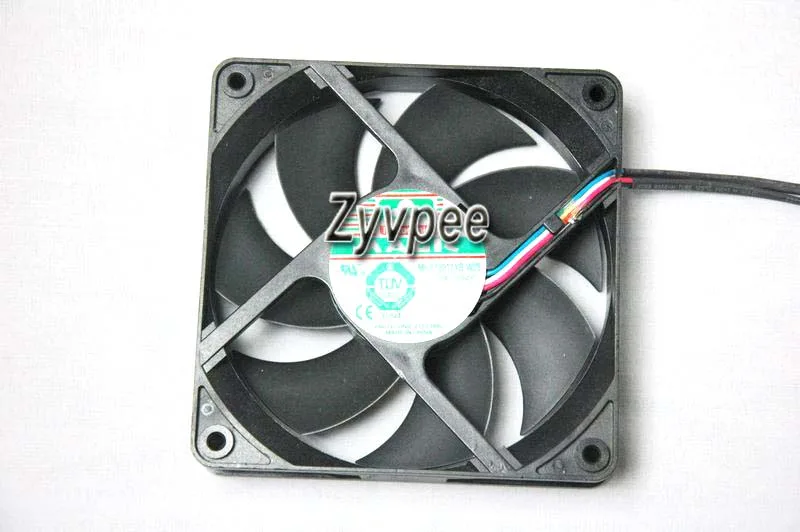
Zyvpee MGT12012XB-W25 12025 12V .52A 4 Wires 120mm case fan
120 mm case fan with ball bearing and 4-wire PWM control for precise speed regulation
- TypeCase Fan
- Bearing TypeBall
- Power Connector4 Wires
- ColorBlack
- LEDNon-LED
- FeaturesCPU Fan
- Ball bearing for long service life
- 12 V .52 A power draw for efficient cooling
- Four-wire PWM connector enables precise speed control
- 120 mm by 25 mm frame fits standard case mounts
- Non-LED black design keeps build aesthetics clean
120 mm 4-wire case fan
The Zyvpee MGT12012XB-W25 is a 120 mm square case fan with a 25 mm thickness. It runs on 12 V and draws 0.52 A through a standard four-wire power connector. The ball-bearing design and black frame suit standard chassis cooling roles.
Suits PWM-controlled builds.
This unit fits builders who need a 4-wire PWM fan for motherboard speed control. It lacks LED lighting, so it is not for users wanting illuminated internals. The 25 mm depth also rules out slim-profile mounting locations.
Verify 120 mm mounting points and 4-pin header
Check that your case or heatsink has 120 mm screw holes spaced for a 120*25 mm frame. Confirm the motherboard or fan controller provides a 4-pin header for PWM operation. Ensure 12 V supply is available on the chosen header.
Highlights
- Ball bearing for long service life
- 12 V .52 A power draw for efficient cooling
- Four-wire PWM connector enables precise speed control
- 120 mm by 25 mm frame fits standard case mounts
- Non-LED black design keeps build aesthetics clean
Specifications
| Brand | 3ccooler.com |
|---|---|
| Series | MGT12012XB-W25 |
| Model | MGT12012XB-W25 |
| Type | Case Fan |
| Bearing Type | Ball |
| Power Connector | 4 Wires |
| Color | Black |
| LED | Non-LED |
| Features | CPU Fan |
| Dimensions | 120*25mm |
Questions about this item
What motherboard header is required for the 4-wire connector?
The fan uses a standard 4-wire PWM header on the motherboard.
Will the 120 x 25 mm frame fit in a chassis with 120 mm mounting holes?
Yes, the 120 mm square frame matches standard 120 mm case mounts.
How can I verify the 0.52 A draw is normal after installation?
Check the RPM reading in BIOS or monitoring software; it should report a steady speed.
New to this? Which coin should you pay with — what to check, what it costs to pay, and what is never asked for.
Also in this aisle
People compared these
Same shelf, same checkout — eight coins and a 30-minute rate lock.



Black Box Corporation
Black Box Corporation CAT6 EZ-RJ45 Modular Plugs 100-Pack
$95.99
0.00114866BTC
In stock
