
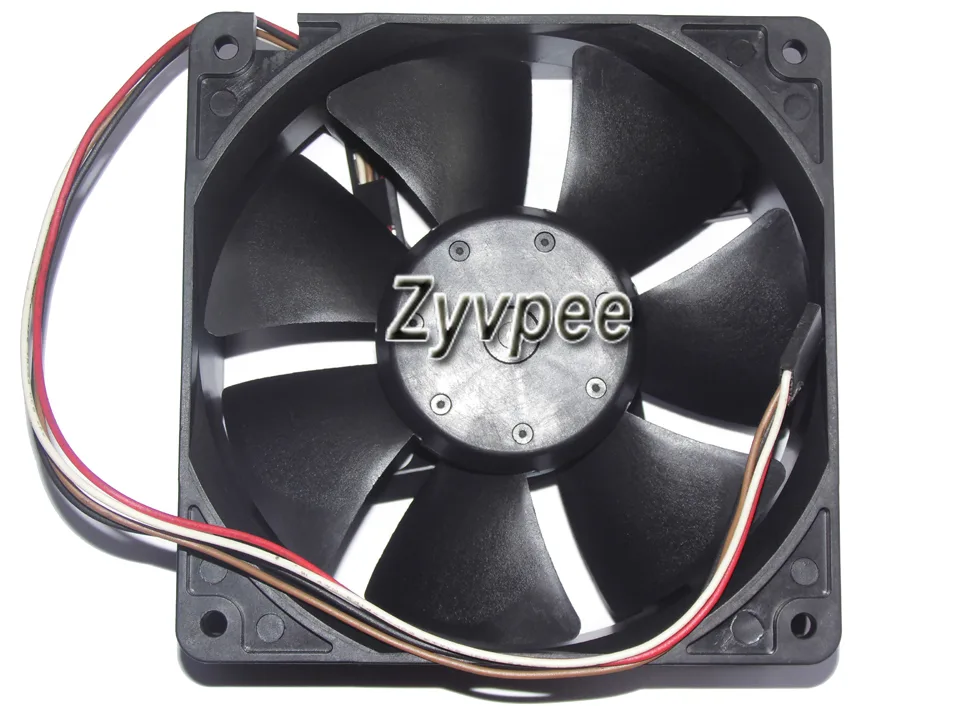


Zyvpee
Zyvpee 4715KL-04W-B46 P62 12038 DC12V 0.9A 4 Wires 120*38MM case fan
A 120 mm by 38 mm ball-bearing case fan with a four-wire 12 V 0.9 A power connector
- TypeCase Fan
- Bearing TypeBall
- Power Connector4 Wires
- ColorBlack
- LEDNon-LED
- FeaturesPower Case Fan
- Ball bearing reduces friction for longer life
- Four-wire PWM connector enables precise speed control
- 120 mm by 38 mm frame fits standard mounting points
- DC 12 V 0.9 A rating delivers strong airflow
- Non-LED black design suits any build aesthetic
Zyvpee 12038 Ball Bearing Fan
The Zyvpee 4715KL-04W-B46 P62 is a 120mm by 38mm DC12V case fan drawing 0.9A through a 4-wire power connector. It uses a ball bearing and has a black non-LED frame. The unit is supplied new and is built for standard 120mm mounting positions.
Suited for 4-wire PWM control and 38mm clearance
This fan fits builds that accept a 38mm thick 120mm frame and a 4-wire connector for speed regulation. It is not for builds restricted to thinner frames or 3-wire voltage control only. Buyers needing integrated lighting should look elsewhere.
38mm thickness decides fit
The single specification that determines compatibility is the 38mm depth. Verify your chassis or heatsink clearance matches this dimension before purchase. The 4-wire connector and 12V 0.9A rating are secondary checks.
Highlights
- Ball bearing reduces friction for longer life
- Four-wire PWM connector enables precise speed control
- 120 mm by 38 mm frame fits standard mounting points
- DC 12 V 0.9 A rating delivers strong airflow
- Non-LED black design suits any build aesthetic
Specifications
| Brand | Zyvpee |
|---|---|
| Series | 4715KL-04W-B46 P62 |
| Model | 4715KL-04W-B46 |
| Type | Case Fan |
| Bearing Type | Ball |
| Power Connector | 4 Wires |
| Color | Black |
| LED | Non-LED |
| Features | Power Case Fan |
| Dimensions | 120*38MM |
Questions about this item
Will the 4-wire PWM connector on this 120 mm fan work with a motherboard that only has 3-pin headers?
Yes, the 4-wire plug fits a 3-pin header and the fan will run at full 12 V speed; PWM control is simply unavailable on the older header.
How can I verify the fan is spinning at the correct speed after installation?
Check the RPM reading in BIOS or monitoring software — the fourth wire reports a tachometer signal so the motherboard can display the actual speed.
Does the box include mounting screws or do I need to supply my own?
The fan ships as a bare unit; four mounting screws are not included and must be sourced separately.
New to this? Which coin should you pay with — what to check, what it costs to pay, and what is never asked for.
Also in this aisle
People compared these
Same shelf, same checkout — eight coins and a 30-minute rate lock.



Black Box Corporation
Black Box Corporation CAT6 EZ-RJ45 Modular Plugs 100-Pack
$95.99
0.0011497BTC
In stock
