


YINGHUA
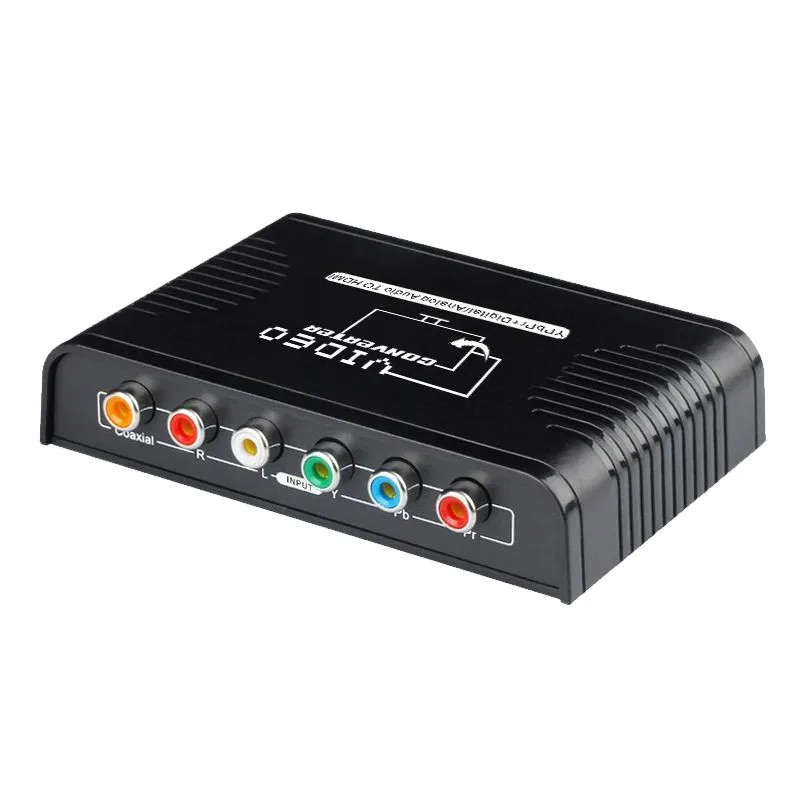
YINGHUA Ypbpr Component to HDMI Converter 1080P
Converts component video and audio to HDMI for 480i to 1080p sources without scaling
- TypeHDMI
- Connects legacy component devices to modern HDMI displays
- Supports 480i up to 1080p at 50 or 60 Hz
- Transmits video and stereo or coaxial audio together
- Driver-free setup works instantly with PS2, DVD or Wii
- Pass-through design preserves original signal without scaling
Component-to-HDMI adapter for legacy consoles
This converter accepts YPbPr component video plus stereo or coaxial audio and outputs a native HDMI signal. It is intended for owners of PlayStation 2, original Xbox, Wii, DVD players or similar devices who need to connect them to modern monitors or televisions that lack component inputs. No drivers or software are required for operation.
Suits retro gamers and archivists.
The unit passes the incoming resolution directly to the display without scaling, so buyers who want 4K upscaling, frame-rate conversion or image enhancement should look elsewhere. It also cannot operate in reverse from HDMI to component. Users with unshielded or low-quality component cables may experience flickering or signal loss unless the converter is powered from the console USB port.
Handles 480i to 1080p at 50 or 60 Hz
Supported component resolutions include 480i, 480p, 576i, 576p, 720p, 1080i and 1080p at vertical frequencies of 50 and 60 Hz. The HDMI link runs at 165 MHz with 1.65 Gbps per channel and 24-bit deep colour. Headroom ends at 1080p; higher resolutions, HDR metadata or multi-channel audio formats are not supported.
Highlights
- Connects legacy component devices to modern HDMI displays
- Supports 480i up to 1080p at 50 or 60 Hz
- Transmits video and stereo or coaxial audio together
- Driver-free setup works instantly with PS2, DVD or Wii
- Pass-through design preserves original signal without scaling
Specifications
| Type | HDMI |
|---|
Questions about this item
Which cables must I already have to connect my console to this converter?
You need a component (YPbPr) cable with five RCA plugs — three for video and two for stereo audio — plus a standard HDMI cable to reach your display.
Will my older 480i or 576i sources display correctly through this unit?
Yes, the converter accepts 480i, 480p, 576i, 576p, 720p, 1080i and 1080p at 50 or 60 Hz and passes them through without scaling.
How can I confirm the converter is passing a clean 1080p signal after setup?
Check that your TV reports a 1080p 60 Hz input with 24-bit colour and no flicker; a stable picture at those settings means the 165 MHz link is working.
Also in this aisle
People compared these
Same shelf, same checkout — eight coins and a 30-minute rate lock.


Black Box Corporation
Black Box Corporation 4K60 HDMI Dual-Head KVM Switch 4 Port
$774.99
0.00920919BTC
In stock