


YINGHUA
YINGHUA W25S3 2.5" SATA USB 3.0 HDD SSD enclosure gadget
Ultra-thin aluminum enclosure turns a 2.5" SATA drive into a USB 3.0 external drive with LED status and tool-free plug-and-play setup
- Tool-free drive swaps with screw-less design
- Aluminium shell keeps drives cool and light at 40 g
- USB 3.0 delivers 5 Gbps throughput for large files
- Works with 7 mm and 9.5 mm 2.5" SATA drives
- LED indicator shows power and activity status
Ultra-thin 2.5" SATA enclosure
The YINGHUA W25S3 is an all-aluminium case that turns a 2.5" SATA hard drive or SSD into a portable USB 3.0 device. It measures 118 x 72 x 10 mm and weighs 40 g without the leather cover. The enclosure supports drives up to 3 TB capacity and draws power directly from the USB port.
Users wanting driver-free portable storage
Builders who need a tool-less, hot-swappable enclosure for 2.5" SATA drives up to 9.5 mm thick will find this a match. It works with Windows 98SE through Win10 and falls back to USB 2.0 or 1.1 on older ports. Buyers who need internal mounting or support for drives thicker than 9.5 mm should look at something else.
Screwless assembly with LED status
Slide the drive into the sandblasted aluminium shell, snap the covers together and connect the supplied cable — no screws or drivers required. The blue LED indicates power and activity. The only common issue is forgetting to seat the SATA connector fully before closing the case, which prevents the drive from being recognised.
Highlights
- Tool-free drive swaps with screw-less design
- Aluminium shell keeps drives cool and light at 40 g
- USB 3.0 delivers 5 Gbps throughput for large files
- Works with 7 mm and 9.5 mm 2.5" SATA drives
- LED indicator shows power and activity status
Specifications
No published specifications for this item yet.
Questions about this item
Which 2.5" SATA drive heights fit inside the 10 mm enclosure?
Both 9.5 mm and 7 mm SATA hard disks and SSDs are supported, up to a maximum capacity of 3 TB.
Will the USB 3.0 interface still operate when connected to an older USB 2.0 or 1.1 port?
Yes, the enclosure is backward compatible with USB 2.0 and 1.1, though transfer speeds will fall to the older standard's limits.
What does the LED indicator show after I connect the drive?
The LED lights up to confirm power and drive activity, letting you verify the enclosure is working correctly.
Also in this aisle
People compared these
Same shelf, same checkout — eight coins and a 30-minute rate lock.


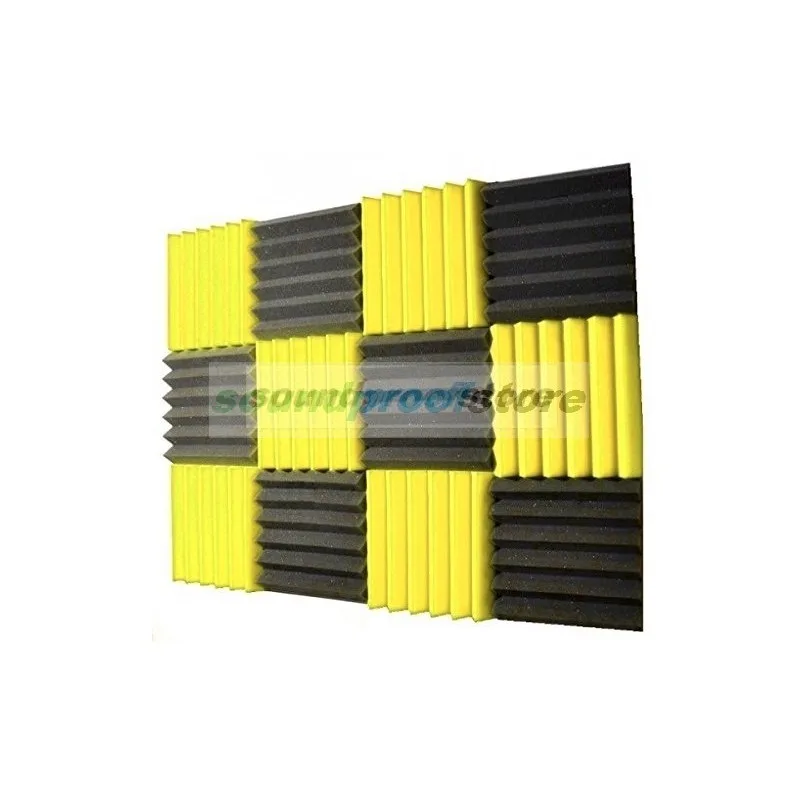
Soundproof Store
Soundproof Store Acoustic Wedge Foam Yellow Charcoal 12pk NRC .65
$27.99
0.00033762BTC
In stock
SoundTube Entertainment
SoundTube Entertainment RS42-EZ replacement grille, black
$9.99
0.0001205BTC
In stock