


YINGHUA
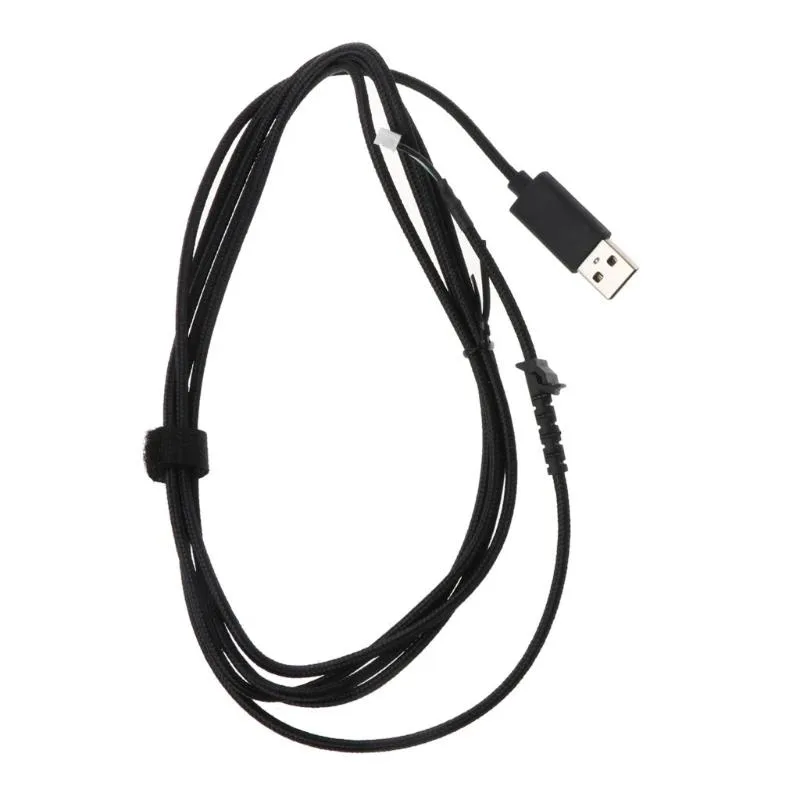
YINGHUA USB Mouse Cable 2.2 m for G502 Hero
A 2.1 m PVC replacement cable for the G502 Hero mouse, weighing 35 g with a 3.5 mm diameter
- Designed for the G502 Hero mouse
- 2 m cable gives extended reach
- Soft PVC jacket removes drag sensation
- 35 g weight keeps the mouse light
- 5 mm diameter fits the original port
G502 Hero Replacement Cable
This 2.2 m USB cable is a direct replacement for a damaged or worn wire on the Logitech G502 Hero gaming mouse. It restores the original wired connection without altering the sensor or button performance. The PVC jacket is rated at 3.5 mm diameter and weighs 35 g. It suits users who want a factory-length cord without buying a new mouse.
Upgrade From Frayed Or Stiff Originals
The cable replaces the stock line when the sheath splits, the connector loosens or the wire develops kinks that cause drag. A swap is worth it when intermittent disconnects appear or the cord no longer glides smoothly on the pad. Installation requires opening the mouse shell and reseating the internal connector. No soldering is needed if the original plug matches.
2.1 m Usable Length For Desktop Setups
The 2.1 m working length covers most tower-to-mat distances with slack for routing behind a monitor. The soft PVC construction reduces friction on cloth and hard pads alike. It runs out of reach only on unusually deep desks or when the PC sits far from the playing area. The package includes one cable and no additional tools.
Highlights
- Designed for the G502 Hero mouse
- 2 m cable gives extended reach
- Soft PVC jacket removes drag sensation
- 35 g weight keeps the mouse light
- 5 mm diameter fits the original port
Specifications
No published specifications for this item yet.
Questions about this item
Will the 2.2 m cable reach my rear USB port without pulling on the G502 Hero?
The cable is 2.1 m long and 3.5 mm thick, so it spans most desk setups without tension on the mouse end.
Do I need to solder the replacement cable or does it plug straight into the G502 Hero?
It is a direct USB plug-in replacement; no soldering is required — just unplug the old cable and insert this one into the mouse port.
How often should I check the PVC jacket on this 35 g cable for wear?
Inspect the cable every few months for kinks or fraying, especially near the mouse entry point where bending is greatest.
Also in this aisle
People compared these
Same shelf, same checkout — eight coins and a 30-minute rate lock.


Lenovo
Lenovo 42T3273 Black Replacement Keyboard for ThinkPad T60 T61
- Thinkpad T60 T61 Ke…
- Black
$29.99
0.00035095BTC
In stock