


YINGHUA
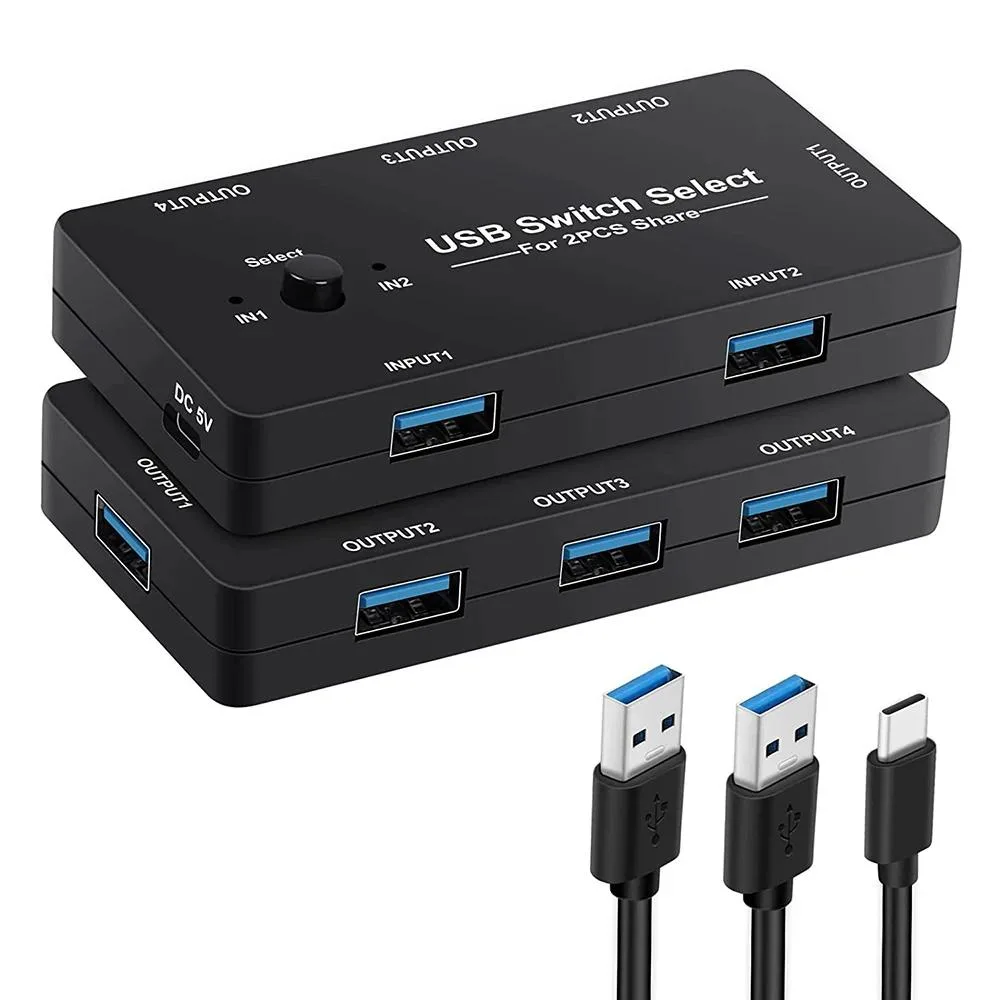
YINGHUA USB 2.0 KVM Switch 2 PC 4 Device
Shares four USB 2.0 peripherals between two Windows 10 computers with one-button switching, LED status indication, and an included USB 2.0 cable
- TypeHDMI
- Share 4 USB 2.0 devices between two computers with one button press
- LED indicator shows active PC connection without dazzling light
- Driver-free operation on Windows 10, Mac OS, Linux and Chrome OS
- Plug-and-play setup eliminates need for network sharing software
- Reduces cable swapping and repeated plug-unplug cycles for peripherals
2 PC 4 Device USB 2.0 KVM Switch
This YINGHUA KVM switch lets two computers share four USB 2.0 peripherals with a single button press. It eliminates the need to constantly swap cables or configure network sharing software. The unit includes a built-in LED indicator that shows the active computer connection. Driver-free operation supports Windows, Mac OS, Linux and Chrome OS.
Ideal for dual-PC desk setups sharing keyboard
Users who need to switch a keyboard, mouse, printer, scanner, card reader or flash drive between two machines will benefit from the plug-and-play design. The mild LED light avoids distraction in dark rooms. Buyers who require video switching or support for more than two host systems should consider a different KVM solution.
Four USB 2.0 ports shared across two computers
The switch comfortably handles standard USB 2.0 peripherals such as keyboards, mice, printers and storage devices. Bandwidth is limited to the USB 2.0 specification, so high-throughput devices like external SSDs or capture cards will run at reduced speed. No external power adapter is mentioned in the specifications.
Highlights
- Share 4 USB 2.0 devices between two computers with one button press
- LED indicator shows active PC connection without dazzling light
- Driver-free operation on Windows 10, Mac OS, Linux and Chrome OS
- Plug-and-play setup eliminates need for network sharing software
- Reduces cable swapping and repeated plug-unplug cycles for peripherals
Specifications
| Type | HDMI |
|---|
Questions about this item
What USB peripherals can I connect to the four ports?
You can share a keyboard, mouse, printer, scanner, card reader, flash drive or other USB 2.0 devices between the two computers.
Will the switch work with my older USB 1.1 keyboard and mouse?
Yes, USB 2.0 is backward compatible so older USB 1.1 peripherals will function normally through the switch.
How do I know which computer is active after I press the button?
The built-in LED indicator lights up to show which of the two connected PCs currently has control of the four USB ports.
Also in this aisle
People compared these
Same shelf, same checkout — eight coins and a 30-minute rate lock.


Black Box Corporation
Black Box Corporation 4K60 HDMI Dual-Head KVM Switch 4 Port
$774.99
0.00904696BTC
In stock