

Knox Gear, Inc.
Knox Gear KN-GC02 39" Hard Shell Guitar Case Gold Hardware
- Guitar Bag
$62.99
0.00074877BTC
In stockWe take cryptocurrency — so the coins you hold can buy real hardware.Pay in crypto, spend it on real hardware. Free insured shipping worldwide over $399. Plain, unbranded boxes, sent from Germany.Free insured shipping over $399. Your rate is locked for 30 minutes once checkout opens.Rate locked 30 minutes. Every item sealed, serial-checked and covered by a 24-month warranty.Sealed, 24-month warranty.


YINGHUA
Connects an M.2 NVMe SSD to a USB 3.1 Type-A port at up to 1000 MB/s with the RTL9210 controller
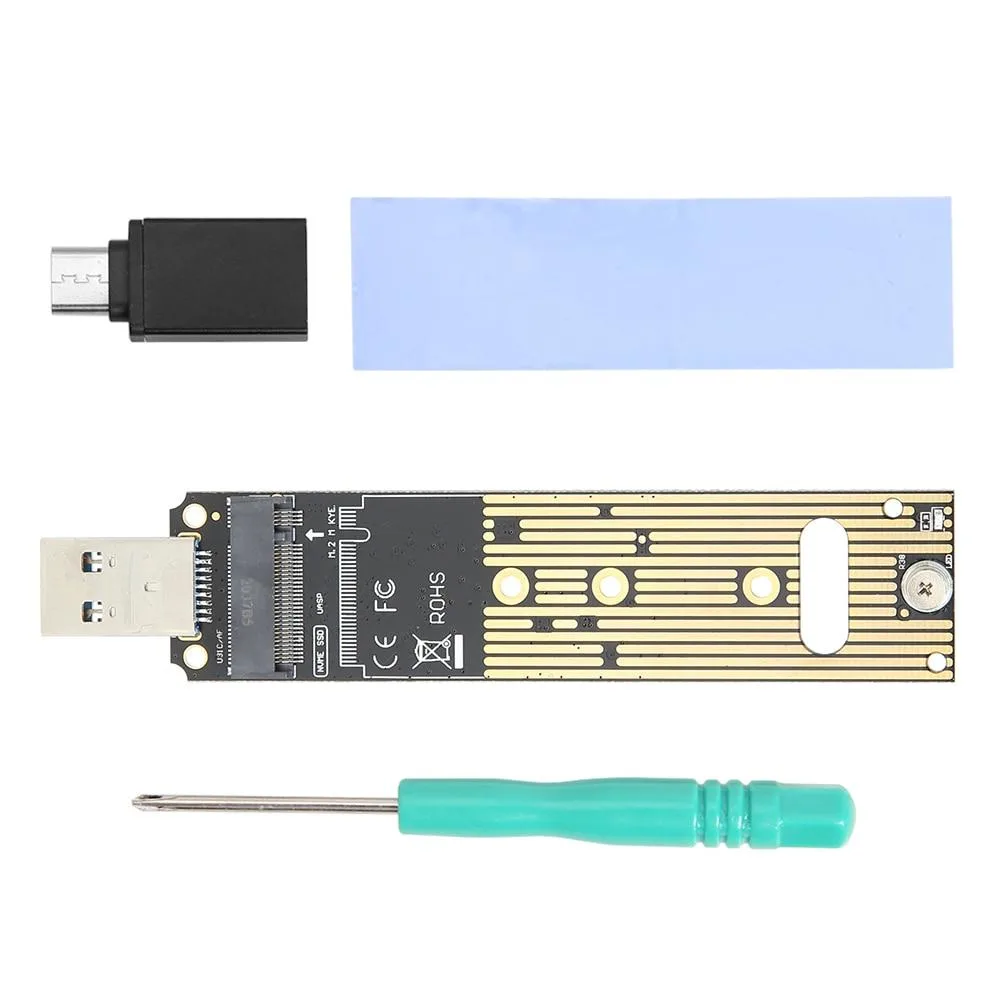
The YINGHUA RTL9210 adapter converts an M.2 PCIe NVMe SSD into an external drive with a USB 3.1 Type-A connection. It is built around the RTL9210 controller, which runs cooler and draws less current than the older JMS583 design. The package includes a screwdriver, and optional bundles add a thermal pad and a USB-C to USB-A adapter.
This adapter suits users who want to read or write data from a PCIe x2 or x4 NVMe M-key SSD on any computer with a USB 2.0, 3.0 or 3.1 Type-A port. It will not work with SATA-based M.2 drives, nor with AHCI-protocol NVMe SSDs, so buyers needing to connect those drive types should look elsewhere.
The adapter only accepts M.2 NVMe SSDs that use the PCIe x2 or x4 interface and an M-key notch. SATA M.2 drives and AHCI NVMe drives are explicitly unsupported, so the drive’s protocol and keying are the single factors that determine whether this unit will function.
No published specifications for this item yet.
The RTL9210 adapter accepts only M-key NVMe SSDs that run over PCIe x2 or x4. It does not support B+M key SATA drives or AHCI variants.
Remove the protective film, place the thermal pad on the controller side of the SSD, insert the drive at an angle, then fasten the supplied screw before connecting the USB cable.
Replace the thermal pad if it becomes compressed, loses tackiness, or if SSD temperatures rise noticeably during sustained transfers.
Also in this aisle
Same shelf, same checkout — eight coins and a 30-minute rate lock.
What you pay in, and what you read prices in.
Sent from your wallet at checkout
Display only — the catalogue is priced in USD
No currency matches that.
Pick the language the site speaks to you in.
No language matches that.
New here?
Already have one?
There is no automatic reset: this shop sends no mail, so there is no one-time link to ask for. Leave the address on the account and it gets picked up by hand.
Request noted
Nothing is on its way to your inbox — this shop sends no mail at all. Someone picks these up by hand.
Remembered it?


