


YINGHUA
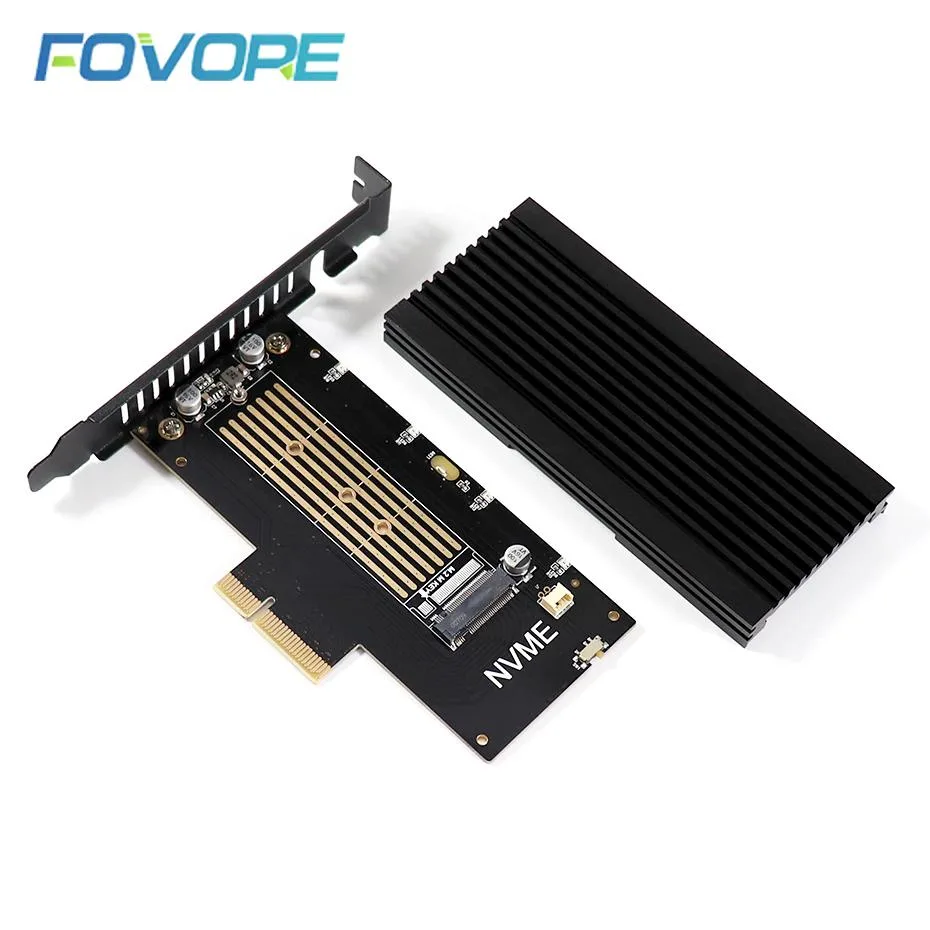
YINGHUA M.2 2280 NVMe to PCIe x4 Adapter with Heatsink
Adds an M.2 2280 NVMe slot to a PCIe x4 slot and includes a heatsink
- TypePCI to USB Card
- Converts M.2 2280 NVMe drives to PCIe x4 slots
- Integrated heatsink maintains lower operating temperatures
- M-key NGFF interface ensures compatible drive fitment
- PCIe x4 bandwidth supports full NVMe performance
YINGHUA M.2 2280 NVMe PCIe x4 Adapter
This YINGHUA adapter converts an M.2 2280 NVMe drive with an M key into a PCIe x4 add-in card. An integrated heatsink helps manage drive temperatures during sustained workloads. The card targets desktop owners who want to add high-speed NVMe storage to a free PCIe slot. It is a straightforward hardware bridge for compatible drives.
Suits builders adding an M.2 2280 NVMe drive
Not for users whose motherboard lacks a PCIe x4 slot or who need to connect drives with a different keying or form factor. Laptop users cannot install this internal card. Buyers without a spare expansion slot should consider alternative upgrade paths.
Highlights
- Converts M.2 2280 NVMe drives to PCIe x4 slots
- Integrated heatsink maintains lower operating temperatures
- M-key NGFF interface ensures compatible drive fitment
- PCIe x4 bandwidth supports full NVMe performance
Specifications
| Type | PCI to USB Card |
|---|
Questions about this item
Will this adapter let me keep using my existing M.2 2280 NVMe drive in a desktop PCIe x4 slot?
Yes, the card accepts an M.2 2280 NVMe drive and connects through a PCIe x4 interface so the drive works inside a standard desktop expansion slot.
How can I confirm the adapter is functioning correctly once installed?
After fitting the drive and securing the heatsink, the system BIOS and operating system should detect the NVMe SSD as a bootable or storage device with no extra drivers required.
New to this? Buying PC parts with Monero — what to check, what it costs to pay, and what is never asked for.
Also in this aisle
People compared these
Same shelf, same checkout — eight coins and a 30-minute rate lock.



Sunfounder
Sunfounder Raspberry Pi Ultimate Kit with PiCrawler AI Robot 337 components 131 projects
$174.99
0.00209318BTC
In stock
minisforum
minisforum MF-SRP01 SSD Heatsink accessories barebone
- SSD Heatsink
$6.99
0.00008361BTC
In stock