


YINGHUA
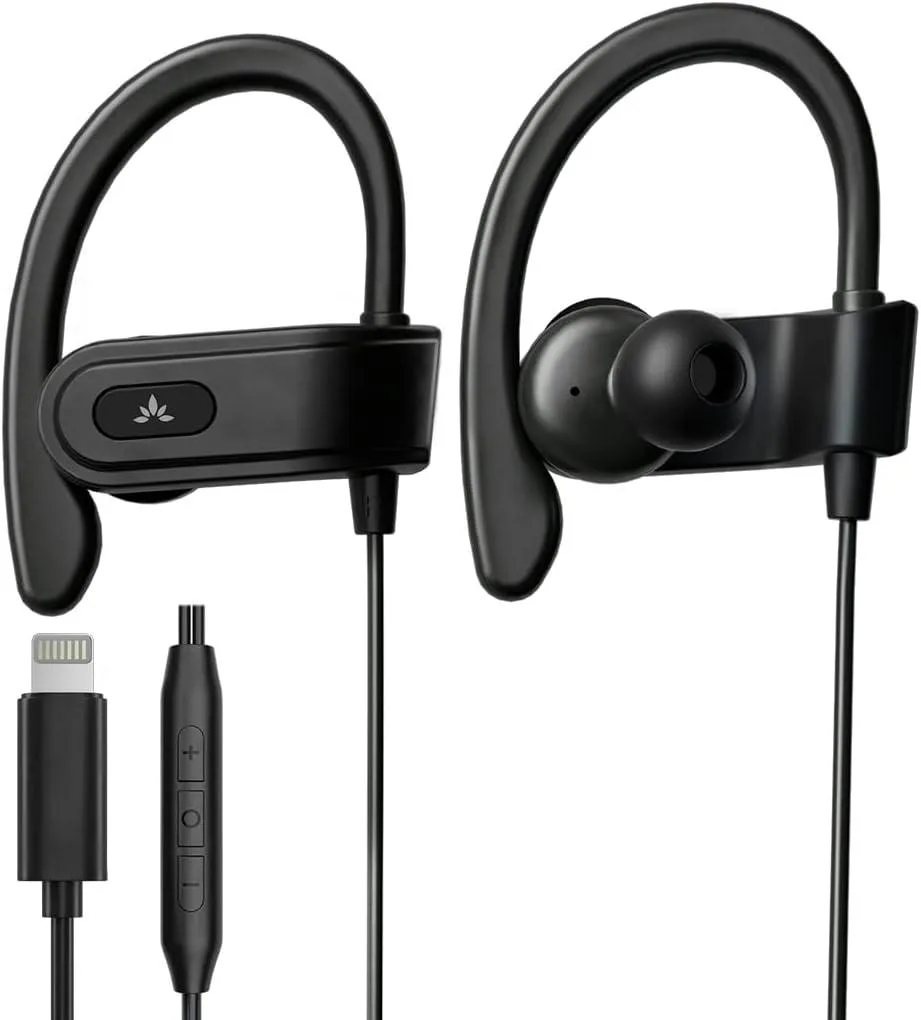
YINGHUA L171 Lightning wired headset with ear hook for iPhone 11 12 13 14
Lightning headset with ear hooks, in-line controls and microphone for iPhone 11, 12, 13, 14
- TypeHeadset
- MFi certified for reliable iPhone 11 12 13 14 compatibility
- Ear hook design keeps buds secure during running and sports
- In-line controls handle volume, tracks, calls and voice assistant
- Built-in microphone delivers clear voice pickup for calls
- Balanced sound tuning for crisp audio across music and speech
Lightning wired earbuds for iPhone 11 12 13 14
The YINGHUA L171 connects directly to Lightning ports on iPhone 11 through 14 models. MFi certification confirms compatibility with those devices. An integrated ear hook and soft eartips keep the buds secure during running and sports. A built-in microphone handles calls and voice-assistant activation.
Plug in and use with physical in-line controls
No pairing or software setup is required; the Lightning connector works immediately. In-line buttons control playback, volume, track skipping, calls and voice-assistant triggering without touching the phone. The fixed cable means there is no battery to charge, but a damaged connector cannot be replaced separately. The 3.5 mm jack is not supported, so these will not work with devices that lack a Lightning port.
Limited to Lightning-port iPhones only
Audio and control signals travel over the proprietary Lightning interface, which restricts use to compatible Apple handsets. The cable length is not adjustable and the ear-hook design may not suit every ear shape. Buyers who need USB-C, 3.5 mm or wireless connectivity cannot use this model.
Highlights
- MFi certified for reliable iPhone 11 12 13 14 compatibility
- Ear hook design keeps buds secure during running and sports
- In-line controls handle volume, tracks, calls and voice assistant
- Built-in microphone delivers clear voice pickup for calls
- Balanced sound tuning for crisp audio across music and speech
Specifications
| Type | Headset |
|---|
Questions about this item
How do I know the in-line volume control is working after I plug the L171 into my iPhone 13?
Press the volume buttons on the cable while music plays; the iPhone 13 on-screen volume indicator should move up and down in real time, confirming the control is active.
What comes in the box with the YINGHUA L171 and do I need a separate Lightning adapter?
The package includes the earbuds with attached ear hooks, soft eartips and the integrated Lightning connector; no extra adapter is required for iPhone 11 12 13 14 models.
Which L171 version should I choose for an iPhone 12 used during runs?
The single MFi-certified Lightning model L171 with ear hooks is built for secure sport fit on iPhone 12; there are no alternate capacities or connector types to select.
Also in this aisle
People compared these
Same shelf, same checkout — eight coins and a 30-minute rate lock.


MCHOSE
MCHOSE Adjustable Tablet/Phone Stand Aluminum Black 4-13 inch
- Tablet Stands
$33.99
0.00040256BTC
In stock