


YINGHUA
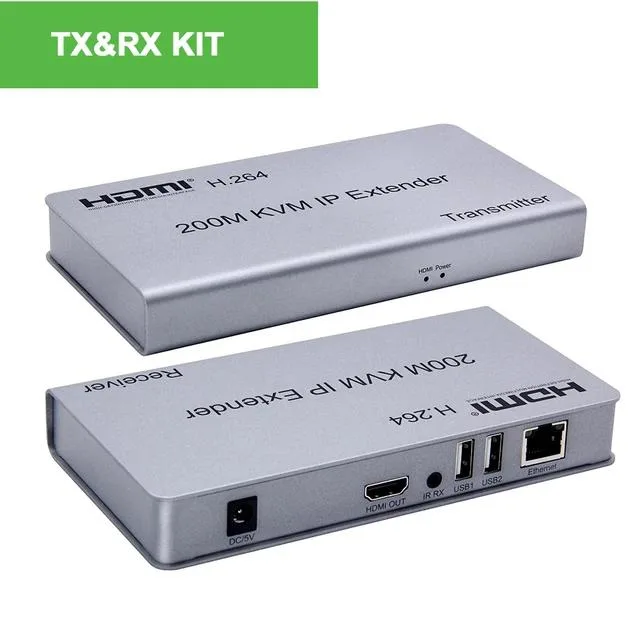
YINGHUA HDMI KVM Extender over IP Cat5e/6 200M (US Plug) 1 TX 1 RX
Extends HDMI 1.3 video, USB keyboard, mouse and IR control up to 200 metres over Cat5e/6 via network switch
- TypeHDMI
- Extends HDMI up to 200 metres over Cat5e/6 cable
- Supports 1080p resolution with HDMI 1.3 compatibility
- USB keyboard and mouse control across the link
- IR remote pass-through at 38 kHz for source control
- Plug-and-play hardware design with no software required
HDMI KVM Extender over IP
The YINGHUA HDMI KVM extender transmits HDMI video and USB keyboard or mouse signals up to 200 metres over a single Cat5e or Cat6 cable. It includes one transmitter and one receiver, each with a US power adapter, and operates without any driver installation.
Distance and resolution limits
The extender follows the 802.3 Ethernet standard and supports HDMI 1.3 with output resolutions of 480p, 720p and 1080p. Audio is carried at sample rates of 32 kHz, 44.1 kHz and 48 kHz, while IR control uses a 38 kHz NEC signal for remote operation.
Check your cabling and display needs
Verify that your existing cable runs do not exceed 200 metres and that Cat5e or Cat6 cabling is already in place or can be installed. Confirm that your source and display devices work within the supported resolutions and that a 5 V DC power outlet is available at both ends.
Highlights
- Extends HDMI up to 200 metres over Cat5e/6 cable
- Supports 1080p resolution with HDMI 1.3 compatibility
- USB keyboard and mouse control across the link
- IR remote pass-through at 38 kHz for source control
- Plug-and-play hardware design with no software required
Specifications
| Type | HDMI |
|---|
Questions about this item
Which connection mode fits my setup — point-to-point, one-to-many or cascade?
Choose point-to-point for a single source and display up to 200 m away, one-to-many when one source feeds several receivers through a network switch, or cascade to chain multiple extenders for longer runs.
What resolutions will I actually see at the far end?
The extender carries 480p, 720p and 1080p signals over the Cat5e/6 link, so the remote monitor will display whatever resolution the source outputs within that list.
What does the 802.3 Ethernet standard limit in practice?
It caps the link to standard Gigabit Ethernet speeds and requires a Cat5e/6 cable run no longer than 200 m, which also sets the maximum extension distance for video, audio, USB and IR.
Also in this aisle
People compared these
Same shelf, same checkout — eight coins and a 30-minute rate lock.


Black Box Corporation
Black Box Corporation 4K60 HDMI Dual-Head KVM Switch 4 Port
$774.99
0.00927254BTC
In stock