


YINGHUA
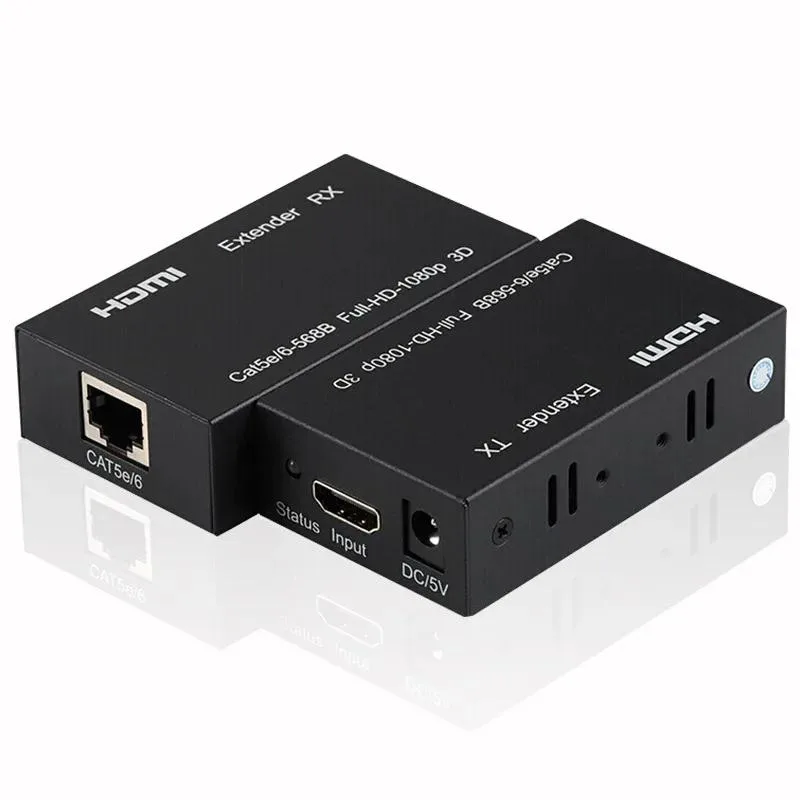
YINGHUA 60M HDMI Extender over Cat5e/6 1080P KVM Switch (EU Plug)
Extends 1080p HDMI up to 60 metres over Cat5e/6 with KVM control and EU power adapter
- TypeHDMI
- Extends 1080p signals up to 60 metres over Cat5e/6
- Supports HDMI 1.4 and HDCP 1.2 for protected content
- Carries uncompressed LPCM 7.1 audio alongside video
- Works from -15 °C to +70 °C in humid environments
- Simple plug-and-play setup with included DC 5 V power adapters
60m HDMI over Cat5e/6 extender
This KVM switch extends HDMI signals up to 60 metres over a single Cat5e or Cat6 cable. It supports 1080p resolution at 60 frames per second and carries uncompressed dual-channel LPCM audio. The kit includes transmitter and receiver units powered by an EU-plug 5 V adapter. It is built for installers who need long-distance video without signal loss.
Replaces long HDMI cable runs
Standard HDMI cables are limited to roughly 10 metres at 1080p before degradation appears. This extender removes that distance ceiling by converting the signal to Ethernet cable, which is cheaper and easier to pull through walls. The jump is worth it when the source and display are separated by more than 10 metres or when routing a thick HDMI lead is impractical.
Check source output and cable grade
Verify the source device outputs one of the listed resolutions such as 1080p, 720p or 480p at 24, 50 or 60 Hz. Ensure the HDMI leads to the transmitter and from the receiver do not exceed 10 metres of AWG26 wire. Use solid-core Cat5e or Cat6 terminated to the TIA-568B wiring scheme for the 60-metre link.
Highlights
- Extends 1080p signals up to 60 metres over Cat5e/6
- Supports HDMI 1.4 and HDCP 1.2 for protected content
- Carries uncompressed LPCM 7.1 audio alongside video
- Works from -15 °C to +70 °C in humid environments
- Simple plug-and-play setup with included DC 5 V power adapters
Specifications
| Type | HDMI |
|---|
Questions about this item
What maximum length of Cat5e or Cat6 cable can link the transmitter and receiver units?
The transmitter and receiver can be separated by up to 60 metres using a single Cat5e or Cat6 cable, replacing a direct HDMI run.
How is the extender powered, and which step do installers often miss?
Both units need the included 5 V 1 A adapter plugged into 100–240 V AC; the common mistake is powering only the transmitter and leaving the receiver unpowered.
What ongoing care does the extender require after installation?
Keep the RJ45 connectors and HDMI ports free of dust, ensure ventilation so the units stay within the –15 °C to +70 °C operating range, and replace the Cat5e/6 cable if signal drop-outs appear.
Also in this aisle
People compared these
Same shelf, same checkout — eight coins and a 30-minute rate lock.


Black Box Corporation
Black Box Corporation 4K60 HDMI Dual-Head KVM Switch 4 Port
$774.99
0.00921806BTC
In stock