


YINGHUA
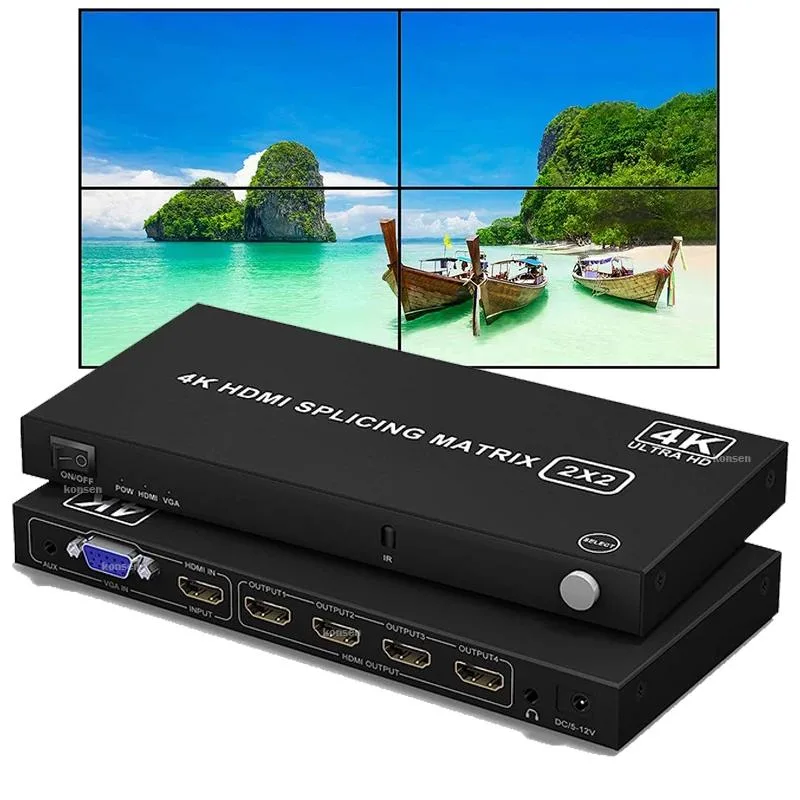
YINGHUA 4K HDMI VGA 2x2 Video Wall Controller KVM Switch 180° Rotation EU Plug
Splits one 4K30 or 1080p HDMI or VGA source across four HDMI displays in eight splicing layouts including 2×2 with 180° top-row rotation, 10 m cable reach, and 3.5 mm audio output
- TypeHDMI
- Splits one 4K source across four screens
- Handles HDMI and VGA inputs for flexible sources
- Offers eight splicing layouts including 2×2 and 1×4
- Rotates top-row displays 180° in 2×2 mode
- Includes 3.5 mm audio output for sound
Video wall controller 2x2
The YINGHUA unit splits one HDMI or VGA source across four HDMI displays in a 2x2 grid. It also offers seven additional splicing layouts such as 1x3, 3x1, 1x4 and 4x1 for digital signage or control-room installations. A supplied infrared remote selects the active layout without reaching the device.
Installations needing four-screen splicing
The controller suits users who want a single 4K30 or 1080p signal duplicated and tiled across four monitors or TVs. It does not suit buyers who need independent content on each screen, who require output resolution above 1080p, or who need more than four display outputs.
180° rotation on the top row in 2x2 mode
When the 2x2 layout is active the two upper displays can be rotated 180 degrees to accommodate inverted mounting. This feature is unique to the 2x2 configuration and is not available in the other splicing modes.
Highlights
- Splits one 4K source across four screens
- Handles HDMI and VGA inputs for flexible sources
- Offers eight splicing layouts including 2×2 and 1×4
- Rotates top-row displays 180° in 2×2 mode
- Includes 3.5 mm audio output for sound
Specifications
| Type | HDMI |
|---|
Questions about this item
Which splicing mode should I pick for a four-screen square layout?
Choose the 2x2 mode; it splits one HDMI or VGA source across four HDMI displays and can rotate the top two screens 180° for bezel alignment.
What resolution will I actually see on each monitor when I feed a 4K30 signal into the 2x2 mode?
Each of the four outputs is capped at 1080P, so a 4K30 input is quartered into four 1080P images.
Does the HDMI interface on this unit limit me to 1080P output even if my displays support 4K?
Yes — the controller’s HDMI outputs max out at 1080P regardless of the display’s native resolution.
Also in this aisle
People compared these
Same shelf, same checkout — eight coins and a 30-minute rate lock.


Black Box Corporation
Black Box Corporation 4K60 HDMI Dual-Head KVM Switch 4 Port
$774.99
0.00915598BTC
In stock