


YINGHUA
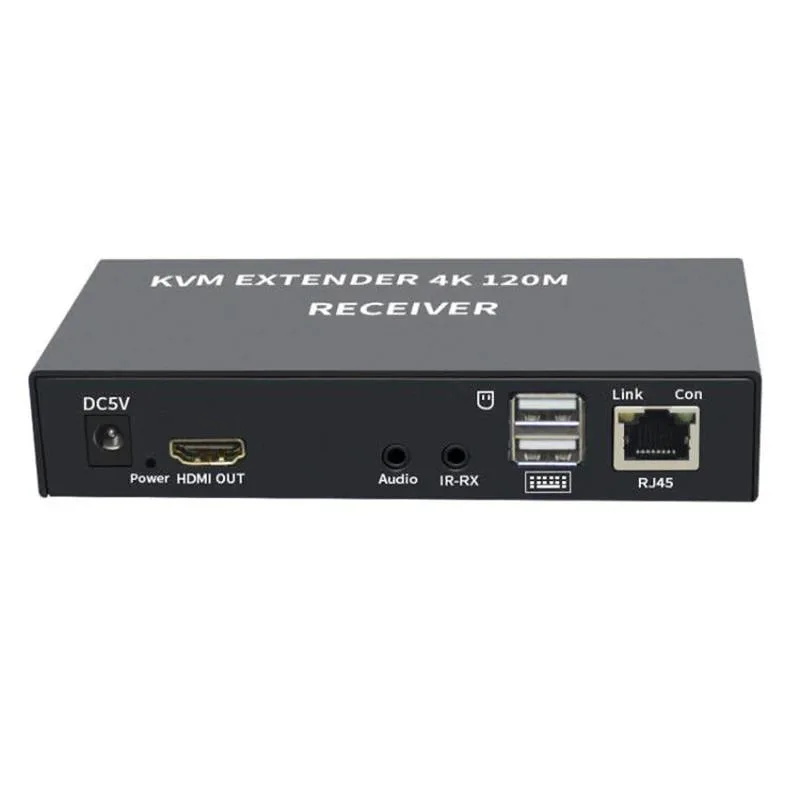
YINGHUA 4K HDMI KVM Extender 120m CAT6 USB-A 3.5mm AUX EU Plug
Extends 4K HDMI and USB-A control up to 120 metres over CAT6 with 3.5 mm audio
- TypeHDMI
- Extends 4K video up to 120 metres over CAT6 cable
- USB-A port connects keyboard and mouse at the remote end
- 5 mm AUX jack carries audio alongside video
- Aluminium alloy housing protects the circuitry
- EU plug included for immediate power connection
4K HDMI KVM Extender 120m
The YINGHUA extender sends 4K HDMI video and USB-A keyboard or mouse signals up to 120 metres over a single CAT5e or CAT6 cable. It includes a 3.5 mm AUX port for audio and ships with an EU plug. The aluminium alloy housing protects the transmitter and receiver units during installation.
Suits remote display and control needs
This unit suits installers who need to place a monitor, keyboard and mouse far from the source computer in classrooms, data centres or showrooms. It does not suit buyers who require multiple video inputs, switching between several computers, or transmission distances beyond the stated 120 metre limit.
Check cabling and power before ordering
Verify that solid-core CAT5e or CAT6 cable is already routed or can be pulled between the two locations. Ensure a mains socket is available at each end for the supplied EU power adapters. Confirm the source device has an HDMI output and the display accepts an HDMI input.
Highlights
- Extends 4K video up to 120 metres over CAT6 cable
- USB-A port connects keyboard and mouse at the remote end
- 5 mm AUX jack carries audio alongside video
- Aluminium alloy housing protects the circuitry
- EU plug included for immediate power connection
Specifications
| Type | HDMI |
|---|
Questions about this item
Which USB peripherals does the transmitter need to control the remote PC?
Connect a USB-A keyboard and mouse to the transmitter; the extender carries those signals over the CAT6 link to the receiver.
Will a Cat5e patch cable I already own reach the full 120 m distance?
Cat5e supports the 120 m range for 4K*2K, so an existing Cat5e run works without upgrading to Cat6.
How can I confirm the audio path is live after connecting speakers?
Plug powered speakers into the 3.5 mm AUX jack on the receiver; sound from the source PC confirms the audio channel is active.
Also in this aisle
People compared these
Same shelf, same checkout — eight coins and a 30-minute rate lock.


Black Box Corporation
Black Box Corporation 4K60 HDMI Dual-Head KVM Switch 4 Port
$774.99
0.00934793BTC
In stock