


YINGHUA
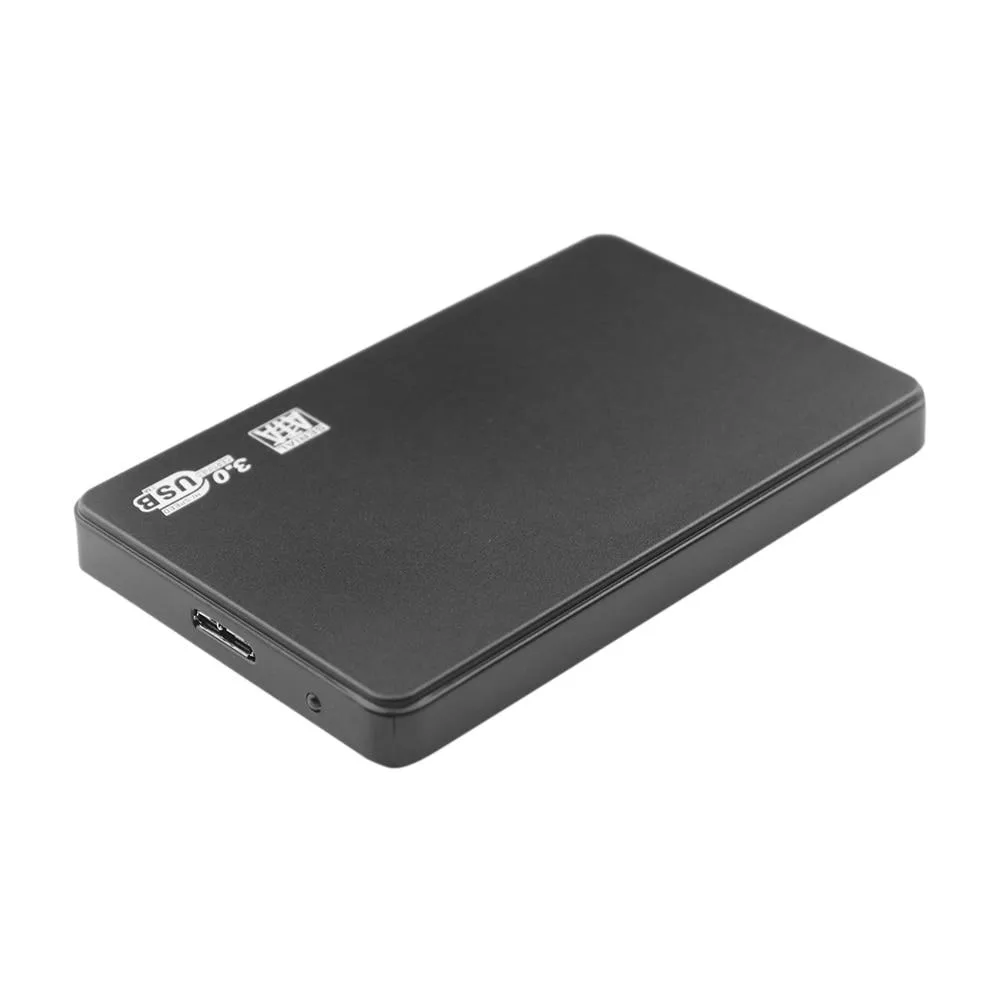
YINGHUA 2.5 Inch SATA HDD SSD Enclosure USB C 3.0 Serial Port Shell Black
A 2.5 inch SATA drive enclosure with USB 3.0 interface, ABS shell and 5 Gbps maximum transfer speed
- Tool-free drive access via USB 3.0 5Gbps port
- Keeps drives cool with ABS shell and ventilation
- Fits 2.5 inch SATA HDD or SSD up to 17mm thick
- Works with Windows 98 through Win10, Mac OS 8.6+ and Linux
- Weighs about 100g and measures 120 by 76 by 17mm
2.5-Inch SATA USB-C Enclosure
This black ABS shell turns a 2.5-inch SATA hard drive or SSD into a portable USB 3.0 device. It supports Windows 98 through Windows 10, Mac OS 8.6 and later, and Linux. The enclosure weighs about 100g and measures roughly 120 by 76 by 17mm.
Suits laptops with spare 2.5-inch drives.
Buyers who want to reuse a laptop drive or SSD on any modern computer will find the USB 3.0 link and broad OS support convenient. Builders who need a 3.5-inch bay or an internal SATA connection should look elsewhere. The compact case is designed for mobile use, not desktop drive bays.
USB 3.0 at up to 5Gbps sets the transfer ceiling
The external USB 3.0 port delivers a maximum theoretical rate of 5Gbps, which governs real-world copy speeds. The internal SATA 3.0 interface matches that ceiling, so the enclosure does not bottleneck a SATA SSD. Users requiring faster throughput need a different interface.
Highlights
- Tool-free drive access via USB 3.0 5Gbps port
- Keeps drives cool with ABS shell and ventilation
- Fits 2.5 inch SATA HDD or SSD up to 17mm thick
- Works with Windows 98 through Win10, Mac OS 8.6+ and Linux
- Weighs about 100g and measures 120 by 76 by 17mm
Specifications
No published specifications for this item yet.
Questions about this item
What drive size and interface must I already have to use this enclosure?
You need a 2.5-inch SATA hard drive or SSD; the enclosure accepts notebook drives with that form factor and interface.
Will the USB 3.0 connection work with the older Windows 98 machine I still use?
Yes, the enclosure lists compatibility with Windows 98, SE, ME, 2000, XP, Vista, 7, 8 and 10, so it will function on that legacy system.
How can I confirm the enclosure is running at the advertised 5 Gbps speed after I connect it?
Check the device properties in your OS — it should report a USB 3.0 SuperSpeed connection, and file transfers will approach the 5 Gbps ceiling.
Also in this aisle
People compared these
Same shelf, same checkout — eight coins and a 30-minute rate lock.



SXDOOL
SXDOOL Lenovo X1 Helix UDQFTYH11BFD 0C54109 04X0431 fan heat sink cooling module
$32.99
0.00039749BTC
In stock
Panasonic
Panasonic CF-VDL03UKB 12.1 inch PDRC touchscreen backlit keyboard gadget
$1,521.99
0.01833811BTC
In stock