


YINGHUA
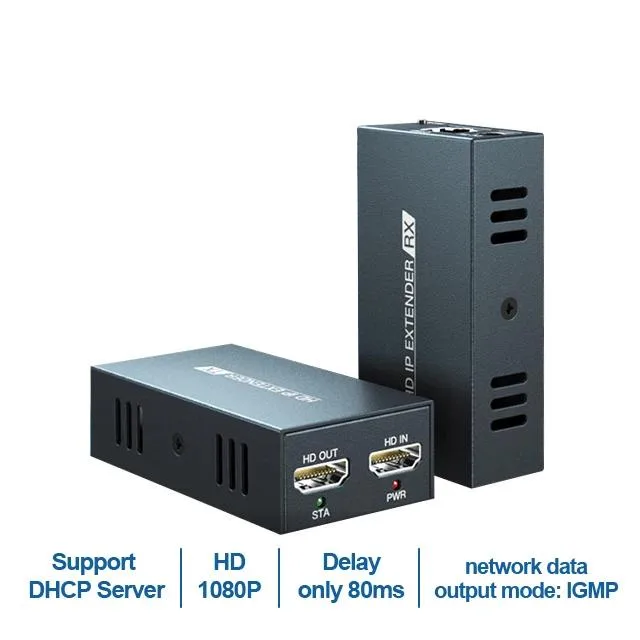
YINGHUA 150M HDMI Extender over IP (AU Plug, 1 RX only) KVM Switch
Extends HDMI up to 150 metres over a single Cat5e/6 cable with 1080p60 video, 7.1 audio and under 50 ms latency
- TypeHDMI
- Extends HDMI up to 150 metres over a single CAT6 cable
- Delivers 1080p video at 60 Hz for sharp, smooth visuals
- Supports 7.1 surround sound with DTS-HD and Dolby TrueHD audio
- Connects one transmitter to 253 receivers via an Ethernet switch
- Low latency under 50 ms keeps input responsive
HDMI Extender Over IP for Long Runs
This YINGHUA KVM switch extends HDMI signals up to 150 metres over a single Cat5e or Cat6 cable. It supports resolutions up to 1920x1080 at 60 Hz and complies with HDMI 1.3 and HDCP 1.2 standards. The unit ships with an AU plug and includes one receiver for point-to-point use.
Receiver Scaling and Audio Options
Adding an Ethernet switch or router lets one transmitter drive up to 253 receivers for multi-monitor distribution. The extender handles LPCM 7.1, DTS, DTS-HD and Dolby TrueHD audio at 32, 44.1 and 48 kHz sampling rates. H.264 compression keeps bandwidth requirements manageable across the network.
Latency and Cable Constraints
End-to-end latency stays below 50 ms, which suits monitoring and signage but not competitive gaming. The link relies on IEEE 802.3 Ethernet at 10, 100 or 1000 Mbps, so cable quality and switch performance directly affect stability. Buyers needing 4K resolution, higher refresh rates or lower latency should look elsewhere.
Highlights
- Extends HDMI up to 150 metres over a single CAT6 cable
- Delivers 1080p video at 60 Hz for sharp, smooth visuals
- Supports 7.1 surround sound with DTS-HD and Dolby TrueHD audio
- Connects one transmitter to 253 receivers via an Ethernet switch
- Low latency under 50 ms keeps input responsive
Specifications
| Type | HDMI |
|---|
Questions about this item
Will the H.264 compression or Cat6 cable need periodic replacement to keep the 150m link reliable?
The H.264 compression is handled by the extender firmware and the Cat6 cable is a passive component; neither has a scheduled replacement interval, so the link remains reliable as long as the cable is undamaged.
At 1080p60 the spec shows under 50 ms latency — does that figure rise if I chain multiple receivers through a gigabit switch?
The less than 50 ms latency applies to the extender itself; adding a 10/100/1000 Mbps switch and up to 253 receivers introduces only normal network queuing delay, which is typically well below the 50 ms baseline.
With the TX and one RX running continuously, how much heat or fan noise should I expect from the units?
The extender has no fan and draws little power, so it stays cool and silent even during all-day operation; just ensure the small vents are not blocked.
Also in this aisle
People compared these
Same shelf, same checkout — eight coins and a 30-minute rate lock.


Black Box Corporation
Black Box Corporation 4K60 HDMI Dual-Head KVM Switch 4 Port
$774.99
0.0091805BTC
In stock