


YEPLOOK
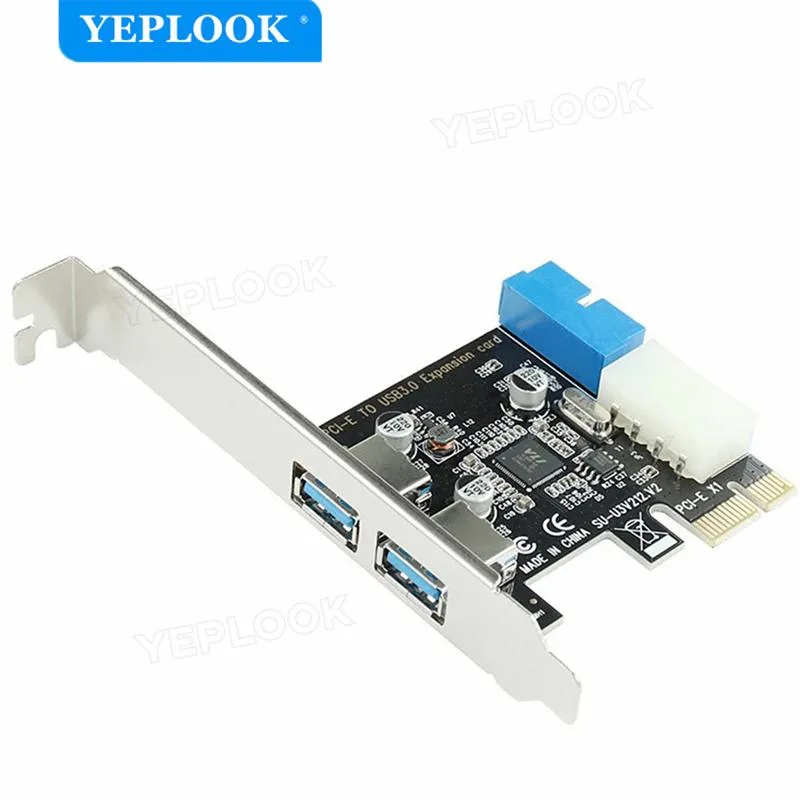
YEPLOOK PCIe USB 3.0 2 Port Expansion Card 19pin 4pin
Adds two USB 3.0 ports via PCIe x1 with a 19-pin header and 4-pin IDE power connector
- TypePCI to USB Card
- Adds two USB 3.0 ports via PCIe x1
- Internal 19-pin header connects front-panel ports
- 4-pin IDE power delivers stable current
- Low-profile bracket fits slim desktop cases
Two-port USB 3.0 expansion card
This PCIe x1 card adds two external USB 3.0 ports to a desktop computer. It connects to the motherboard through a 19-pin internal header and draws auxiliary power from a 4-pin IDE connector. The board is suited for users who need extra front-panel or rear-panel USB sockets without replacing the motherboard.
Limited to two USB 3.0 ports and a single PCIe lane
The adapter provides exactly two Type-A ports, so systems requiring more than two additional connections will need a different solution. Bandwidth is constrained by the PCIe x1 interface, which can become a bottleneck when both ports transfer large files simultaneously. No internal USB headers are exposed on the bracket, limiting front-panel expansion options.
Highlights
- Adds two USB 3.0 ports via PCIe x1
- Internal 19-pin header connects front-panel ports
- 4-pin IDE power delivers stable current
- Low-profile bracket fits slim desktop cases
Specifications
| Type | PCI to USB Card |
|---|
Questions about this item
Will the PCI-E x1 slot and 19-pin header on this card work with my older motherboard that only has legacy PCI slots?
No, the card requires a PCI-E x1 slot and a 19-pin internal USB header; it is not compatible with legacy PCI slots.
How can I verify the two external ports are running at USB 3.0 speeds after installation?
Connect a USB 3.0 flash drive and check the transfer rate or open Device Manager to confirm the controller lists SuperSpeed USB 3.0.
New to this? Buying PC parts with Monero — what to check, what it costs to pay, and what is never asked for.
Also in this aisle
People compared these
Same shelf, same checkout — eight coins and a 30-minute rate lock.



Sunfounder
Sunfounder Raspberry Pi Ultimate Kit with PiCrawler AI Robot 337 components 131 projects
$174.99
0.00209318BTC
In stock
minisforum
minisforum MF-SRP01 SSD Heatsink accessories barebone
- SSD Heatsink
$6.99
0.00008361BTC
In stock