


Yealink Network Technology Co., Ltd
Yealink Network Technology Co., Ltd EHS60 1308019 adapter for WH62 WH63 headset
Electronic Hook Switch adapter connects Yealink WH62 or WH63 wireless headsets to Cisco, Avaya, Poly or Grandstream desk phones for remote call control
- ColorBlack
- Remote call control from your headset via plug-and-play EHS60 adapter
- Works with WH62 and WH63 DECT headsets for wireless freedom
- Compatible with Cisco, Avaya, Poly and Grandstream desk phones
- Incoming calls signal directly in the earpiece so you never miss a ring
- Simple Micro USB connection installs in seconds without extra drivers
Yealink EHS60 Adapter for WH62 and WH63
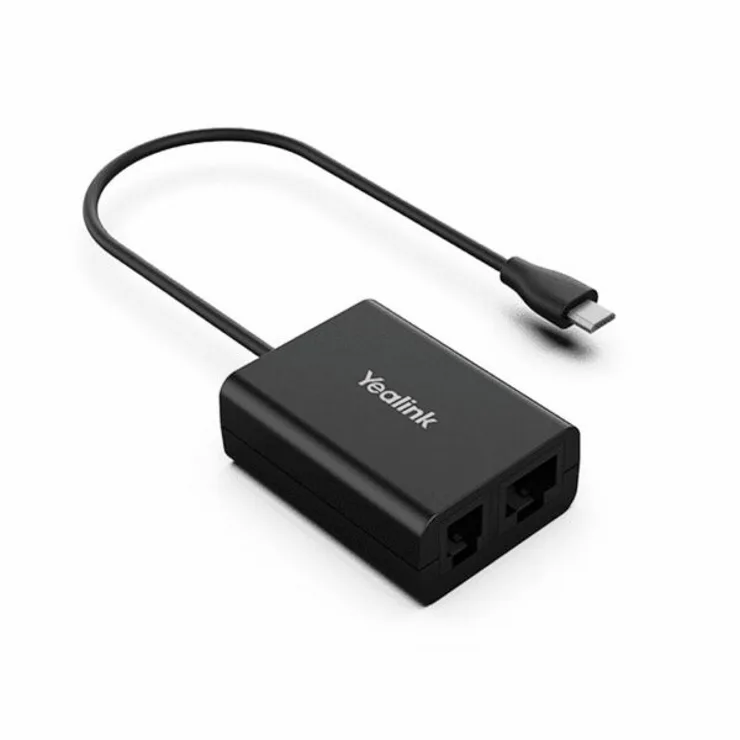
The Yealink EHS60 adapter connects compatible Yealink wireless headsets to supported desk phones from Cisco, Avaya, Poly and Grandstream. It provides a technical interface for remote call control directly from the headset. Installation uses a plug-and-play Micro USB connection. The unit is finished in black.
Suited to offices using WH62
Teams needing wireless mobility for call handling, including answer, reject, hold, mute and volume control, will benefit. Buyers whose desk phones are not among the supported brands cannot use this adapter for remote functions. Environments requiring integration with unsupported phone systems should look elsewhere.
Micro USB interface for WH62 and WH63 compatibility
The adapter operates through a Micro USB connection specifically designed for Yealink WH62 and WH63 series headsets. This single interface determines whether the unit fits the existing headset hardware. Part number 1308019 identifies this model.
Highlights
- Remote call control from your headset via plug-and-play EHS60 adapter
- Works with WH62 and WH63 DECT headsets for wireless freedom
- Compatible with Cisco, Avaya, Poly and Grandstream desk phones
- Incoming calls signal directly in the earpiece so you never miss a ring
- Simple Micro USB connection installs in seconds without extra drivers
Specifications
| Brand | Yealink |
|---|---|
| Series | EHS60 |
| Model | EHS60 |
| Part Number | EHS60 |
| Color | Black |
| Shipping weight | 0.23 kg |
| Package size | 203 × 152 × 51 mm |
Questions about this item
Which connector does the EHS60 use to link with the WH62 or WH63 headset?
The EHS60 connects to the WH62 or WH63 headset through a micro USB port on the adapter.
What is the correct order for plugging in the EHS60 so the desk phone recognises it?
Insert the micro USB end into the headset base first, then connect the phone-side cable to the compatible Cisco, Avaya, Poly or Grandstream desk phone.
When should the EHS60 adapter be replaced if it stops signalling incoming calls in the earpiece?
Replace the adapter if incoming-call alerts no longer sound in the WH62 or WH63 earpiece after verifying the phone firmware and cable connections are correct.
Also in this aisle
People compared these
Same shelf, same checkout — eight coins and a 30-minute rate lock.


BFKK
BFKK Hecate G1000 Black speaker 10W Bluetooth 5.3 12 RGB 2.5in 3.5mm
- Black
$87.99
0.0010172BTC
In stock