


XEROX
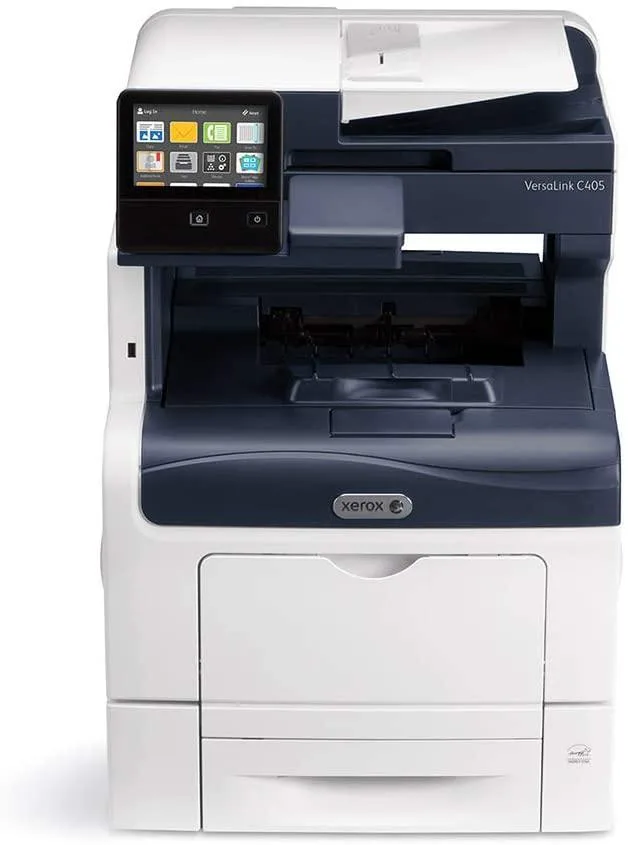
Xerox VersaLink C405 DN Color Laser Multifunction Printer
A colour laser multifunction printer that prints, scans, faxes and emails with password-protected PDFs, role-based permissions and Common Access Card support
- Secure printing with password-protected PDF output
- Role-based permissions control user access to functions
- Common Access Card and USB authentication supported
- Firmware verification plus FIPS 140-2 validated encryption
- Network security with SSL/TLS and IP filtering
VersaLink C405 DN colour laser multifunction
The VersaLink C405 DN is a colour laser multifunction printer that prints, copies, scans, faxes and emails from a single device. It is built for offices that need secure document handling and cloud-connected workflows with minimal IT support. The 256-bit encrypted hard drive and FIPS 140-2 validated firmware protect data at rest and in transit. Common Access Card and USB smart-card readers enable badge-based authentication for every user.
Teams needing card authentication and audit logs
This printer suits workgroups that require role-based permissions, password-protected PDFs and automatic audit trails for compliance. Organisations without network infrastructure for SNMPv3, IP filtering or Cisco TrustSec integration will not use the full security stack. Buyers who need wider media formats or higher monthly duty cycles should evaluate larger floor-standing models.
Steady output with encrypted storage
Under sustained workloads the 256-bit encrypted drive stores spool files and scan jobs without slowing the print engine. Firmware verification runs at start-up and during operation to prevent unauthorised code execution. HDD overwrite routines clear residual data between jobs, maintaining consistent throughput for high-volume scan-to-email and fax batches. The 140-sheet automatic document feeder keeps multi-page jobs moving without operator intervention.
Highlights
- Secure printing with password-protected PDF output
- Role-based permissions control user access to functions
- Common Access Card and USB authentication supported
- Firmware verification plus FIPS 140-2 validated encryption
- Network security with SSL/TLS and IP filtering
Specifications
No published specifications for this item yet.
Questions about this item
What network connection does the VersaLink C405 DN need to print from my computer?
Connect the printer to your network with an Ethernet cable so it can receive print jobs from any device on the same LAN.
Can I keep using my older USB flash drives to print or scan directly at the machine?
Yes, the front USB port accepts standard flash drives for walk-up printing and scan-to-USB without a PC.
How do I confirm the 256-bit encryption is active after setup?
Open the device web page, go to the security settings, and verify that disk encryption and TLS are both shown as enabled.
Also in this aisle
People compared these
Same shelf, same checkout — eight coins and a 30-minute rate lock.


ID TECH
ID TECH IDMB-333133B credit card reader
- MagStripe Reader
- Keyboard Wedge
$52.99
0.0006085BTC
In stock
Brother
Brother TZES121 9mm Black on Clear Extra Strength Adhesive Tape pos accessory
- Label Accessories
- Black on Clear Indu…
$10.99
0.0001262BTC
In stock
Intermec
Intermec E23067 DuraTran II Gloss Polyester Thermal Transfer Labels pos accessory
- Thermal Transfer Pr…
- Desktop
$107.99
0.00124008BTC
In stock