


XEROX
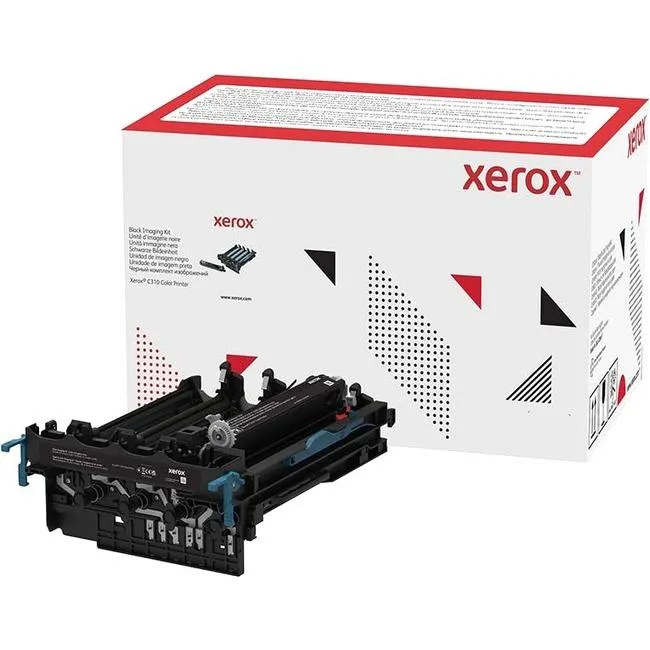
XEROX 013R00689 Black Imaging Kit for C310 printer
Genuine black imaging drum for the Xerox C310 colour printer, sold as a single unit
- Product SortPrinter Accessories
- Product TypeImaging Drums and Photoconductors
- ColorBlack
- FeaturesSold as 1 Each.
- Genuine Xerox imaging kit ensures consistent black output
- Designed for C310 colour printer model
- Supplied as single unit for easy replacement
- Imaging drum and photoconductor integrated in one kit
- Manufacturer listed in August 2024
Genuine Xerox Black Imaging Kit C310
This genuine Xerox imaging kit is designed for the C310 colour printer. It replaces the photoconductor unit that transfers toner onto the page. Offices and home users who own this printer model need it when the original unit reaches end of life.
Single-unit photoconductor replacement
The kit arrives as one complete black imaging drum assembly. No separate rollers or waste containers are included, so installation is a single swap. The unit clicks into the printer's dedicated drum bay without tools or cable routing.
Restores print quality after drum wear
When prints show fading, streaks or repetitive marks on black output, the photoconductor is usually exhausted. Fitting this kit returns sharp text and consistent density. The jump is worth it as soon as the printer signals a drum replacement or quality drops below acceptable levels.
Highlights
- Genuine Xerox imaging kit ensures consistent black output
- Designed for C310 colour printer model
- Supplied as single unit for easy replacement
- Imaging drum and photoconductor integrated in one kit
- Manufacturer listed in August 2024
Specifications
| Brand | XEROX |
|---|---|
| Model | 013R00689 |
| Product Sort | Printer Accessories |
| Product Type | Imaging Drums and Photoconductors |
| Color | Black |
| Features | Sold as 1 Each. |
| Shipping weight | 2.47 kg |
| Package size | 547 × 390 × 331 mm |
Questions about this item
Does the 013R00689 imaging kit fit the Xerox C310 colour printer?
Yes, this genuine Xerox black imaging kit is designed for the C310 colour printer and installs as the black photoconductor unit.
What physical space does the 013R00689 drum unit require inside the C310?
The unit slides into the dedicated black drum slot in the C310; no extra brackets or tools are needed for the standard chassis.
How do I install the 013R00689 imaging drum in the C310, and what step is often missed?
Open the front cover, remove the old black drum, unpack the new 013R00689, remove its protective cover, insert it firmly until it clicks, then close the cover.
Also in this aisle
People compared these
Same shelf, same checkout — eight coins and a 30-minute rate lock.



CHIEF MANUFACTURING
CHIEF MANUFACTURING CMS018 18" 457 mm Fixed Extension Column projector accessory
- Extension Column
- Projector
$22.99$22.99
0.00026551BTC
In stock