


WRIARICH
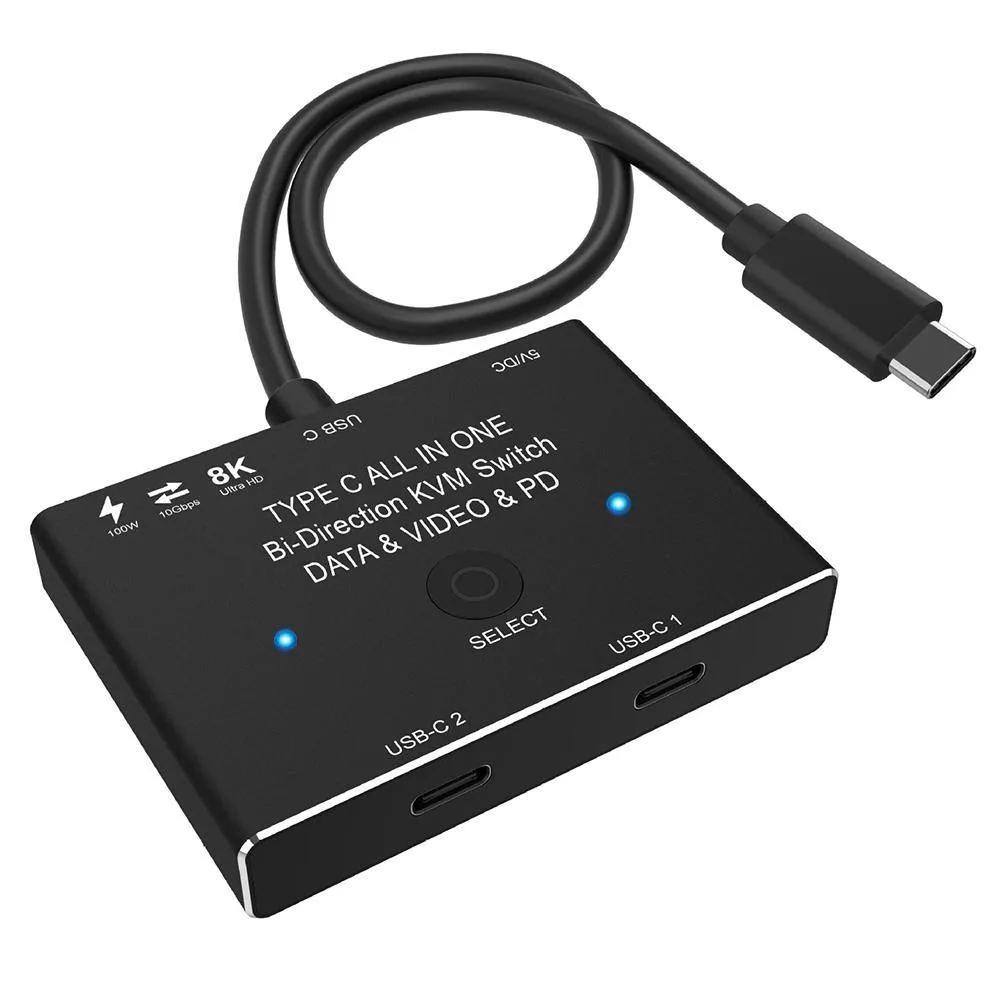
WRIARICH USB-C KVM Switch 2 Computers 8K 60Hz 10Gbps 100W Black
A bidirectional USB-C switch shares one 8K 60 Hz display between two computers or splits one source across two monitors with 10 Gbps data and 100 W charging
- TypeUSB C
- Computer Connections2 Ports
- Video Resolution8K @60Hz
- Share one display between two computers with one‑click switching
- Use one computer across two monitors by toggling the active link
- 8K resolution at 60 Hz for ultra‑sharp video output
- 10 Gbps data transfer speed for fast file moves
- 100 W power delivery charges laptops while connected
Bidirectional USB-C Switch for Two Computers
This KVM switch lets two USB-C video sources share a single display or one source alternate between two displays. It supports computers, laptops, tablets, phones and game consoles that use USB-C Alternate DisplayPort Mode. Only one video link is active at a time, so both monitors cannot show content simultaneously.
8K Video 10Gbps Data 100W Charging
The unit delivers up to 8K resolution at 60 Hz, 4K at 120 Hz or 1080p at 165 Hz depending on the source, cable and monitor. Data moves at up to 10 Gbps via USB 3.1 Gen 2, and Power Delivery reaches 100 W for rapid charging. A standard USB 3.1 Gen 2 cable is required, and cables longer than 1.5 metres are not recommended.
Check USB-C Alt DP Mode and Cable Rating
Verify that each source device supports USB-C Alternate DisplayPort Mode before ordering. You will need a certified USB 3.1 Gen 2 cable rated for video to achieve the stated resolutions and data rates. The switch draws power from the connected USB cable, so ensure the host can supply it.
Highlights
- Share one display between two computers with one‑click switching
- Use one computer across two monitors by toggling the active link
- 8K resolution at 60 Hz for ultra‑sharp video output
- 10 Gbps data transfer speed for fast file moves
- 100 W power delivery charges laptops while connected
Specifications
| Type | USB C |
|---|---|
| Computer Connections | 2 Ports |
| Video Resolution | 8K @60Hz |
Questions about this item
What data-transfer ceiling does the USB 3.1 Gen 2 connection impose?
The link tops out at 10 Gbps, so large file copies move at that rate when both host and cable support Gen 2.
What cable length does the maker advise for reliable 8K 60 Hz operation?
Keep every USB-C cable at or below 1.5 metres; longer runs can drop the 8K 60 Hz signal.
Which button press actually toggles the active video path?
Press the physical "Select" button on the unit — each press moves the single active link to the other port.
Also in this aisle
People compared these
Same shelf, same checkout — eight coins and a 30-minute rate lock.


Black Box Corporation
Black Box Corporation 4K60 HDMI Dual-Head KVM Switch 4 Port
$774.99
0.00922124BTC
In stock