

Accsoon
Accsoon CineView SE Multi-Spectrum Wireless Video Transmitter 1200ft 1080p HDMI SDI
$181.99
0.00216665BTC
In stockWe take cryptocurrency — so the coins you hold can buy real hardware.Pay in crypto, spend it on real hardware. Free insured shipping worldwide over $399. Plain, unbranded boxes, sent from Germany.Free insured shipping over $399. Your rate is locked for 30 minutes once checkout opens.Rate locked 30 minutes. Every item sealed, serial-checked and covered by a 24-month warranty.Sealed, 24-month warranty.


WRIARICH
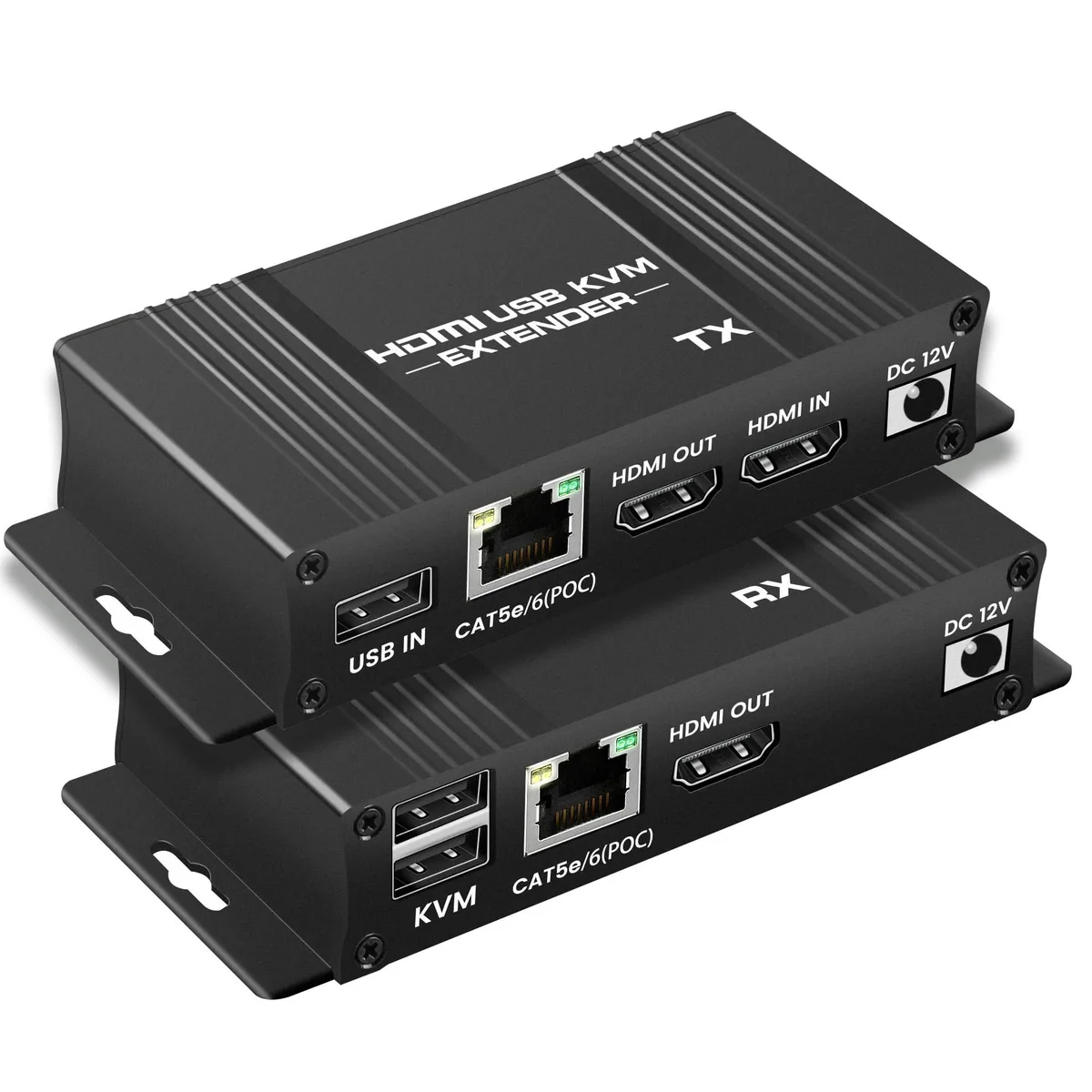
Extends 1080P HDMI and USB keyboard and mouse signals up to 164ft over a single Cat 5e, 6 or 7 cable with local loop-out and POC power
This HDMI KVM USB extender transmits 1080P@60Hz video and two USB2.0 signals up to 164ft over a single Cat 5e/6/7 cable. It includes a local HDMI loop-out on the transmitter for an additional display. POC technology powers the receiver through the cable, requiring only one 12V adapter at the TX end.
Suits classrooms, digital signage, meeting rooms and home theatre where a PC, console or media player must be operated from a distance. Not suited for applications requiring 4K resolution, HDR formats or USB3.0 peripheral support beyond keyboard and mouse. Buyers who want more video inputs or longer cable runs should look elsewhere.
Connect the transmitter to the source with HDMI and USB-B cables, link TX and RX with a shielded Cat 5e/6/7 cable wired to the 568B standard, attach the 12V adapter to the TX, then plug keyboard, mouse and display into the receiver. Common issues: using unshielded or mis-wired cable causing signal drop-out, forgetting the USB-B link to the host PC, or exceeding the 50m distance limit.
| Brand | Gefen |
|---|---|
| Model | 1080P KVM Extender |
| Wireless Support | not_applicable |
| Format | HDMI |
| Color | Black |
| Audio | HDMI |
| HDMI | 2 In |
| SDI | 2 Out |
| Serial Interface | HDMI |
| Component | 1 In |
| Composite | 2 In |
| Digital Aduio | HDMI |
| Compatibility | Desktop |
| System Requirements | HDMI |
| Power Consumption | no_plug, false |
| Power Supply | false, 12 volts_of_direct_current |
| Specification | 2, 1080P KVM Extender, HDMI |
| Feature | Desktop |
| Weight | 0.349 kilograms |
| Package Content | 1 |
| Sports Team | 1 Piece |
Use a shielded Cat 5e, Cat 6 or Cat 7 cable wired to the RJ45 568B standard for the 164ft link between the transmitter and receiver.
Yes, the two USB 2.0 ports on the receiver are backward compatible with USB 1.1 keyboards and mice for remote control.
Connect a local monitor to the transmitter's HDMI loop-out port; if it displays the source content at 1080P@60Hz, the link is working as intended.
Also in this aisle
Same shelf, same checkout — eight coins and a 30-minute rate lock.
What you pay in, and what you read prices in.
Sent from your wallet at checkout
Display only — the catalogue is priced in USD
No currency matches that.
Pick the language the site speaks to you in.
No language matches that.
New here?
Already have one?
There is no automatic reset: this shop sends no mail, so there is no one-time link to ask for. Leave the address on the account and it gets picked up by hand.
Request noted
Nothing is on its way to your inbox — this shop sends no mail at all. Someone picks these up by hand.
Remembered it?



