

WMtec
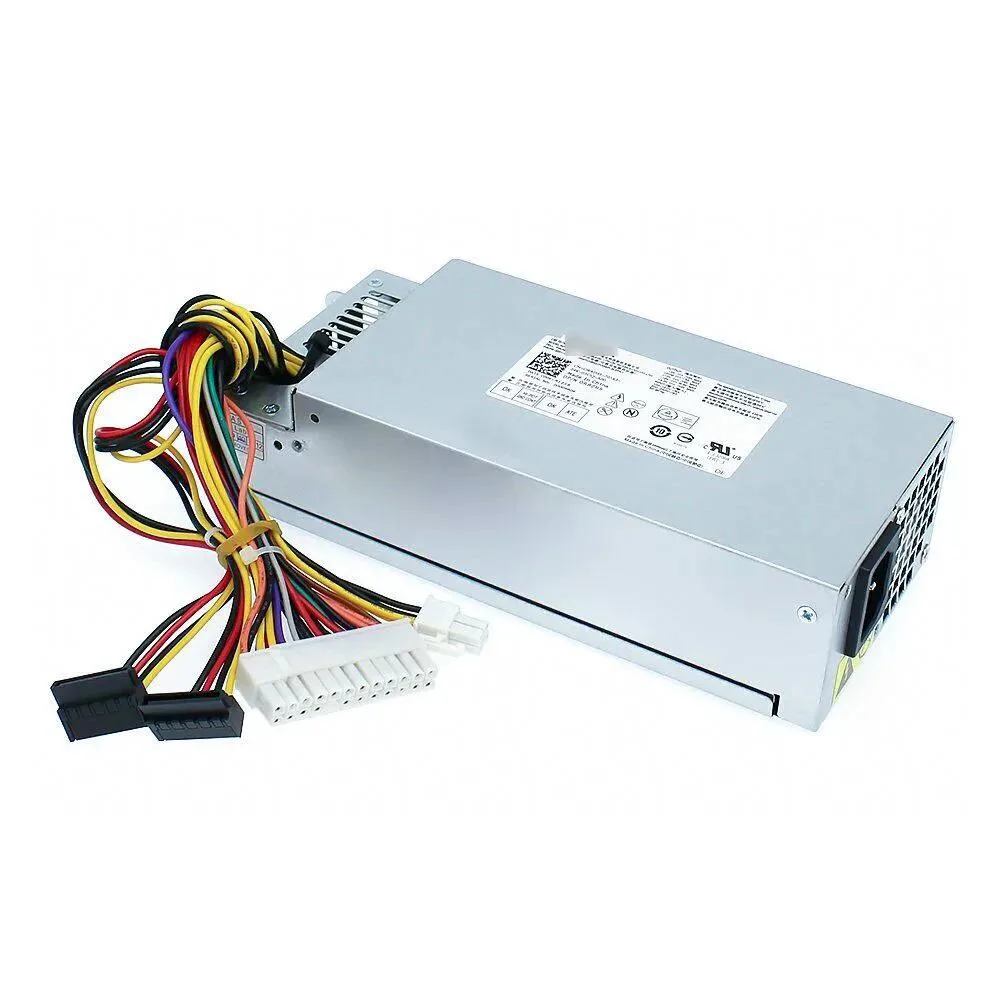
WMtec 220W Server Power Supply for Inspiron 3647 660s Vostro 270 270s
220W replacement power supply compatible with Inspiron 3647, 660s and Vostro 270, 270s small-form-factor desktops
- 220W output supports stable system operation
- Direct replacement for Dell Inspiron 3647 and 660s desktops
- Compatible with Vostro 270 and 270s small-form-factor PCs
- Matches part numbers H220AS-00, L220AS-00, DPS-220UB, PS-5221, CPB09-D220R
220W replacement PSU for Dell small-form-factor
This power supply replaces the original 220W unit in Dell Inspiron 3647, 660s and Vostro 270, 270s systems. It matches the OEM part numbers H220AS-00, L220AS-00, DPS-220UB, PS-5221 and CPB09-D220R. The unit is new and built for the compact chassis used by these models. It is not suited for full-size ATX cases or builds that need more than 220W.
Thermals, noise and power draw in normal use
The 220W rating limits heat output to what the original cooling design expects. Fan speed follows the motherboard curve, so acoustic profile stays close to the factory unit. Power draw scales with the installed components and will not exceed the rated maximum under normal loads. No efficiency certification or noise figure is provided by the supplier.
Highlights
- 220W output supports stable system operation
- Direct replacement for Dell Inspiron 3647 and 660s desktops
- Compatible with Vostro 270 and 270s small-form-factor PCs
- Matches part numbers H220AS-00, L220AS-00, DPS-220UB, PS-5221, CPB09-D220R
Specifications
No published specifications for this item yet.
Questions about this item
How do I install the 220W power supply in an Inspiron 3647 and which step is often missed?
Remove the side panel, unplug the 24-pin motherboard and 4-pin CPU cables, unscrew the old unit, slide the new supply in, secure it with the same screws, then reconnect both power cables — the 4-pin CPU connector is the one most people forget.
What maintenance will the 220W unit need later and when should the fan be cleaned?
The internal fan collects dust; blow it out with compressed air every six to twelve months through the rear grille, and replace the supply if voltages drift or the fan becomes noisy.
New to this? Buying PC parts with Monero — what to check, what it costs to pay, and what is never asked for.
Also in this aisle
People compared these
Same shelf, same checkout — eight coins and a 30-minute rate lock.



Sunfounder
Sunfounder Raspberry Pi Ultimate Kit with PiCrawler AI Robot 337 components 131 projects
$174.99
0.00210841BTC
In stock
minisforum
minisforum MF-SRP01 SSD Heatsink accessories barebone
- SSD Heatsink
$6.99
0.00008422BTC
In stock