


Werleo
Werleo Protective Case for DJI Osmo Pocket 3 Creator Combo, Black
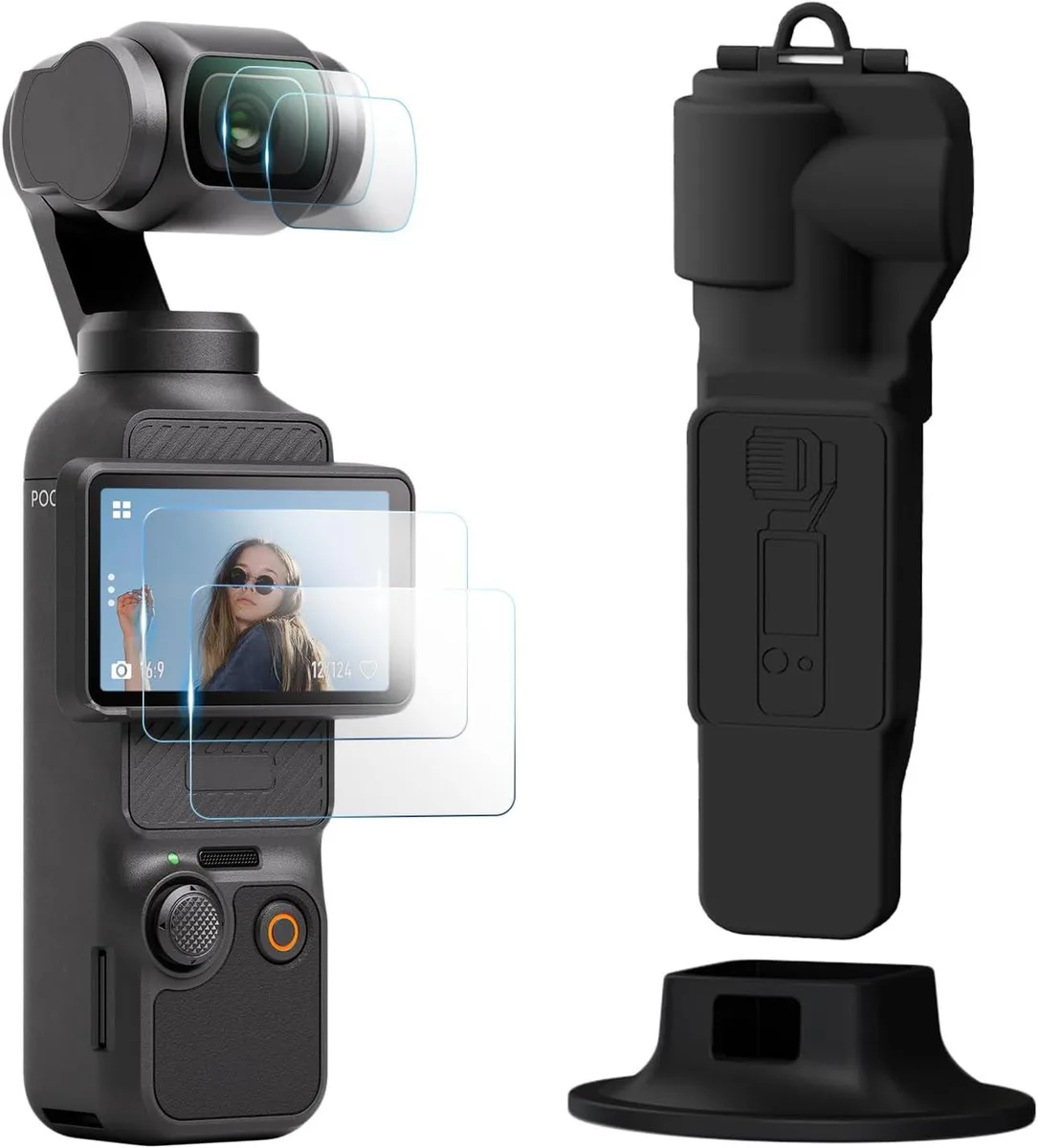
A protective kit with gimbal cover, two tempered-glass screen protectors, two lens protectors and a desktop mount for the DJI Osmo Pocket 3 Creator Combo
- TypeCase
- ColorBlack
- PatternNone
- Full kit shields gimbal, screen and lens in one package
- Two tempered-glass screen protectors at 99.99% clarity guard against scratches
- Two 9H-hardness lens protectors resist impacts while keeping colours true
- Lightweight plastic cover adds scratch and dust defence without bulk
- Desktop mount included for stable tabletop shooting
All-in-One Protection Kit
This Werleo case bundle is built for DJI Osmo Pocket 3 Creator Combo owners who want a single package to shield the gimbal, screen and lens. It includes a custom-fit protective cover, two tempered-glass screen protectors, two lens protectors and a desktop mount. The kit suits creators who carry the camera daily and need quick, reliable defence against scratches and dust.
Lightweight Hard-Shell Design
The gimbal cover uses high-quality lightweight plastic that adds minimal bulk while resisting scratches, dirt and dust ingress. Tempered-glass protectors rated at 9H hardness guard the LCD and lens from impacts, and 99.99% transparency preserves true colour reproduction. The compact form slips easily into a backpack for everyday transport.
Upgrade from Basic Pouches
This set replaces simple slip-covers or single-film protectors that leave the lens exposed or wear out quickly. The jump is worth it when you want hardened glass on both screen and optics plus a stable desktop stand in one purchase. Buyers who need waterproof sealing or a hard-shell travel case with foam inserts should look elsewhere.
Highlights
- Full kit shields gimbal, screen and lens in one package
- Two tempered-glass screen protectors at 99.99% clarity guard against scratches
- Two 9H-hardness lens protectors resist impacts while keeping colours true
- Lightweight plastic cover adds scratch and dust defence without bulk
- Desktop mount included for stable tabletop shooting
Specifications
| Type | Case |
|---|---|
| Color | Black |
| Pattern | None |
Questions about this item
How do I attach the desktop mount without blocking the USB-C port?
Slide the gimbal into the cover until it clicks, then set the cover onto the desktop mount base; the cut-out aligns with the USB-C port so charging works while mounted.
When should I replace the tempered-glass screen protectors?
Swap a protector once it shows deep scratches, chips, or cracks — each kit includes two spares so you can replace immediately.
What is the first limitation during long shooting sessions?
The plastic cover traps some heat around the gimbal, so extended 4K recording may trigger thermal throttling sooner than without the case.
Also in this aisle
People compared these
Same shelf, same checkout — eight coins and a 30-minute rate lock.


MCHOSE
MCHOSE Adjustable Tablet/Phone Stand Aluminum Black 4-13 inch
- Tablet Stands
$33.99
0.00039424BTC
In stock