
Klipsch
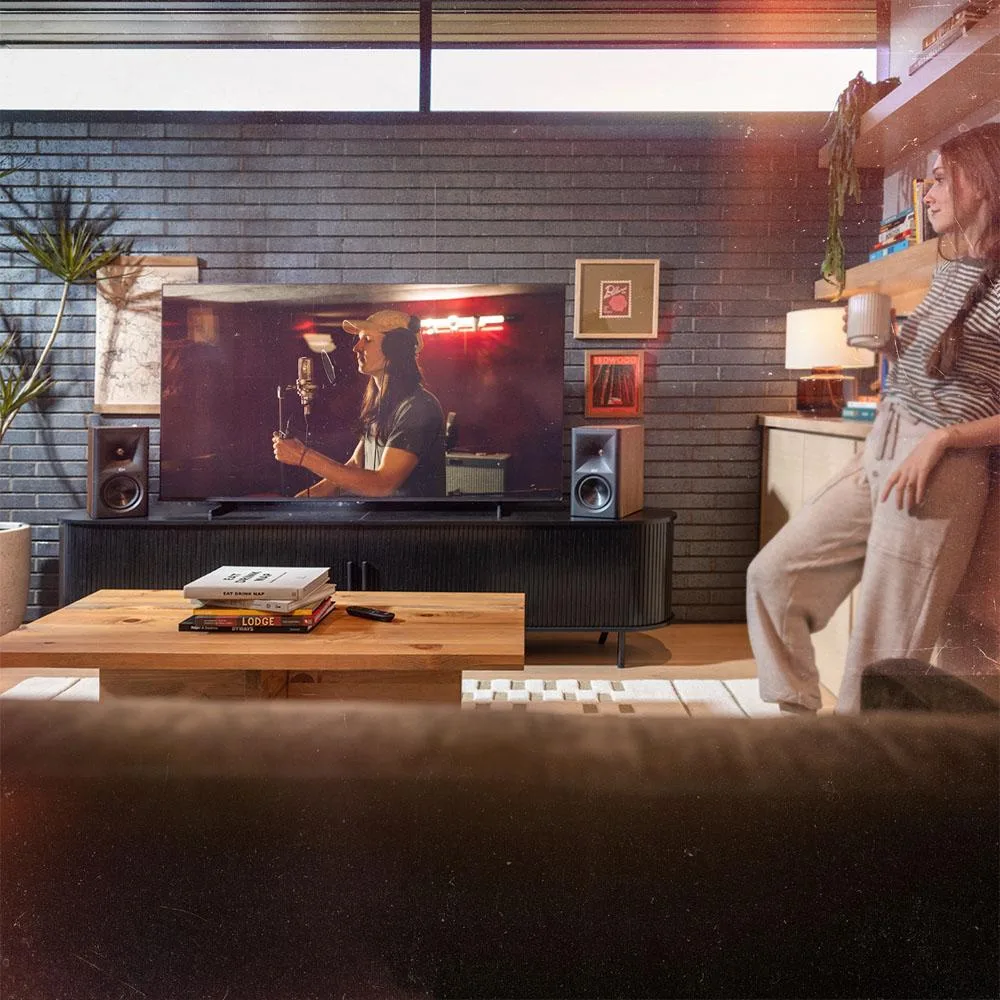
Klipsch The Fives II 5.25" Powered Bookshelf Speaker Pair Walnut
$1,123.99
0.01297895BTC
In stockWe take cryptocurrency — so the coins you hold can buy real hardware.Pay in crypto, spend it on real hardware. Free insured shipping worldwide over $399. Plain, unbranded boxes, sent from Germany.Free insured shipping over $399. Your rate is locked for 30 minutes once checkout opens.Rate locked 30 minutes. Every item sealed, serial-checked and covered by a 24-month warranty.Sealed, 24-month warranty.

WePresent
A USB-powered wireless button that pairs with a ClickShare Base Unit to share laptop content on meeting-room displays
The WePresent ClickShare Button plugs into a USB port on a laptop and pairs with a ClickShare Base Unit to share content on the room display. One click starts the connection without cables or manual input switching. It is designed for professionals who move between equipped meeting spaces and need instant screen sharing.
Each button must be paired to a specific base unit before use, and the pairing travels with the button across rooms. The base unit supports up to four buttons on-screen at the same time, so a fifth concurrent presenter cannot appear. Buyers who need more than four simultaneous sources or a completely driver-free experience on unpaired displays should look elsewhere.
This button removes the need to pass cables around a table or hunt for the correct adapter. The jump is worth it when rooms already run ClickShare base units and users want zero-configuration sharing from any paired button. It does not add wireless capability to displays that lack a compatible base unit.
| Brand | Barco |
|---|
The R9861500D01 is a USB-powered ClickShare Wireless Button designed to pair with a ClickShare Base Unit for content sharing.
The button launches the ClickShare application and wirelessly sends your screen to the paired Base Unit, putting you on the meeting room display.
Multiple buttons can be paired to a single Base Unit, with up to four people sharing content on-screen simultaneously.
Also in this aisle
Same shelf, same checkout — eight coins and a 30-minute rate lock.
What you pay in, and what you read prices in.
Sent from your wallet at checkout
Display only — the catalogue is priced in USD
No currency matches that.
Pick the language the site speaks to you in.
No language matches that.
New here?
Already have one?
There is no automatic reset: this shop sends no mail, so there is no one-time link to ask for. Leave the address on the account and it gets picked up by hand.
Request noted
Nothing is on its way to your inbox — this shop sends no mail at all. Someone picks these up by hand.
Remembered it?


