Yealink Network Technology Co., Ltd
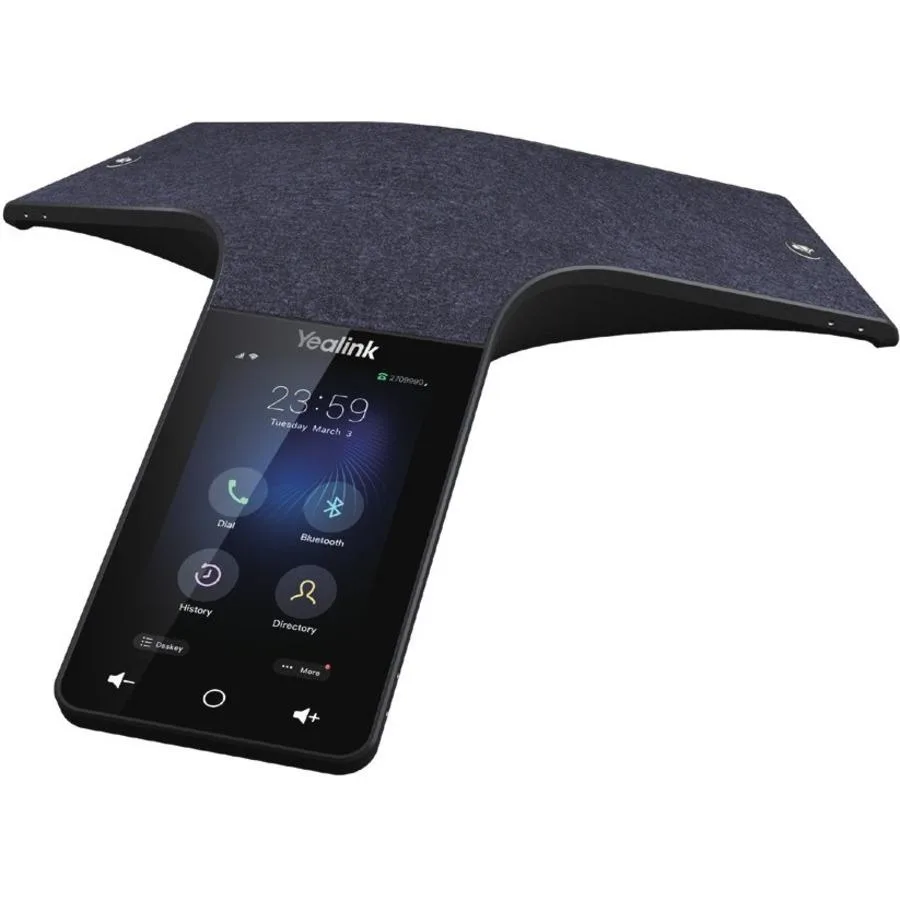
Yealink Network Technology Co., Ltd Optima HD IP Conference CPW65 1204612
- Voice Conferencing…
$690.99
0.00804019BTC
In stockWe take cryptocurrency — so the coins you hold can buy real hardware.Pay in crypto, spend it on real hardware. Free insured shipping worldwide over $399. Plain, unbranded boxes, sent from Germany.Free insured shipping over $399. Your rate is locked for 30 minutes once checkout opens.Rate locked 30 minutes. Every item sealed, serial-checked and covered by a 24-month warranty.Sealed, 24-month warranty.


WePresent
Wireless screen mirroring for small meeting rooms with one-click sharing from any device via app, AirPlay, Google Cast or Miracast
The ClickShare C-5 brings wireless presentation to small meeting rooms and huddle spaces. Users share content from any laptop or mobile device with one click in the ClickShare App. It supports native screen mirroring via AirPlay, Google Cast and Miracast for a full BYOD experience. The unit is designed for simple, secure collaboration in compact environments.
This model replaces the complexity of wired HDMI or dongle-based sharing in small rooms. The jump is worth it when teams want instant, driver-free connection without passing cables or adapters around. It removes the friction of input switching and cable management for huddle-space meetings. The system delivers a straightforward wireless alternative for basic presentation needs.
Content sharing uses 100 percent encrypted transmission to protect data during every session. The device is cloud manageable, allowing IT teams to monitor and configure units remotely over time. Sustained operation stays consistent because the platform handles encryption and management overhead in the background. It maintains reliable wireless collaboration throughout extended meetings.
No published specifications for this item yet.
The ClickShare C-5 connects to the room display using a standard HDMI input to receive the wireless presentation signal.
Connect the base unit to the display via HDMI and power, then pair the ClickShare Button by inserting it into the base unit until the LED ring turns solid white.
Firmware updates are delivered through the cloud management portal and can be scheduled to install automatically without interrupting meetings.
Also in this aisle
Same shelf, same checkout — eight coins and a 30-minute rate lock.
What you pay in, and what you read prices in.
Sent from your wallet at checkout
Display only — the catalogue is priced in USD
No currency matches that.
Pick the language the site speaks to you in.
No language matches that.
New here?
Already have one?
There is no automatic reset: this shop sends no mail, so there is no one-time link to ask for. Leave the address on the account and it gets picked up by hand.
Request noted
Nothing is on its way to your inbox — this shop sends no mail at all. Someone picks these up by hand.
Remembered it?