


WAWEIS
WAWEIS 10FT AC/DC Adapter for Datacard SP60 Printer
A 10 ft replacement AC/DC adapter for the Datacard SP60 thermal badge ID card printer with 100-240 VAC 50/60 Hz input, over-current, over-voltage, short-circuit and overheat protection, and FCC.
- World-wide 100–240 V input works anywhere
- 10 ft cord reaches distant outlets easily
- Over-current, over-voltage and short-circuit protection safeguards printer
- FCC, CE and RoHS certified for safety compliance
- 12-month warranty backs reliable operation
Replacement adapter for Datacard SP60 printer
This AC/DC adapter replaces the original power supply for the Datacard SP60 thermal badge ID card printer. It delivers the correct voltage and current for reliable operation in office and event environments. The ten foot cord gives flexible placement away from wall outlets. It suits administrators who need a dependable spare or replacement unit.
Worldwide input with multiple protection circuits
The adapter accepts 100 to 240 VAC at 50 or 60 Hz for global use. Built in safeguards include over current protection, over voltage protection, total power protection and short circuit protection. Additional smart chip controls provide overload, overcharge, overdischarge and overheating protection. Anti interference isolation materials help maintain stable output during continuous printing.
FCC CE RoHS certified with ten foot cable
The unit carries FCC, CE and RoHS certifications confirming compliance with safety and environmental standards. A single ten foot power cord integrates the mains lead and output cable for a tidy installation. High quality wires and strict quality control testing support durable daily use. The design matches original specifications so the printer connects without adapters or modifications.
Highlights
- World-wide 100–240 V input works anywhere
- 10 ft cord reaches distant outlets easily
- Over-current, over-voltage and short-circuit protection safeguards printer
- FCC, CE and RoHS certified for safety compliance
- 12-month warranty backs reliable operation
Specifications
No published specifications for this item yet.
Questions about this item
How do I install the 10FT AC/DC adapter on my Datacard SP60 printer, and what step is often missed?
Connect the DC plug firmly into the printer's power port, then plug the AC end into a 100-240VAC 50/60Hz mains outlet; the step often missed is ensuring the DC connector clicks fully into the printer socket before powering on.
What maintenance or replacement will this 10FT adapter need later?
The adapter has no user-serviceable parts; if the 10FT cable shows fraying, the DC plug becomes loose, or the over-voltage, over-current, short-circuit or over-heating protections activate repeatedly, replace the entire unit.
What limit appears first during sustained printing with this adapter?
Continuous full-load operation can trigger the internal over-temperature protection, which shuts the output down until the smart chip cools; this thermal limit is reached before the over-current or over-voltage thresholds.
Also in this aisle
People compared these
Same shelf, same checkout — eight coins and a 30-minute rate lock.


Total Micro Technologies
Total Micro Technologies 65 W AC Adapter 693711001TM for HP ProBook 4540s
- Consumer Electronics
$30.99
0.00036126BTC
In stock
Total Micro Technologies
Total Micro Technologies 24W AC Adapter Microsoft Surface Go
- Consumer Electronics
$32.99
0.00038458BTC
In stock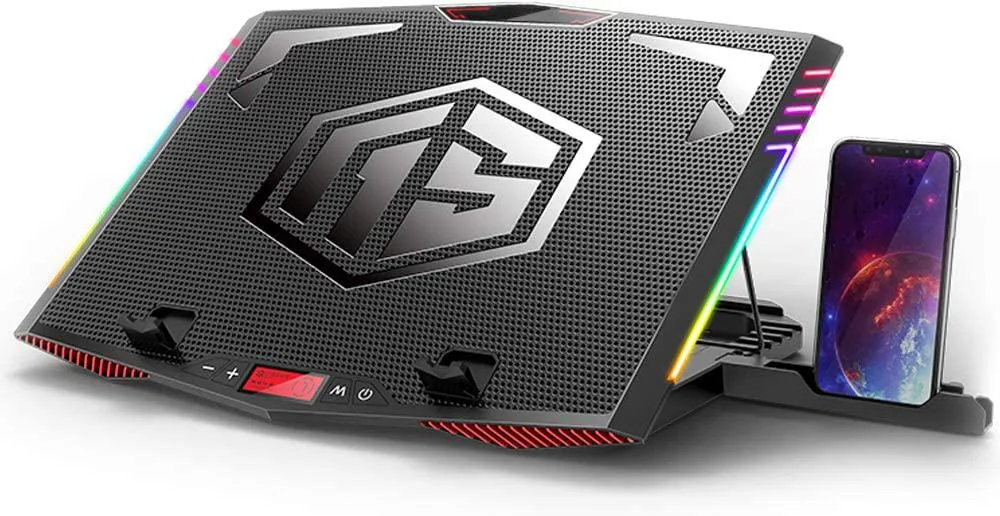
Mickey Technology
Mickey Technology laptop cooling pad 15.6-21 inch 6 fans RGB
- Accessory Case
- Black
$33.99
0.00039624BTC
In stock