Wacom
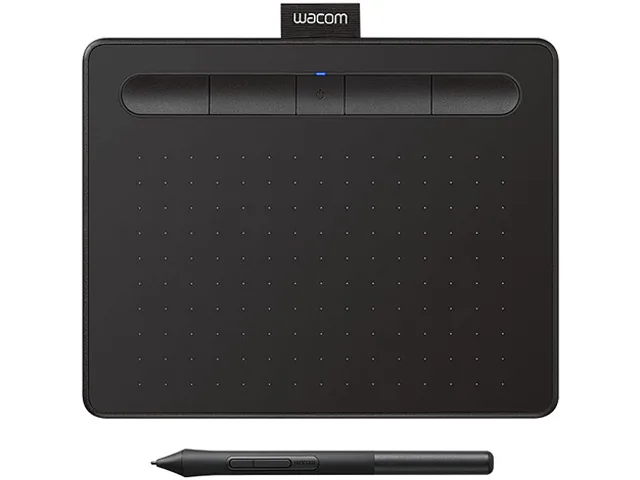
Wacom Intuos CTL4100 graphics tablet 6.0 x 3.7 in active area 4096 pressure levels
- Black
- USB
$36.99
0.00044355BTC
In stockWe take cryptocurrency — so the coins you hold can buy real hardware.Pay in crypto, spend it on real hardware. Free insured shipping worldwide over $399. Plain, unbranded boxes, sent from Germany.Free insured shipping over $399. Your rate is locked for 30 minutes once checkout opens.Rate locked 30 minutes. Every item sealed, serial-checked and covered by a 24-month warranty.Sealed, 24-month warranty.


Wacom
A medium graphics tablet with 4096 pressure levels, Bluetooth connectivity, four customisable ExpressKeys and a 10.4 x 7.8 in footprint
Option Intuos Bluetooth Medium
The Wacom Intuos CTL6100WLK0 is a medium graphics tablet with a 10.4 by 7.8 inch footprint and an 8.5 by 5.3 inch active area. It delivers 4096 pressure levels at 2540 lpi resolution and connects via Bluetooth or USB. The battery-free pen includes three spare nibs stored inside the barrel.
Teachers, students and digital artists who want cable-free operation with Mac, Windows, Android or Chromebook devices will benefit from the four customisable ExpressKeys. Buyers who require a larger active area, built-in display or wired-only professional model should consider other form factors.
At 0.35 inches thick the tablet slips beside a keyboard and supports left- or right-handed use across large or dual screens. Bluetooth removes a cable while the included USB cable with L-shaped connector charges and provides a wired fallback. Registering the device unlocks trial software for drawing, photo editing and comics.
| Pressure Levels | 4096 |
|---|---|
| Max. Data Rate | 133 pps |
| Tablet Dimensions | 0.35" x 10.40" x 7.80" |
| Resolution | 2540 lpi |
| System Requirements | Windows 7, 8.1 or 10 (excluding Windows 10 S; latest service pack/build), macOS X 10.11 or later (latest update), Android smartphone and/or tablet (OS version 6.0 and above) with OTG features, standard USB Type-A port, Bluetooth Classic for wireless connection, internet access to download driver for tablet to work and to select downloadable software* *Wacom ID and product registration required. |
| Color | Black |
| Package Contents | Wacom Intuos creative pen tablet medium, with Bluetooth, Pressure-sensitive, battery-free Wacom Pen 4K, PVC-free USB cable with cable tidy and L-shaped connector, 3 extra standard nibs (located inside pen), Nib removal tool on end of pen, Quick start guide, Re... |
| Shipping weight | 0.75 kg |
| Package size | 291 × 226 × 37 mm |
Other versions of this model
Same family, different memory, cooler or clock — compare before you commit.
The tablet connects through the included USB cable with an L-shaped connector to a standard USB Type-A port, or wirelessly via Bluetooth to a Mac running OS X 10.11 or later or a PC running Windows 7 or later.
The active area measures 8.5 x 5.3 in and can be mapped to large or multiple monitors; the driver lets you adjust the mapping so the tablet matches the screen geometry you keep.
Open the Wacom Tablet Properties utility, select the Pen tab and use the pressure test window — strokes should transition smoothly from light to full opacity across the entire range.
Also in this aisle
Same shelf, same checkout — eight coins and a 30-minute rate lock.
What you pay in, and what you read prices in.
Sent from your wallet at checkout
Display only — the catalogue is priced in USD
No currency matches that.
Pick the language the site speaks to you in.
No language matches that.
New here?
Already have one?
There is no automatic reset: this shop sends no mail, so there is no one-time link to ask for. Leave the address on the account and it gets picked up by hand.
Request noted
Nothing is on its way to your inbox — this shop sends no mail at all. Someone picks these up by hand.
Remembered it?