


VXDIAG
VXDIAG VCX Nano GDS2 Tech2Win GM Opel WiFi
A Wi-Fi diagnostic interface for GM and Opel vehicles that runs GDS2 and Tech2Win software on a Windows 7 laptop with 64-bit and 32-bit virtual machines
- TypeCode Scanners & Accessories
- WiFi and USB connectivity for flexible workshop use
- Single interface replaces multiple brand-specific diagnostic tools
- GDS2 2022.5 and Tech2Win 16.02 software included for GM and Opel diagnostics
- SAE-J2534-1 and SAE-J2534-2 compliant for broad protocol support
- Covers GM vehicles from 2000 to 2020 with online programming capability
GM/Opel diagnostic interface
The VXDIAG VCX Nano is a WiFi-enabled J2534 pass-through device for GM and Opel vehicles from 2000 to 2020. It connects to a laptop via USB or wirelessly and runs GDS2 and Tech2Win software for diagnostics and programming. The unit replaces the factory MDI tool for independent workshops and advanced owners who need dealer-level access. A 64-bit virtual machine is required for GDS2, while Tech2Win needs a 32-bit physical Windows 7 installation.
Software requirements and coverage
GDS2 version 22.2.03302 and Tech2Win 16.02.24 are supported, covering engine, transmission, ABS and instrument cluster modules. Tech2Win does not support Opel or Saab models, limiting its use to GM brands for those functions. Online programming requires a separate software subscription purchased from the manufacturer. Firmware and licence updates are handled through the VX Manager utility downloaded from the vendor site.
J2534 protocol limits
The interface complies with SAE-J2534-1 and SAE-J2534-2, so it works with any application that follows those standards. Wireless operation depends on a stable WiFi link; intermittent signals can interrupt flashing procedures. No software media is included — all files must be downloaded or obtained on a separate USB drive. Buyers needing coverage beyond 2020 or support for non-GM marques cannot use this device.
Highlights
- WiFi and USB connectivity for flexible workshop use
- Single interface replaces multiple brand-specific diagnostic tools
- GDS2 2022.5 and Tech2Win 16.02 software included for GM and Opel diagnostics
- SAE-J2534-1 and SAE-J2534-2 compliant for broad protocol support
- Covers GM vehicles from 2000 to 2020 with online programming capability
Specifications
| Type | Code Scanners & Accessories |
|---|
Questions about this item
Does the WiFi VCX Nano need a 64-bit virtual machine for GDS2 and a 32-bit physical PC for Tech2Win?
Yes. The WiFi model requires a Win 7 computer with a 64-bit virtual machine for GDS2 and a 32-bit physical machine for Tech2Win installation.
Which firmware and licence steps must be done in VX Manager before the first vehicle connection?
Download the latest VX Manager from the official site, update the firmware and driver, then update the device authorisation. Renew the licence yourself after the firmware update.
Will the GDS2 and Tech2Win software versions need manual updates after 2022.5 and 16.02?
Updates are delivered through VX Manager. Run the software update link and the online firmware update function to keep both GDS2 and Tech2Win current.
Also in this aisle
People compared these
Same shelf, same checkout — eight coins and a 30-minute rate lock.


Lab Safety Supply Inc
Lab Safety Supply Inc 667123 24 Well Tissue Culture Plate w/Lid PK50
- Assortments & Kits
$66.99
0.00079463BTC
In stock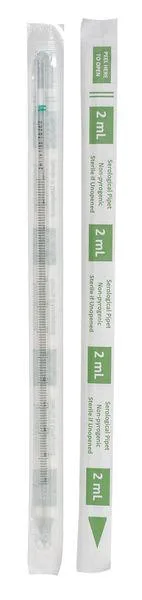
Lab Safety Supply Inc
Lab Safety Supply Inc 11L806 2mL Pipet Individually Wrapped PK600
- Assortments & Kits
$106.99
0.00126911BTC
In stock