


Vszerda
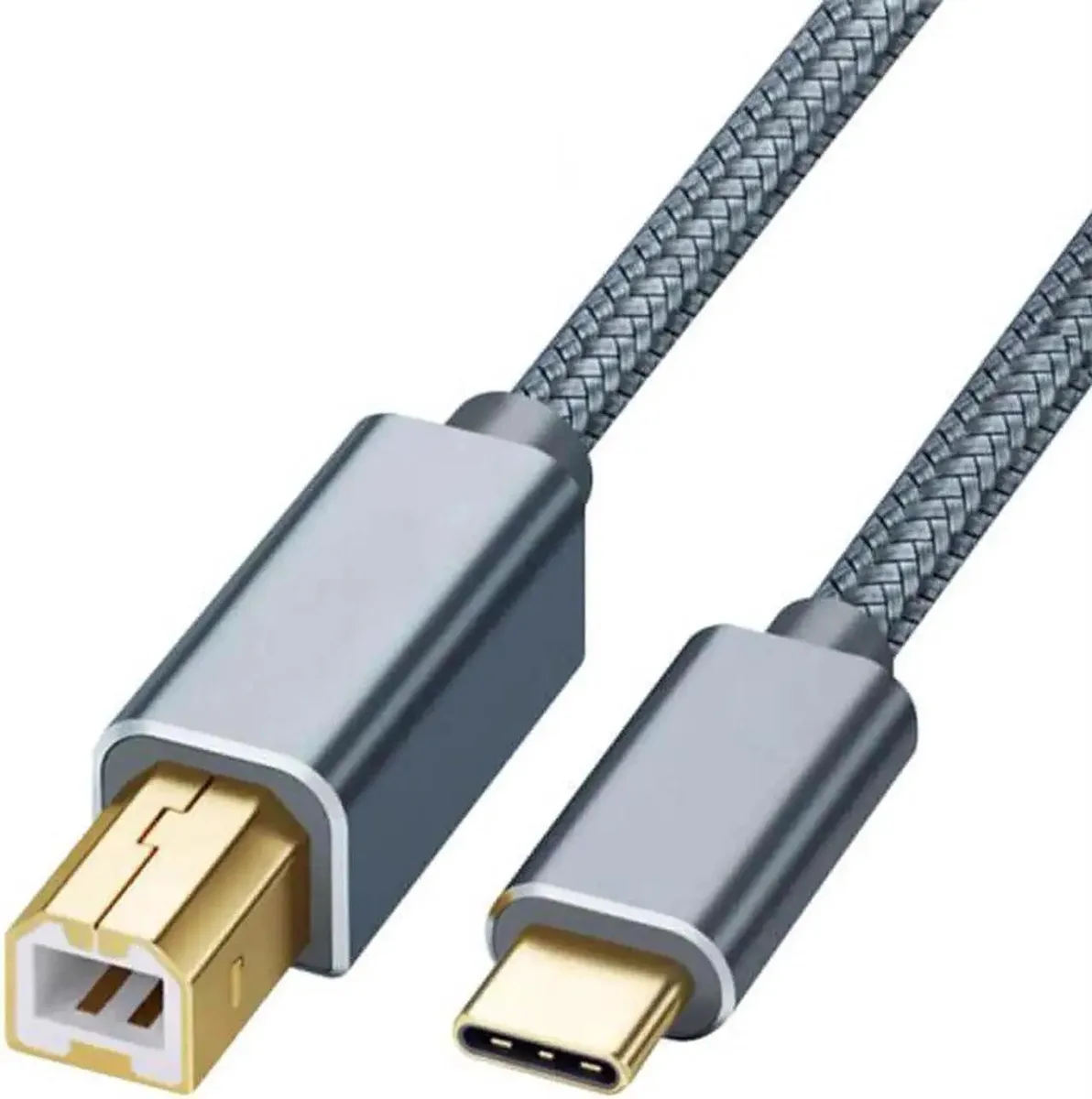
Vszerda USB-C to USB-B Printer Cable 3.3ft
A 3.3ft USB-C to USB-B 2.0 cable moves data at up to 480 Mbps between Type-C laptops and printers, scanners or all-in-one devices
- Connect MacBook to printer with USB 2.0 Type B port
- Transfer data up to 480 Mbps for stable wired printing
- Gold-plated connectors resist corrosion and reduce signal interference
- Nylon braided jacket with aluminium shell adds durability and flexibility
- 3 ft length suits desktop and portable setups
What this cable connects
This USB‑C to USB‑B printer cable links Type‑C laptops or PCs to printers, scanners, fax machines, copiers and all‑in‑one devices that have a USB 2.0 Type‑B female port. It is built for users who need a direct wired data link instead of relying on wireless networking.
Speed and length limits
The cable supports high‑speed data transfer up to 480 Mbps over its 3.3 ft length, providing a stable connection for typical document printing and scanning tasks. It is a USB 2.0 device, so it will not deliver the faster throughput of newer USB standards and cannot supply power to turn the printer on.
Durability extras included
Gold‑plated connectors and a built‑in 56 k resistor ensure reliable conductivity and signal clarity, while the nylon‑braided jacket and anodized aluminium shell add corrosion resistance and tangle‑free flexibility. These features extend cable life but do not add any charging or video capability.
Highlights
- Connect MacBook to printer with USB 2.0 Type B port
- Transfer data up to 480 Mbps for stable wired printing
- Gold-plated connectors resist corrosion and reduce signal interference
- Nylon braided jacket with aluminium shell adds durability and flexibility
- 3 ft length suits desktop and portable setups
Specifications
No published specifications for this item yet.
Questions about this item
Will this 3.3ft USB-C to USB-B 2.0 cable reach from my 2016 MacBook Pro to a desktop printer without strain?
The 3.3ft length is designed for typical desk setups; the nylon-braided jacket and tangle-free design keep the cable flexible and prevent knots during routing.
How can I confirm the cable is delivering the rated 480Mbps transfer speed after I plug it in?
Check the printer or scanner status in your operating system — it should report a USB 2.0 high-speed connection, and print jobs will complete without the latency seen on wireless links.
Does the box include any adapters or drivers, or is the cable the only item I need to buy?
Only the USB-C to USB-B cable is supplied; no separate adapters or driver discs are included, and the gold-plated connectors with built-in 56k resistor work plug-and-play on supported Type-C devices.
Also in this aisle
People compared these
Same shelf, same checkout — eight coins and a 30-minute rate lock.


Lexmark
Lexmark X748H4MG magenta toner cartridge 10000 pages
- Magenta
- Lexmark X748 Printer
$252.99
0.00295328BTC
In stock