


Vszerda
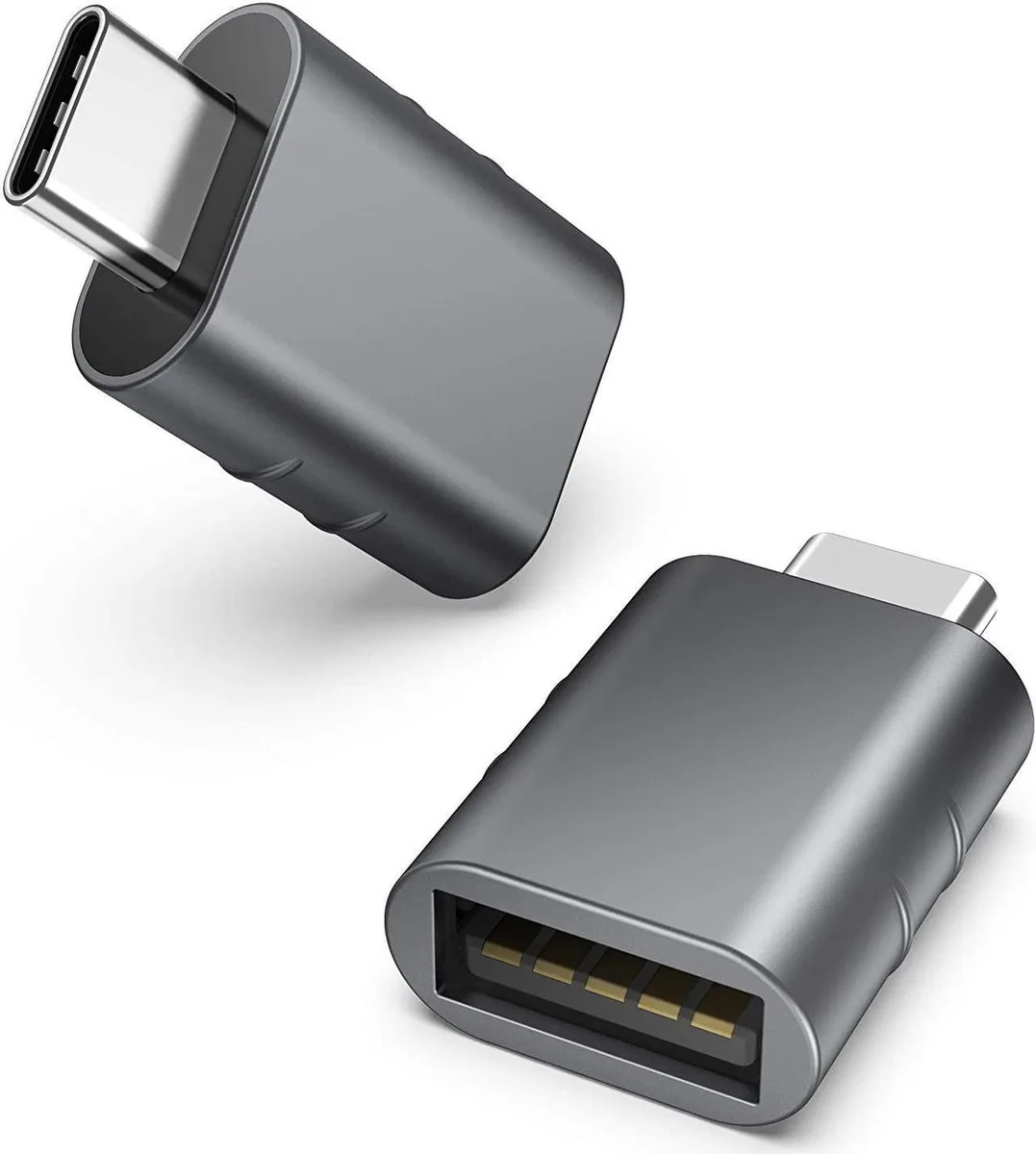
Vszerda USB C to USB 3.0 adapter 2 pack Space Grey
Two USB-C to USB-A adapters with USB 3.0 speed and Thunderbolt 3 compatibility for MacBook Pro, MacBook Air, XPS and other Type-C devices
- Two-pack convenience for home and office use
- USB 3.0 data transfer up to 5 Gb/s
- Thunderbolt 3 compatible with MacBook Pro 2017–2019 and MacBook Air 2018–2020
- Zinc-alloy construction with non-slip embossed finish
- Plug-and-play OTG support for smartphones and tablets
Two-pack USB-C to USB-A adapters
The Vszerda two-pack supplies two compact adapters that convert a USB-C or Thunderbolt 3 port into a standard USB-A socket. They suit laptop owners who still use flash drives, external hard drives or legacy peripherals and want a spare unit for a second location.
Replaces single adapters or dongles
Buyers who currently carry one adapter between home and office gain a dedicated unit for each desk, removing the need to unplug and repack. The upgrade is worthwhile when a workflow regularly shifts between two fixed workstations and the extra adapter eliminates daily cable management.
Sustained 5 Gb/s transfers under load
The adapters operate at the USB 3.0 5 Gb/s standard, maintaining that throughput during extended file copies rather than only in brief bursts. Zinc-alloy housings dissipate heat during long transfers, while the non-slip embossed finish keeps the connector secure in the port throughout the session.
Highlights
- Two-pack convenience for home and office use
- USB 3.0 data transfer up to 5 Gb/s
- Thunderbolt 3 compatible with MacBook Pro 2017–2019 and MacBook Air 2018–2020
- Zinc-alloy construction with non-slip embossed finish
- Plug-and-play OTG support for smartphones and tablets
Specifications
No published specifications for this item yet.
Questions about this item
What type of port does the adapter plug into on my laptop?
The USB-C end plugs into any USB-C or Thunderbolt 3 port on devices such as MacBook Pro 2017 to 2019, MacBook Air 2018 or 2020, and XPS models.
How do I install the adapter and what step should I avoid missing?
Insert the USB-C connector into the host port, then attach your USB-A flash drive or cable; no driver installation is required.
Will the adapter itself wear out and need replacement?
The zinc-alloy body and non-slip embossment are built for repeated insertion cycles, so the adapter does not have a scheduled replacement interval.
Also in this aisle
People compared these
Same shelf, same checkout — eight coins and a 30-minute rate lock.



CHIEF MANUFACTURING
CHIEF MANUFACTURING CMS018 18" 457 mm Fixed Extension Column projector accessory
- Extension Column
- Projector
$22.99$22.99
0.00026621BTC
In stock