


Vszerda
Vszerda USB-C KVM Switch 8K 60Hz 4K 144Hz 100W 10Gbps
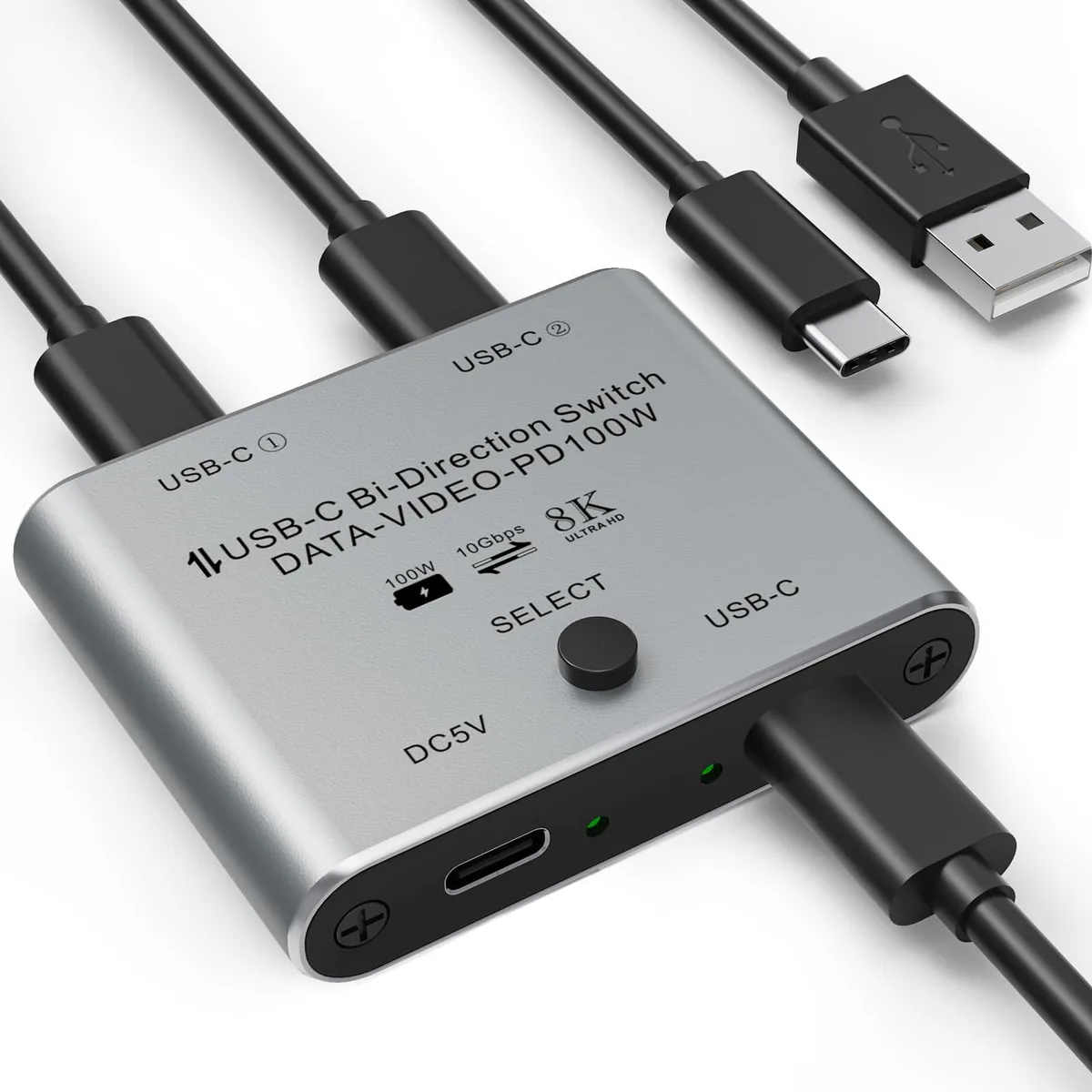
A bidirectional USB-C KVM switch shares one peripheral between two computers or two devices with one computer at up to 8K 60Hz and 10 Gbps
- Dimensions0.1 in x 0.1 in x 0.1 in
- Weight0.07 kilograms
- Switch between two computers sharing one USB-C peripheral
- Switch two USB-C devices for a single computer
- 8K resolution at 60 Hz for sharp video
- 100 W reverse charging powers connected devices
- 10 Gbps data transfer for fast file moves
Two-computer peripheral sharing
This USB-C KVM switch lets two computers share one USB-C peripheral such as a printer, scanner or storage drive with a single button press. It also works in reverse so one computer can toggle between two USB-C devices. The unit is powered by an included cable and requires no driver installation on Windows, Mac, Linux or Chrome OS.
Cable and power requirements
You must supply a standard USB-C USB 3.1 Gen 2 cable to link the switch to your devices because one is not included. The switch draws its operating power from the included USB power cable, so a free USB port or charger is needed for stable 8K video and 100 W power delivery.
Upgrade from manual cable swapping
The switch replaces the hassle of repeatedly unplugging and replugging USB-C cables when moving a peripheral between two workstations. The efficiency gain is worthwhile when you change the active computer several times a day and want 10 Gbps data throughput without extra drivers or a bulky dock.
Highlights
- Switch between two computers sharing one USB-C peripheral
- Switch two USB-C devices for a single computer
- 8K resolution at 60 Hz for sharp video
- 100 W reverse charging powers connected devices
- 10 Gbps data transfer for fast file moves
Specifications
| Brand | Suejezt |
|---|---|
| Part Number | USBC-AB201-02-la |
| Dimensions | 0.1 in x 0.1 in x 0.1 in |
| Weight | 0.07 kilograms |
Questions about this item
Does the Vszerda KVM switch come with the USB-C cable needed to connect my computers, or do I buy that separately?
The package includes a power cable, but the standard USB-C USB3.1 Gen2 cable required for data and video is not included and must be purchased separately.
Should I choose the 2-in-1-out or 1-in-2-out mode for sharing one monitor between two laptops?
Use the 2-in-1-out mode to connect two computers to the switch and one USB-C display or peripheral to the single output port.
Will my laptop actually receive 100 W of charging while the switch is driving an 8K 60 Hz signal?
The switch supports up to 100 W reverse charging when its power cable is connected, while simultaneously passing 8K@60Hz video through the USB-C link.
Also in this aisle
People compared these
Same shelf, same checkout — eight coins and a 30-minute rate lock.


Black Box Corporation
Black Box Corporation 4K60 HDMI Dual-Head KVM Switch 4 Port
$774.99
0.00918409BTC
In stock