


Vszerda
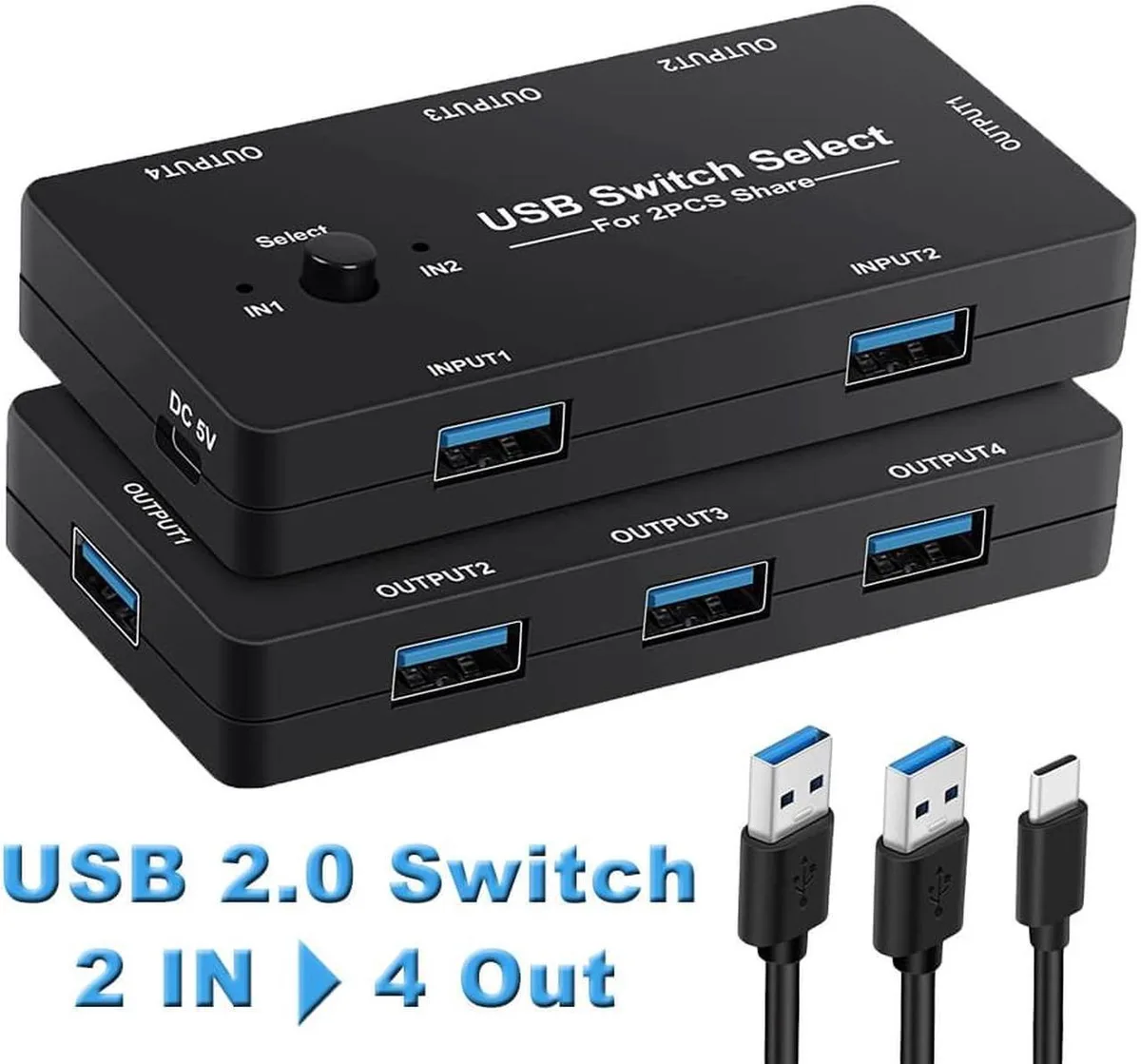
Vszerda USB 2.0 KVM switch 2 computers 4 devices
Shares four USB 2.0 peripherals between two computers with one-button switching, LED indication, and included cables for mouse, keyboard, scanner and printer
- Share four USB 2.0 devices between two computers without swapping cables
- One-button switching with LED indicator shows the active host instantly
- Driver-free operation on Windows 10, 8.1, 7, Vista, XP, Mac OS X, Linux and Chrome OS
- Includes two USB A-to-A cables for immediate connection
- Ideal for keyboard, mouse, printer, scanner and other USB peripherals
Two PCs, four shared USB 2.0 devices
This USB 2.0 KVM switch connects two computers to four peripherals with a single button press. No drivers are required for Windows, Mac OS, Linux or Chrome OS. LED indicators show the active host clearly. The unit includes two USB A-to-A cables for immediate setup.
Suits dual-computer desks sharing keyboard, mouse.
Users needing to share more than four devices or requiring USB 3.0 speeds should consider other options. The switch does not support video signals, so separate monitor connections are necessary. It is not designed for single-PC setups or network-based sharing.
USB 2.0 host interface limits peripheral speed
All four downstream ports operate at USB 2.0 bandwidth. High-throughput devices such as fast external drives will run at reduced rates compared to direct USB 3.0 connections.
Highlights
- Share four USB 2.0 devices between two computers without swapping cables
- One-button switching with LED indicator shows the active host instantly
- Driver-free operation on Windows 10, 8.1, 7, Vista, XP, Mac OS X, Linux and Chrome OS
- Includes two USB A-to-A cables for immediate connection
- Ideal for keyboard, mouse, printer, scanner and other USB peripherals
Specifications
No published specifications for this item yet.
Questions about this item
Can I use my existing USB 2.0 keyboard and mouse with this switch alongside two computers?
Yes, the four USB 2.0 ports accept standard peripherals such as keyboards, mice, printers and scanners, letting both computers share them without extra hubs.
How do I know which computer is active after pressing the button?
A built-in LED lights up to show the currently selected host, so you can confirm the switch at a glance.
Does the package include cables to connect both computers, or do I need to buy them?
Two USB A-to-A cables are supplied in the box for linking the computers to the switch.
Also in this aisle
People compared these
Same shelf, same checkout — eight coins and a 30-minute rate lock.


Black Box Corporation
Black Box Corporation 4K60 HDMI Dual-Head KVM Switch 4 Port
$774.99
0.00894897BTC
In stock