


Vszerda
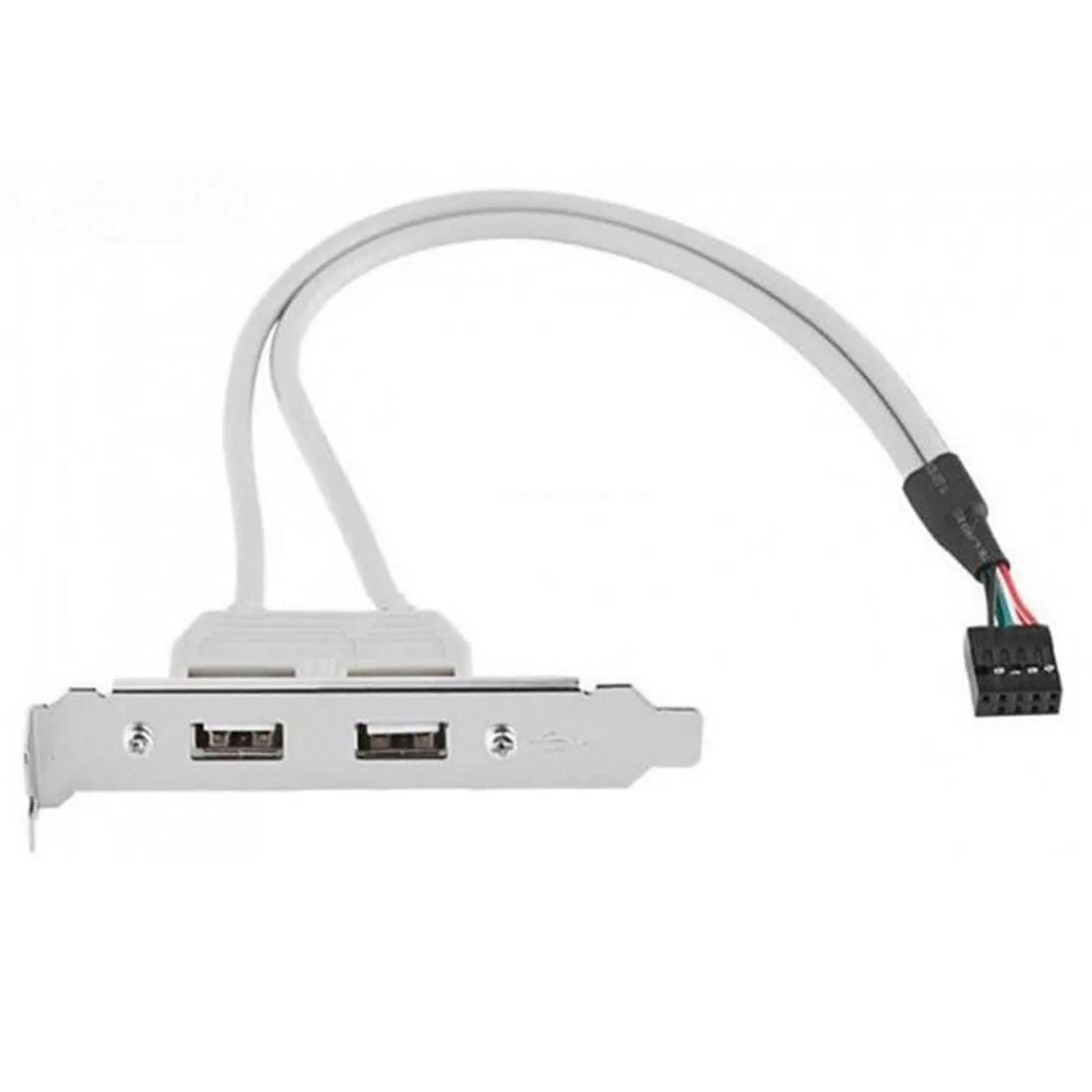
Vszerda U2-062-CA2 USB 2.0 9-pin to dual USB 2.0 panel cable 30cm 80mm bracket
Adds two USB 2.0 ports to a desktop front panel via a 30 cm internal header cable and low-profile 80 mm bracket
- Constructioncopper
- Adds two front-panel USB 2.0 ports from one 9-pin header
- Low-profile 80 mm bracket fits tight cases cleanly
- 30 cm cable reaches motherboard header without strain
- Copper construction for reliable USB 2.0 data transfer
- Lightweight 1.12 oz design adds minimal bulk to build
Connectivity Solution
This Vszerda adapter converts a single motherboard USB 2.0 9-pin header into two external USB 2.0 Type-A ports. It mounts via an 80 mm low-profile PCI bracket and includes a 30 cm copper cable for internal routing. The unit adds front or rear panel connectivity to desktop systems.
System Builders and Upgraders
It suits anyone adding extra USB ports to a case without front-panel headers or replacing a damaged bracket assembly. The 1.12 ounce weight and compact 7 x 4.2 x 0.6 inch package fit tight chassis spaces. Buyers needing USB 3.0 speeds, internal device power beyond standard spec, or a different bracket form factor should look elsewhere.
Header-to-Port Configuration
The decisive specification is the one-to-two 9-pin header split that delivers two USB 2.0 sockets from a single motherboard connection. This fixed topology determines whether the adapter matches the available header count and required port quantity for the build.
Highlights
- Adds two front-panel USB 2.0 ports from one 9-pin header
- Low-profile 80 mm bracket fits tight cases cleanly
- 30 cm cable reaches motherboard header without strain
- Copper construction for reliable USB 2.0 data transfer
- Lightweight 1.12 oz design adds minimal bulk to build
Specifications
| Brand | chenyang |
|---|---|
| Construction | copper |
Questions about this item
How do I fit the 80 mm bracket into my case and connect the 30 cm cable to the motherboard 9-pin header?
Screw the low-profile bracket into a PCI slot opening, then plug the 9-pin connector onto the motherboard USB 2.0 header; the keyed plug prevents reversed insertion.
Will the two Type-A ports or the header connector wear out first with daily plugging?
The Type-A ports on the bracket are rated for far fewer insertion cycles than the board header, so they will need attention first.
What limits transfer speed when both ports run at once?
Both ports share one USB 2.0 header, so total bandwidth is split between them during simultaneous use.
Also in this aisle
People compared these
Same shelf, same checkout — eight coins and a 30-minute rate lock.



CHIEF MANUFACTURING
CHIEF MANUFACTURING CMS018 18" 457 mm Fixed Extension Column projector accessory
- Extension Column
- Projector
$22.99$22.99
0.00027161BTC
In stock