


Vszerda
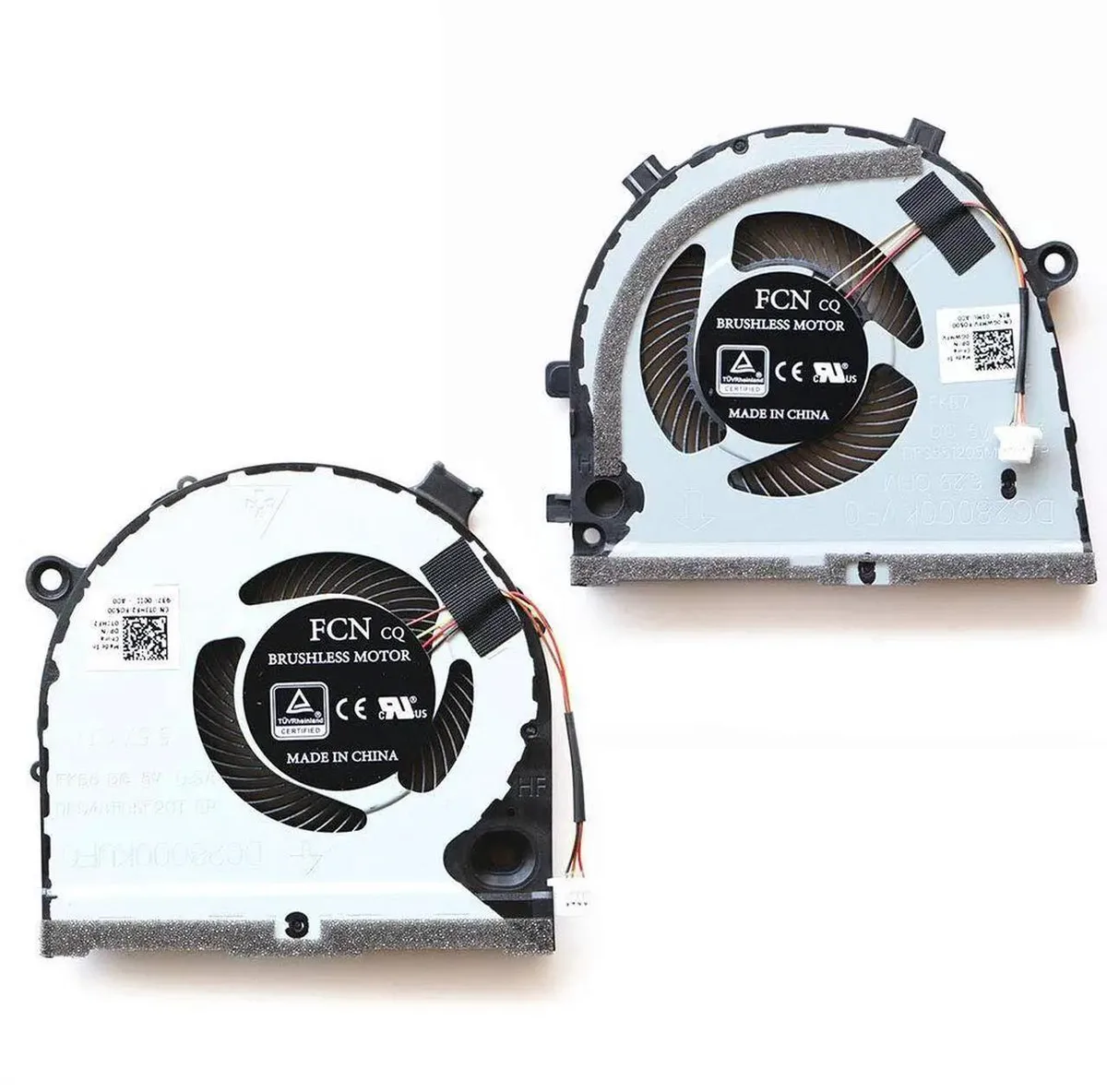
Vszerda Replacement CPU + GPU Fan for Dell G3-3579 G3-3779 G5-5587
Replacement CPU and GPU cooling fans for Dell G3-3579, G3-3779 and G5-5587 laptops, matching part numbers 0GWMFV and 0TJHF2
- Keeps your Dell G3-3579 running cool with a direct-fit CPU and GPU fan set
- Restores factory airflow for Dell G3-3779 using exact part numbers 0GWMFV 0TJHF2
- Matches Dell G5-5587 cooling specs with brand-new replacement fans
- Includes both CPU and GPU fans in one package for a complete refresh
- Backed by a three-month guarantee for peace of mind
Replacement CPU and GPU Fan Set
This kit provides a brand-new CPU fan and GPU fan designed as direct replacements for Dell G3-3579, G3-3779 and G5-5587 gaming laptops. It matches part numbers 0GWMFV and 0TJHF2 for 100% compatibility. Owners of these specific models can restore original cooling performance without modification.
Thermals, Noise and Power Draw
Each fan spins up to move air through the existing heatsinks, keeping processor and graphics temperatures in check during typical workloads. The assemblies draw power from the standard motherboard headers, so no extra cabling or adapters are required. Acoustic output stays consistent with the factory specification for these laptops.
Fit and Build Integration
The pair installs directly into the chassis fan mounts using the original screw positions, leaving all other components untouched. Because the set includes both coolers, a single purchase covers the complete thermal module refresh. Buyers with different Dell models or alternative G5-5587 revisions cannot use this kit.
Highlights
- Keeps your Dell G3-3579 running cool with a direct-fit CPU and GPU fan set
- Restores factory airflow for Dell G3-3779 using exact part numbers 0GWMFV 0TJHF2
- Matches Dell G5-5587 cooling specs with brand-new replacement fans
- Includes both CPU and GPU fans in one package for a complete refresh
- Backed by a three-month guarantee for peace of mind
Specifications
No published specifications for this item yet.
Questions about this item
How do I install the CPU and GPU fans on my Dell G3-3579, and which step do people often miss?
Remove the bottom cover, disconnect the old fan cables, and secure the new 0GWMFV 0TJHF2 fans; the step most people miss is reconnecting both fan headers before reassembling the laptop.
What maintenance or replacement will these fans need later?
Clean dust from the heatsink fins every six months and expect to replace the fans again after two to three years of heavy gaming use.
What limit appears first under sustained load with these replacement fans?
The thermal ceiling of the Dell G3-3579, G3-3779, or G5-5587 chassis is reached before the fans hit their maximum RPM, so temperatures stabilise rather than continue climbing.
Also in this aisle
People compared these
Same shelf, same checkout — eight coins and a 30-minute rate lock.


Kensington
Kensington Desk Mount Cable Anchor K64613WW accessory
- Black
- Provides a secure a…
$19.99
0.00023678BTC
In stock
Panasonic
Panasonic CF-VDR291U laptop cooling pad
- Optical Drive
- Buffer Size: 2 MB B…
$213.99
0.00253465BTC
In stock
eReplacements
eReplacements PB992A-ER laptop battery 14.4V
- Battery
- Lithium-Ion
$65.99
0.00078163BTC
In stock