


Vszerda
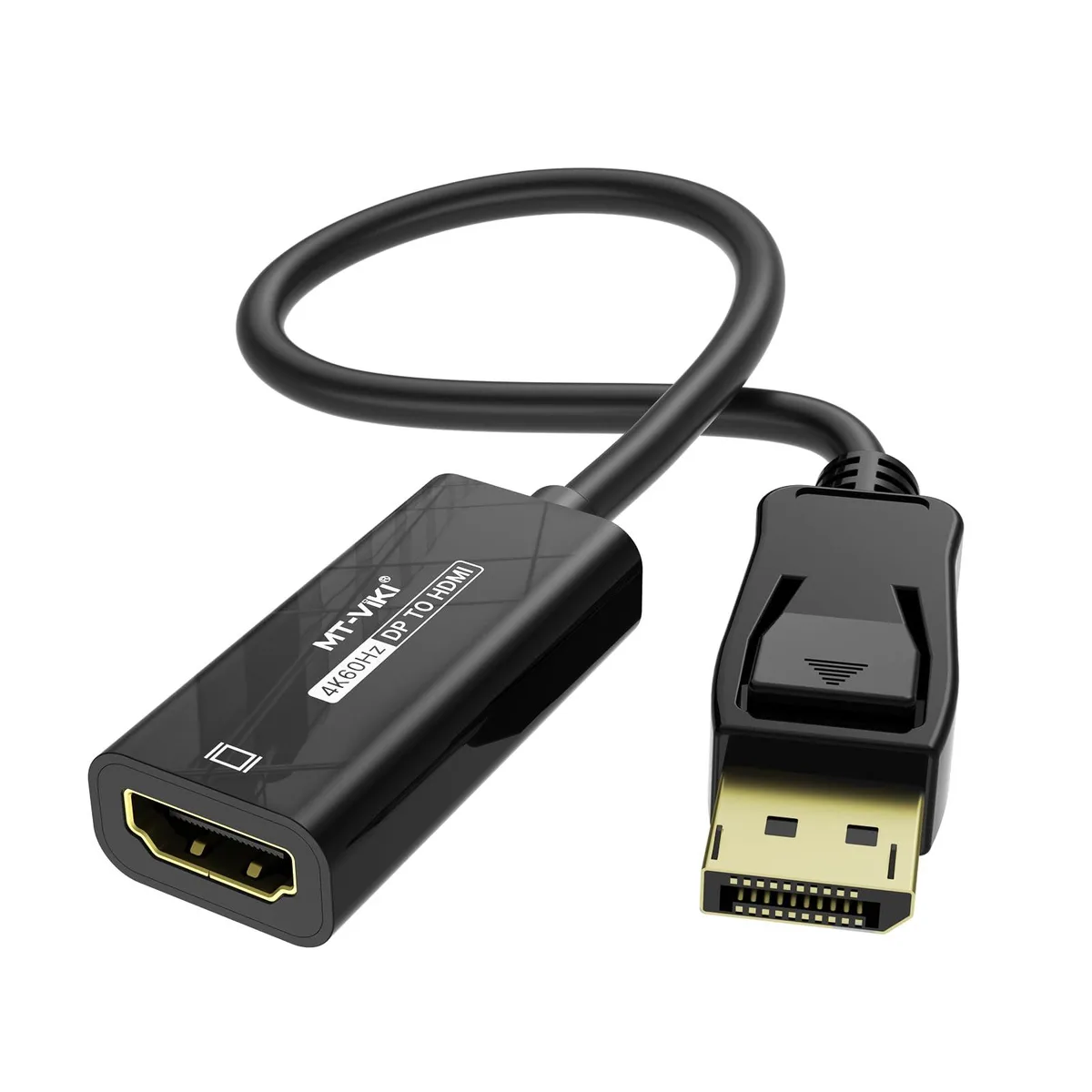
Vszerda MT-CPH03 DisplayPort to HDMI adapter 4K@60Hz 2K@120Hz 18Gbps 24K gold 0.85ft
Connects a DisplayPort source to an HDMI display at up to 4K@60Hz or 2K@120Hz with 18Gbps bandwidth and 24K gold connectors
- Connect 4K@60Hz displays with 18Gbps bandwidth
- 24K gold-plated connectors ensure stable A/V transmission
- Supports 2K@120Hz and 1080P@120Hz high refresh rates
- Compatible with DisplayPort 1.2a and HDMI 2.0 specs
- Compact 0.85ft design fits in bag or pocket
Compact DisplayPort-to-HDMI adapter
The Vszerda MT-CPH03 connects a DisplayPort source to an HDMI display. It supports computers, laptops and graphics cards from major brands. The short .85 ft cable suits mobile presentations or a permanent desk link.
Gold-plated connectors and HBR2 chip
24K gold contacts and a built-in conversion chip deliver up to 18Gbps bandwidth. The male DisplayPort and female HDMI ends lock securely. Compliance with DisplayPort 1.2a, HDCP 1.3/1.4/2.2 and HDMI 2.0 ensures stable audio and video transmission.
Upgrades single-link DP-to-HDMI links
Replaces older adapters limited to 4K 30Hz or 1080P 60Hz. The jump is worth it when you need 4K 60Hz, 2K 120Hz or 1080P 120Hz output. Not for users who require bidirectional conversion or longer cable runs.
Highlights
- Connect 4K@60Hz displays with 18Gbps bandwidth
- 24K gold-plated connectors ensure stable A/V transmission
- Supports 2K@120Hz and 1080P@120Hz high refresh rates
- Compatible with DisplayPort 1.2a and HDMI 2.0 specs
- Compact 0.85ft design fits in bag or pocket
Specifications
No published specifications for this item yet.
Questions about this item
Does the DisplayPort 1.2a interface on this adapter cap the output at 4K 60 Hz or can it do 2K 120 Hz?
The adapter supports DisplayPort 1.2a and HDMI 2.0, so it delivers 4K at 60 Hz and also 2K at 120 Hz or 1080P at 120 Hz within the 18 Gbps bandwidth limit.
What physical space and port orientation does the 26 cm cable need to fit?
The short 26 cm pigtail has a male DisplayPort plug on one end and a female HDMI socket on the other, so it needs clearance for a standard DP port and room for an HDMI cable to plug straight in.
How do I install it and what is the common mistake?
Plug the male DisplayPort end into the source device and connect an HDMI cable from the female end to the display; the mistake people make is reversing the direction because the adapter is unidirectional from DP source to HDMI display only.
New to this? Which coin should you pay with — what to check, what it costs to pay, and what is never asked for.
Also in this aisle
People compared these
Same shelf, same checkout — eight coins and a 30-minute rate lock.



Black Box Corporation
Black Box Corporation CAT6 EZ-RJ45 Modular Plugs 100-Pack
$95.99
0.00114926BTC
In stock
